Advanced Calculations for Add-Ons Ultimate
Set your prices in a lookup table and show customers the right price for their measurements and options. Import tables from CSV or create them in your dashboard.




Pricing
This plugin requires Product Add-Ons Ultimate
Yearly licenses renew annually - cancel anytime
Lifetime licenses are a one-time payment
Single
$59 + VAT *
Use on a single siteUse this plugin on one production site
Renews annuallyThis plugin will automatically renew every year. If you cancel it, you can continue to use the plugin but will not receive support or updates
14 day money back guaranteeIf the plugin isn't what you want, just drop us a line within 14 days for a full refund
Requires Product Add-Ons Ultimate
Pro
$99 + VAT *
Use on up to 10 sitesUse this plugin on up to 10 sites
Renews annuallyThis plugin will automatically renew every year. If you cancel it, you can continue to use the plugin but will not receive support or updates
14 day money back guaranteeIf the plugin isn't what you want, just drop us a line within 14 days for a full refund
Free set-upDrop us an email after your purchase with the details of a product you'd like to set up and we'll do it for you - free of charge
Requires Product Add-Ons Ultimate
Agency
$299 + VAT *
Use on up to 50 sitesUse this plugin on up to 50 sites
Renews annuallyThis plugin will automatically renew every year. If you cancel it, you can continue to use the plugin but will not receive support or updates
14 day money back guaranteeIf the plugin isn't what you want, just drop us a line within 14 days for a full refund
Free set-upDrop us an email after your purchase with the details of a product you'd like to set up and we'll do it for you - free of charge
Requires Product Add-Ons Ultimate
Single
$179 + VAT *
Use on a single siteUse this plugin on one production site
One-time paymentThis is a single one-time charge. You'll receive support and updates for the lifetime of the product
14 day money back guaranteeIf the plugin isn't what you want, just drop us a line within 14 days for a full refund
Requires Product Add-Ons Ultimate
Pro
$249 + VAT *
Use on up to 10 sitesUse this plugin on up to 10 sites
One-time paymentThis is a single one-time charge. You'll receive support and updates for the lifetime of the product
14 day money back guaranteeIf the plugin isn't what you want, just drop us a line within 14 days for a full refund
Free set-upDrop us an email after your purchase with the details of a product you'd like to set up and we'll do it for you - free of charge
Requires Product Add-Ons Ultimate
Agency
$699 + VAT *
Use on up to 50 sitesUse this plugin on up to 50 sites
One-time paymentThis is a single one-time charge. You'll receive support and updates for the lifetime of the product
14 day money back guaranteeIf the plugin isn't what you want, just drop us a line within 14 days for a full refund
Free set-upDrop us an email after your purchase with the details of a product you'd like to set up and we'll do it for you - free of charge
Requires Product Add-Ons Ultimate
All prices are in US Dollars.
A full refund if you're not happy
I built this plugin myself and my team and I are available to support you personally. We want you to be 100% satisfied with your purchase so if, for any reason, this plugin doesn't meet your expectations over the next 14 days, let us know and we'll give you a full refund.

WooCommerce Advanced Calculations: lookup table pricing plugin
Price made-to-measure and configurable products from your own lookup tables
Build and edit tables in minutes
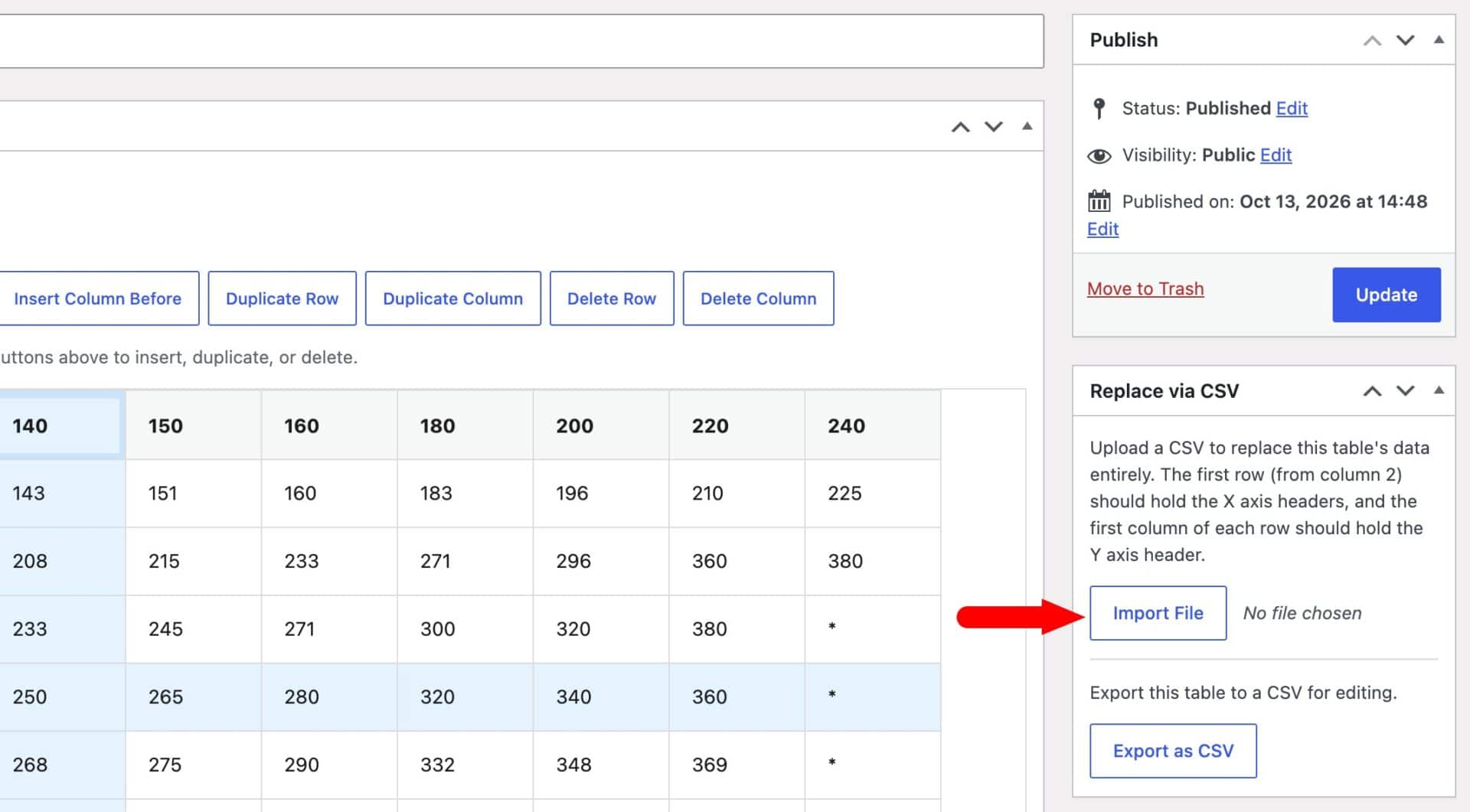
- Import one lookup table or several from a single CSV file
- Click into a cell to change a price – no need to re-upload the file
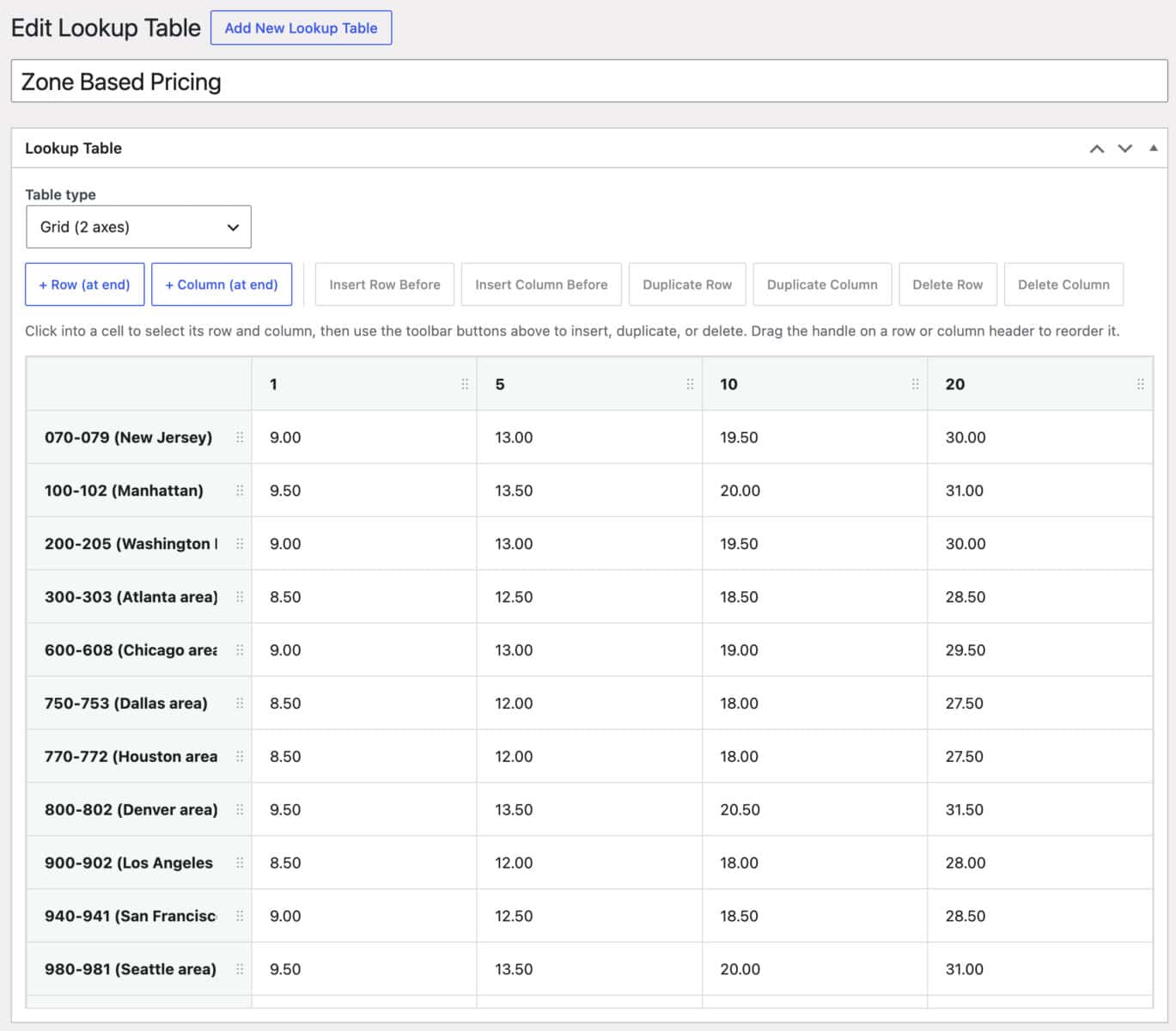
- Add, duplicate, delete and drag rows and columns direct in your WordPress dashboard
- Create tables from scratch or export them to CSV
- Look up prices using text as well as numbers
Show customers the right price instantly
-
- Customers enter measurements or choose options from dropdowns and swatches
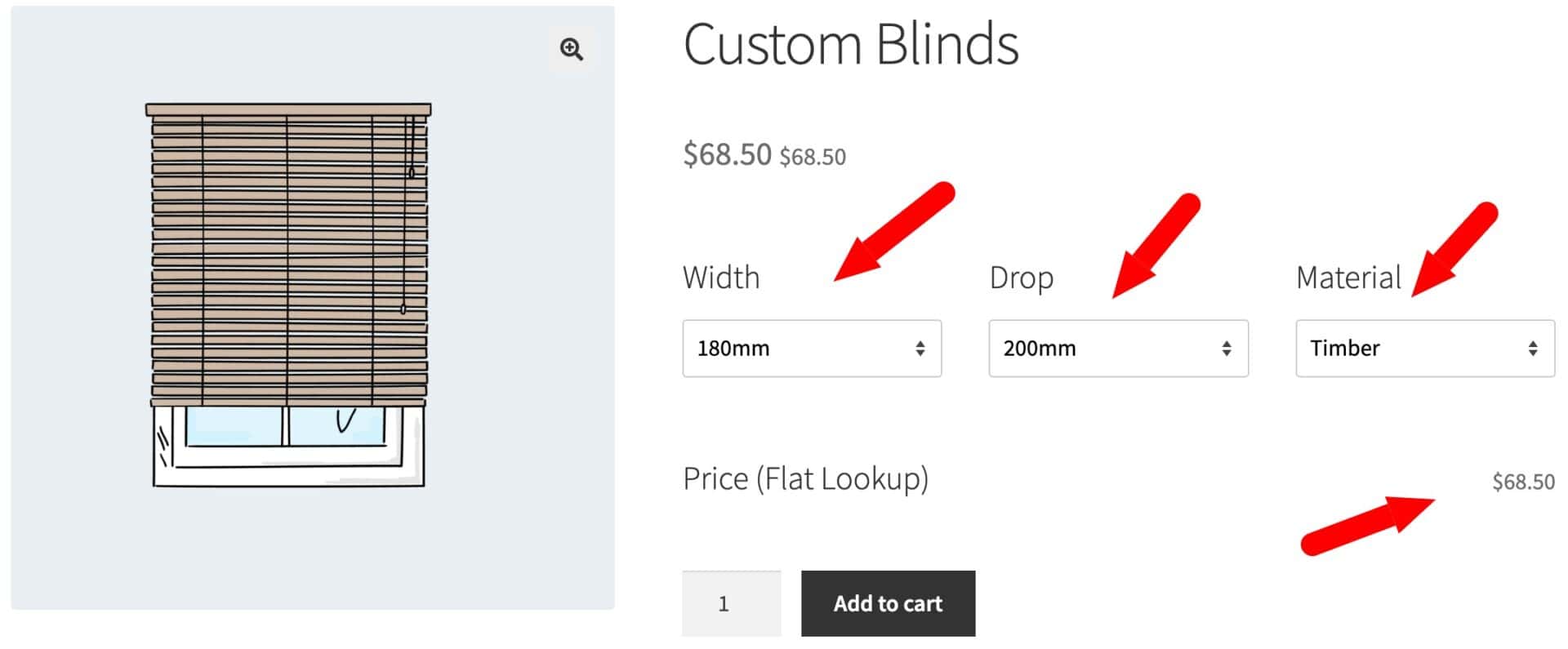
- The price updates on the product page as soon as they make a choice
- Look up prices by size, material, finish or any combination
- Optionally display the lookup table on the product page
- Use more than two inputs, such as width, height, material and finish
Why buy the Advanced Calculations for Add-Ons Ultimate plugin?
Advanced Calculations prices your products straight from your own lookup tables, so you don't need to convert a price grid into a formula. Import tables from CSV, edit them in your dashboard and look up prices by size, material or any other option the customer chooses. Your customers see an accurate price as soon as they enter their details. And when you change your prices, you can update them directly in your dashboard or import the whole table again.
What makes Advanced Calculations for Add-Ons Ultimate different?
Find out what makes our plugin unique

Import and edit
Most lookup table plugins make you choose between importing a spreadsheet and editing in the dashboard. With Advanced Calculations, you get CSV import, inline editing and export for every table.

Free set-up
Pro and Agency licenses include free set-up. Send us the details of a product and we'll set it up for you.

Look up more than two values
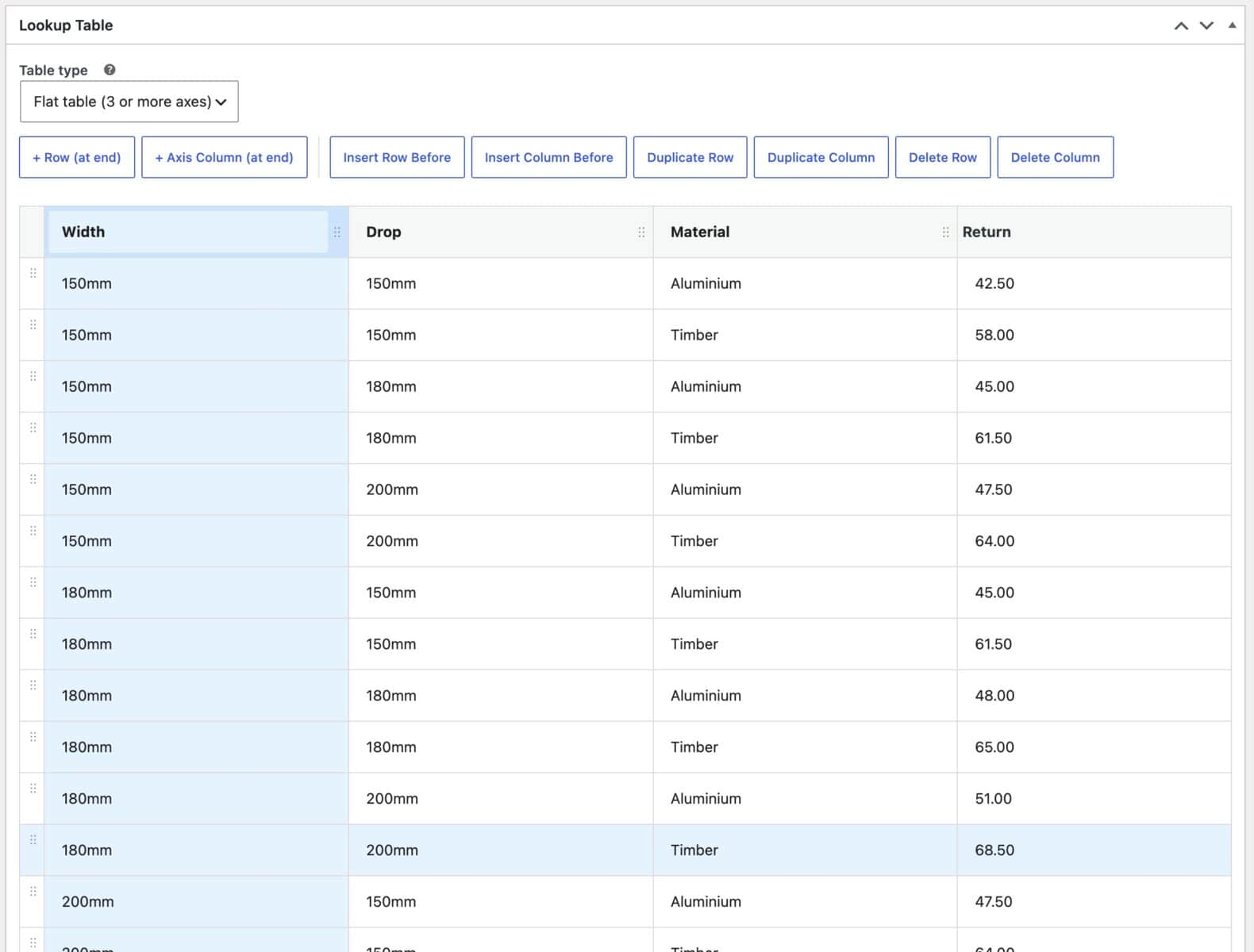
Grid tables handle width and height. Flat, list-style tables let you look up a price using as many values as you need.

Text or numbers
Lookup values can be text or numbers, so you can price by material, finish or color as well as by size.

Round up to the next size
Customers can enter any measurement and Advanced Calculations rounds it up to the next size in your table.

One-time lifetime license
Pay once with a lifetime license and get updates and support for the lifetime of the product.
Advanced Calculations for Add-Ons Ultimate plugin features
The most powerful and easy-to-use plugin for creating lookup tables in your WooCommerce store


Import from CSV
Import one table or several tables from a single CSV file.
Export to CSV
Download any table, edit it in your spreadsheet app and upload it again.
Create tables from scratch
Build a table in your dashboard without a CSV.
Table titles fill in from the CSV's contents or file name.
Use the same table on as many products as you like.
Multiple tables per product
Use more than one lookup table on a single product.
Inline editing
Click into a cell to change its value.
Add rows and columns
Insert new rows and columns wherever you need them.
Duplicate rows and columns
Copy an existing row or column as the starting point for a new one.
Drag and drop
Reorder rows and columns by dragging them.
Delete rows and columns
Remove rows and columns you no longer need.
Grid tables
Look up prices using two inputs, such as width and height.
Flat tables
Look up prices using three or more inputs, such as width, height, material and finish.
Round up
Round each measurement up to the next value in the table.
Exact match
Require an exact match on each axis.
Text and number values
Use material names, finishes or colors as well as measurements.
Number fields
Let customers enter their own measurements.
Select and radio fields
Use dropdown and radio options as table inputs.
Image swatches
Use single-selection image swatch fields as table inputs.
Match by label or price
Match each option by its label or its price.
Field dropdowns
Pick each input from a list of the product's fields.

Instant prices
Show the price as soon as the customer makes a choice.
Prices on page load
Show a price straight away when fields have default values.
Display the table
Optionally show the lookup table on the product page, with its title in the top-left cell.
Advanced Custom Fields
Use Advanced Custom Fields values in your calculations.
Multilingual plugin
Fully translated to over 10 languages
Themes and page builders
Advanced Calculations works with all themes (including block themes) and page builders
Use cases

Sell made-to-measure blinds and curtains 

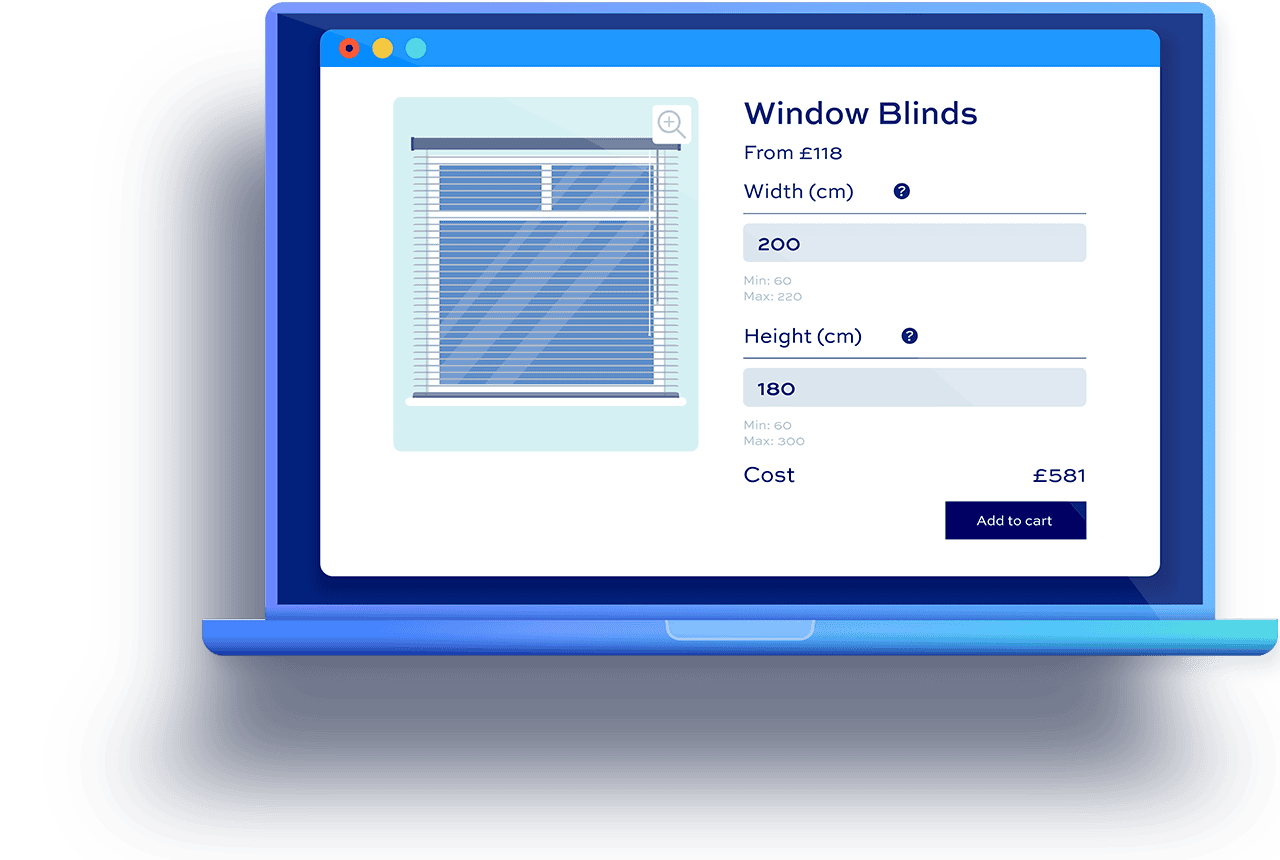
Price blinds, shutters and curtains based on customer measurements and choices - like width, drop and fabric

Calculate prices with lookup tables
Set up a lookup table and use it to price products from the customer's inputs.
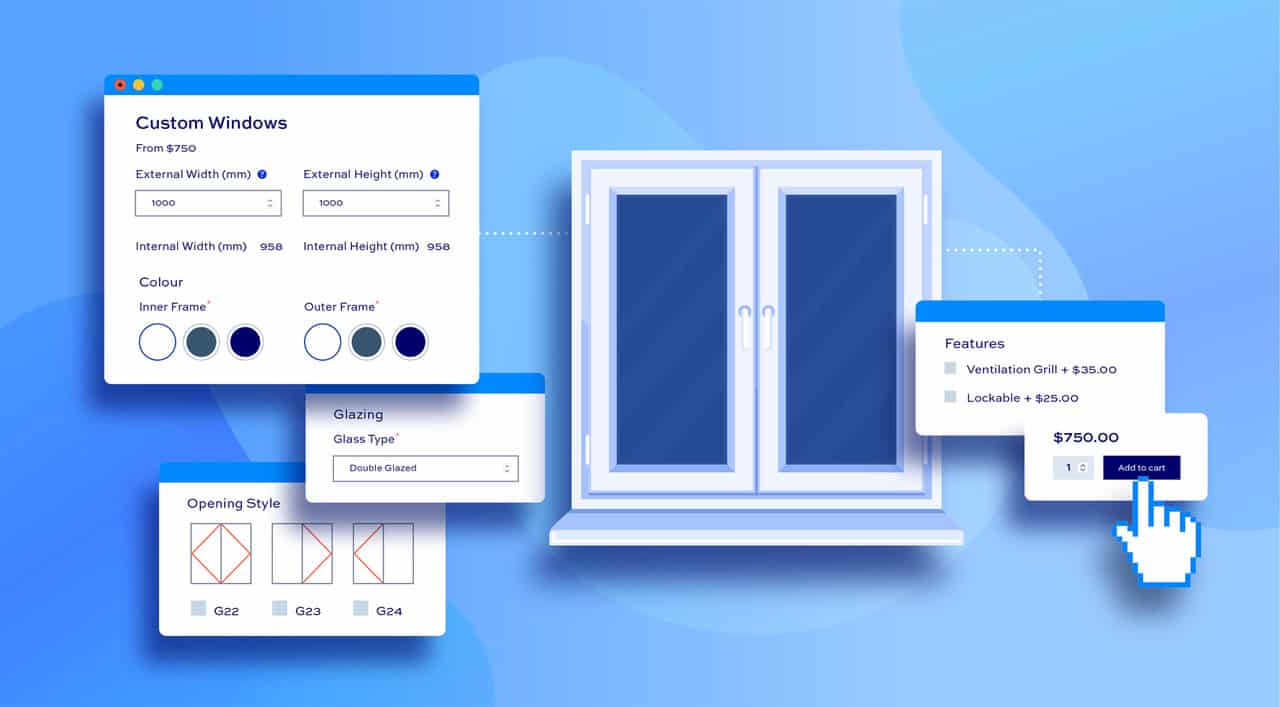
Create customizable window and door products
Create made-to-measure door and window products using customer inputs
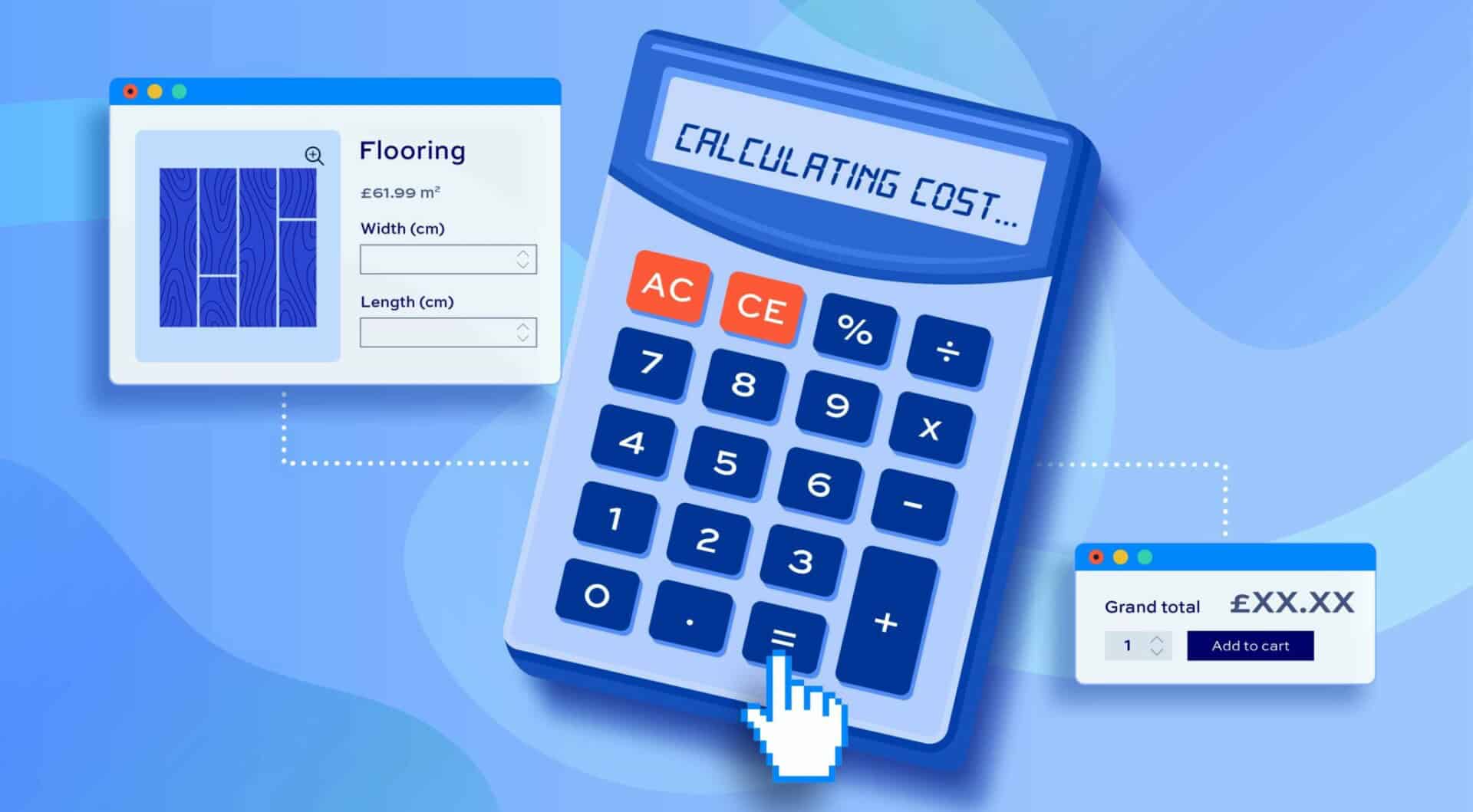
Set product prices with a calculator
Create custom calculators to set product prices based on user choices and measurements
Advanced Calculations for Add-Ons Ultimate plugin customer reviews
See more reviews View us on Trustpilot
Screenshots
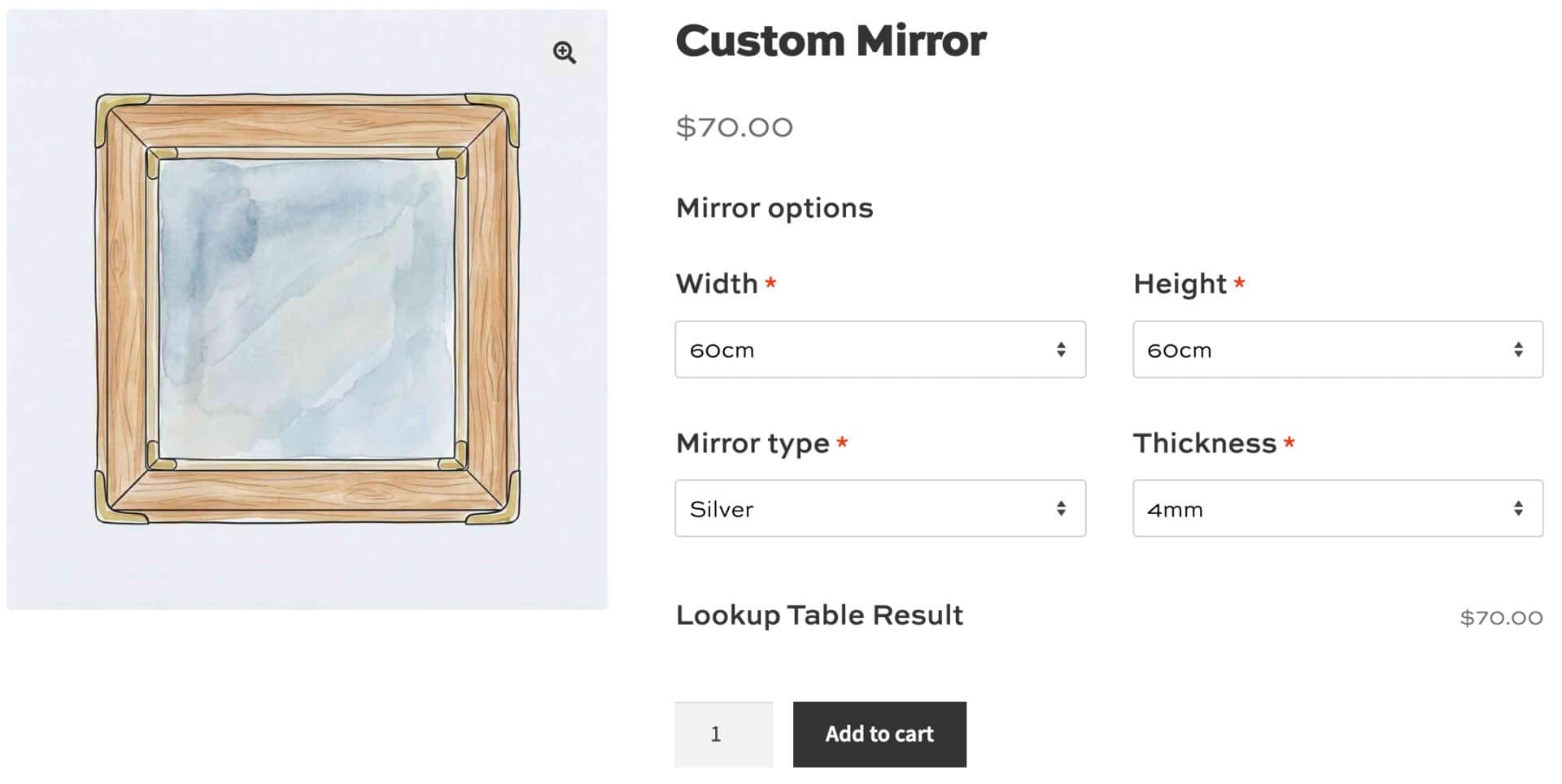
See how the plugin looks on the back and front ends.
Our products are featured on

FAQs
What is a lookup table?
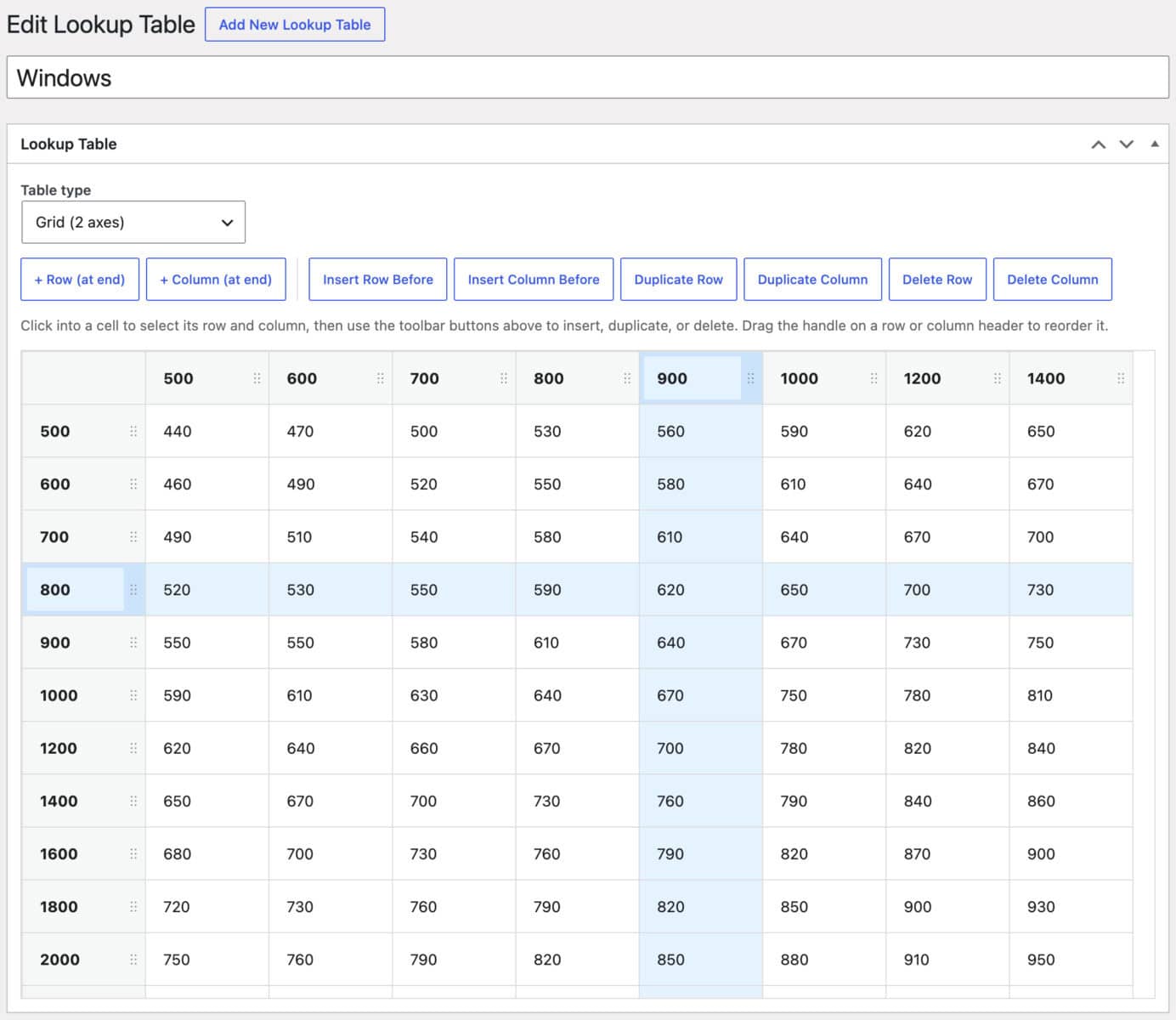
A lookup table is a grid of prices with one set of values along the top and another down the side. For example, a blinds table might list widths across the top and drops down the side.
When a customer enters 125 cm wide and 170 cm drop, Advanced Calculations finds the matching row and column and returns the price.
Can I edit tables without a CSV?
Yes. Each lookup table has its own edit screen in your dashboard. Click into a cell to change its value and use the toolbar to add, duplicate, delete and reorder rows and columns.
You can also create tables from scratch, without a CSV.
Is a lookup table the same as a price matrix?
Not quite. A price matrix in WooCommerce usually means a grid of variations, where customers pick fixed options from a table.
A lookup table works behind the scenes, taking whatever the customer enters or selects and returning the matching price. If you need a variations grid, take a look at WooCommerce Bulk Variations or our guide to creating a WooCommerce price matrix.
Can I import my price list from Excel?
Yes. Save your spreadsheet as a CSV file and import it. You can import one table or several tables from the same file.
Can I create lookup tables in a spreadsheet?
Yes, you can create your lookup tables in your favorite spreadsheet app, like Excel or Numbers, then export to CSV ready for importing to WordPress.
How many lookup tables can I create?
You can create as many lookup tables as you like. You can use multiple lookup tables per product - if required - and you can use the same tables globally - to be applied to multiple products.
Can I use different lookup tables for different variations?
Yes, Add-Ons Ultimate allows you create 'variation-specific' fields, so you can use different lookup tables depending on which variation the user selects.
Can I export my tables?
Yes. Export any table to CSV, edit it in your spreadsheet app and upload it again.
Can I look up prices using more than two values?
Yes. Flat tables let you look up a price using as many values as you need, such as width, height, material and finish.
Each row lists one combination of values and its price. The customer's choices must match a row exactly.
You can also create tables that only require a single input value.
Can I use text values like material names?
Yes. Lookup values can be text or numbers, so you can look up prices by material, finish or color as well as by size.
Can customers choose options from a dropdown instead of typing?
Yes. Select, radio and image swatch fields can all be used as table inputs. You can match by the option's label or its price.
How are measurements between rows matched?
For grid tables, Advanced Calculations rounds each measurement up to the next value in the table by default. You can also require an exact match on each axis.
Flat tables match each value exactly.
Do I need Product Add-Ons Ultimate?
Yes. Advanced Calculations extends the calculation fields in Product Add-Ons Ultimate.
Can you set it up for me?
Yes. Pro and Agency licenses include free set-up. Email us after your purchase with the details of a product and we'll set it up for you.
Try our plugins risk free with our 14 day money back guarantee.