What is WooCommerce? Complete guide to WordPress ecommerce
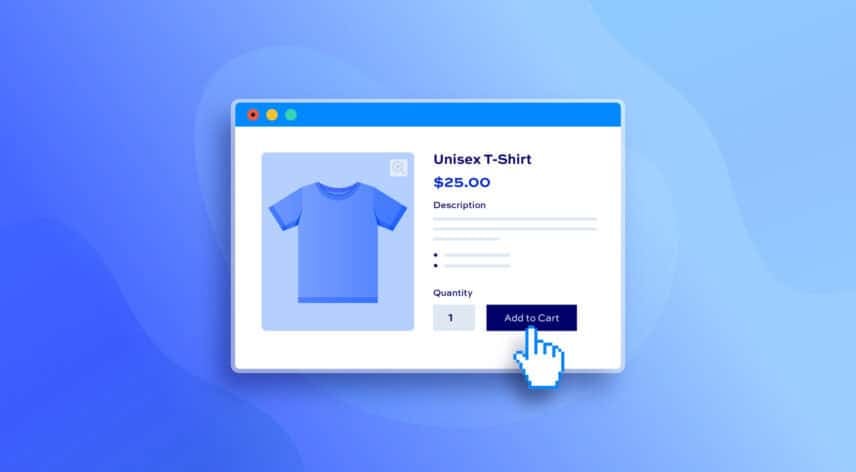
WooCommerce is one of the most popular ecommerce solutions in the world, powering millions of online stores across a wide range of industries. This article tells you everything you need to know about what WooCommerce is and what it can do.

What is WooCommerce?
Built as a plugin for WordPress, WooCommerce allows anyone to transform a standard website into a fully functional online shop. Its flexibility, ease of use, and strong ecosystem of WooCommerce plugins have made it a go-to choice for businesses of all sizes, from solo entrepreneurs to established global brands.
WooCommerce is free and open-source. Launched in 2011, it integrates seamlessly with the WordPress content management system, allowing users to manage products, payments, shipping, taxes, and orders directly from their WordPress dashboard.
WooCommerce provides all the essential tools needed to sell online, while allowing store owners to extend functionality through themes, plugins, and custom development.
One of WooCommerce’s biggest strengths is its flexibility. Unlike many hosted ecommerce platforms, WooCommerce gives users full control over their store’s design, data, and functionality. You can start with a simple shop selling a handful of products, then scale up to a complex store with thousands of items, multiple payment gateways, advanced shipping rules, and custom checkout experiences.
Because it is open source, developers can tailor WooCommerce to almost any business requirement, making it suitable for both straightforward and highly customized projects.
Who uses WooCommerce?
WooCommerce is used by a diverse range of people and organizations. Small business owners and sole traders often choose WooCommerce because it is cost-effective and relatively easy to set up, especially if they are already familiar with WordPress. Freelancers, creatives, and bloggers also use it to monetize their websites by selling products, services, or digital content alongside regular posts and pages.
At the other end of the spectrum, WooCommerce is widely adopted by medium-sized businesses and even large enterprises. Its scalability and extensibility make it suitable for stores handling high traffic volumes and complex product catalogues.
Agencies and developers frequently recommend WooCommerce to clients because it can be adapted to different industries and integrated with third-party systems such as accounting software, CRM tools, and marketing platforms.
Non-profits, educational institutions, and community organisations also use WooCommerce to sell merchandise, accept donations, or manage event registrations.
What can you sell with WooCommerce?
WooCommerce supports a wide variety of product types, making it extremely versatile. Physical products are the most common use case, including clothing, electronics, homeware, and handmade goods.

WooCommerce includes built-in tools for managing inventory, shipping options, and tax settings, which are essential for selling tangible items.
In addition to physical products, WooCommerce is well suited for digital products such as ebooks, software, music, and online resources. It can securely deliver downloadable files to customers after purchase, with options to limit downloads or set expiry dates.
WooCommerce can also be used to sell services,, subscriptions, memberships, bookings, and variable products. With the help of extensions, you can sell anything from online courses and event tickets to subscriptions and personalized products, making WooCommerce a powerful and adaptable ecommerce solution.
What’s the difference between Woo and WooCommerce?
WooCommerce is the ecommerce plugin for building stores, whereas “Woo” is the brand behind the plugin’s development and ecosystem.
Key features of WooCommerce
Let’s take a look at WooCommerce’s key features.
Easy installation and setup
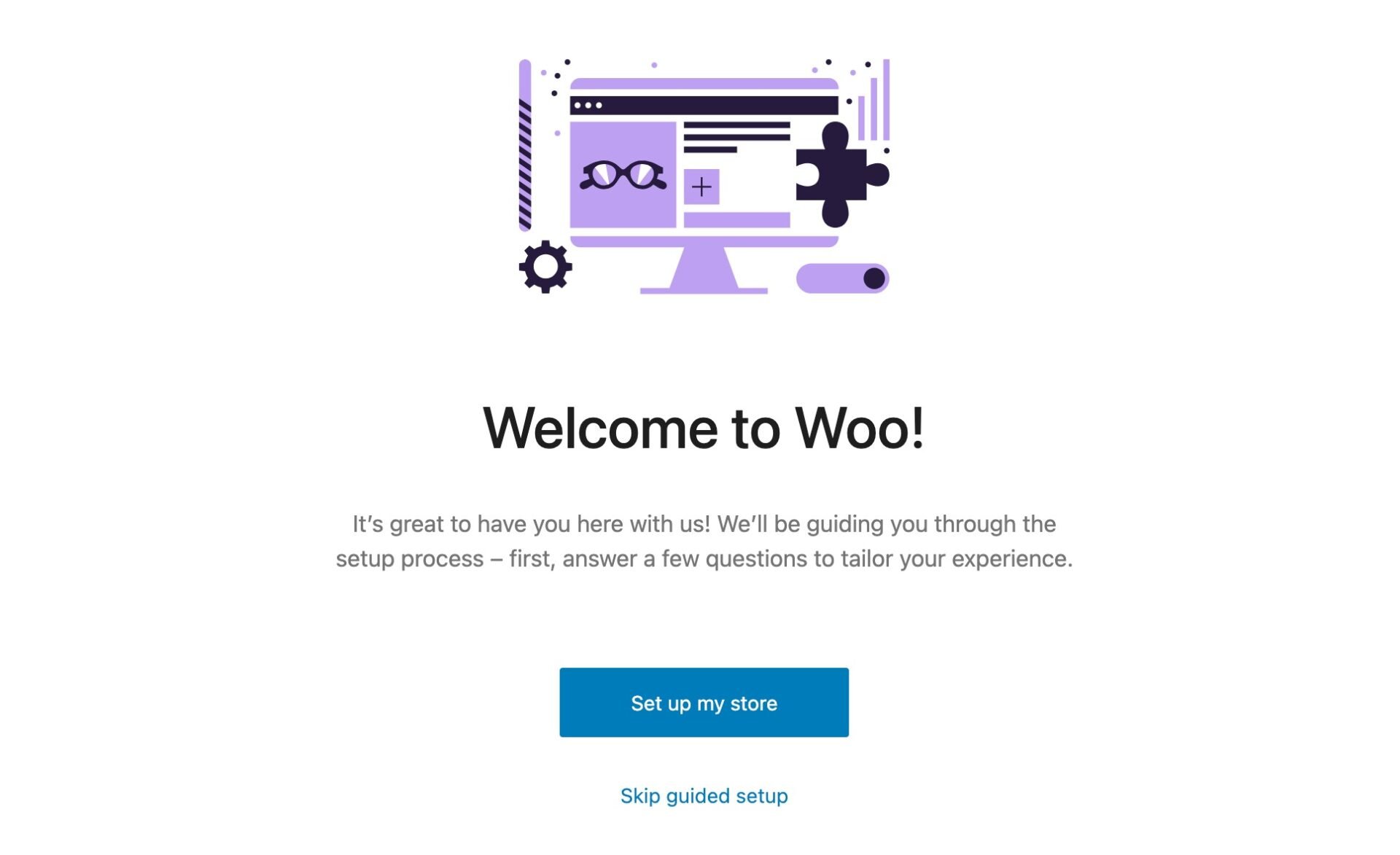
WooCommerce includes a guided setup wizard that helps you launch your store quickly and easily. During setup, the wizard walks you through key steps such as store details, currency, payment methods, shipping options, and taxes. This structured process reduces complexity and ensures essential settings are configured correctly from the start.
See this article for a complete guide to WooCommerce installation and setup.
Product management
WooCommerce gives store owners full control over their online catalog. Each product can be customized with details such as title, description, images, pricing, and SKU.
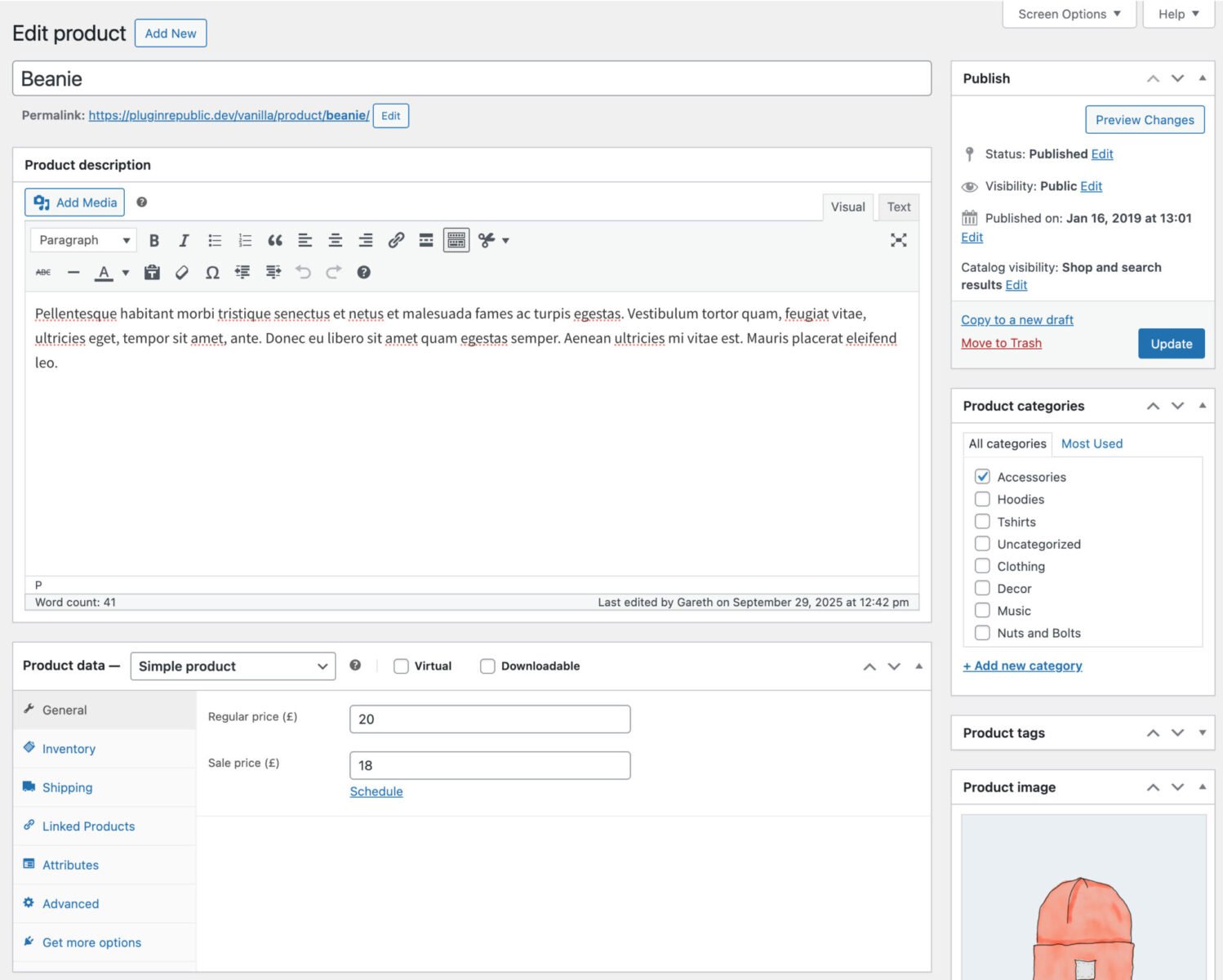
Products can be organized using categories, tags, and attributes, making it easier for customers to find items. Bulk editing, filtering, and import/export features streamline management for large catalogs.
To add products in WooCommerce:
- Ggo to Products > Add New in your WordPress dashboard
- Enter the product title, description, images, and pricing, then configure inventory, shipping, and product type settings
- You can also add categories, tags, and custom attributes
As soon as you hit publish, the product will be live on your site. Customers will be able to access it from the shop or archive pages, view all the information you’ve added, and add it to their cart.
See this article for a complete guide on how to add products in WooCommerce.
Inventory management
Inventory management is a key feature of any ecommerce platform. It allows store owners to keep track of stock levels, avoid overselling, and plan restocking more effectively. With WooCommerce, you can manage stock directly from the WordPress dashboard, making it easy to monitor product inventory.
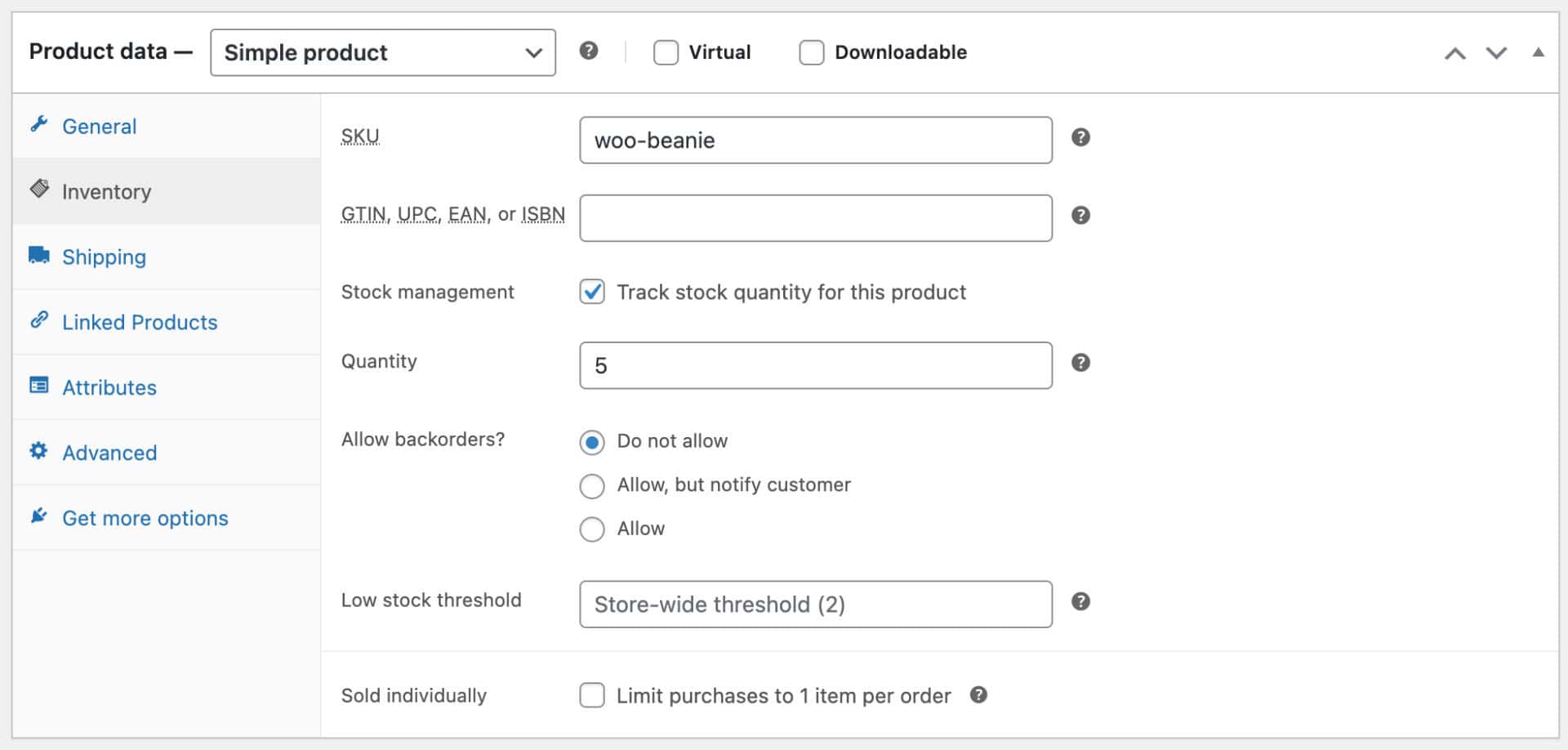
WooCommerce lets you set default stock statuses, choose whether to hide out-of-stock products, and receive low-stock or out-of-stock notifications by email. These alerts help you act before popular items run out, improving customer satisfaction and reducing lost sales.
You can set stock quantities for individual products and variations and enable backorders, For variable products, each variation can have its own stock level, which is particularly useful for products with different sizes, colors, or configurations.
WooCommerce automatically updates stock levels when orders are placed, refunded, or cancelled, ensuring your inventory data stays accurate. For more advanced needs, extensions can add features such as bulk stock editing, multi-location inventory, supplier integrations, and detailed stock reports. This flexibility makes WooCommerce suitable for both simple stores and businesses with complex inventory requirements.
Sell in any currency (or in multiple)
WooCommerce allows you to set currency, currency position, and number formatting to match local or international standards. You can choose the currency symbol, thousand and decimal separators, and decimal places. These settings ensure a professional shopping experience.
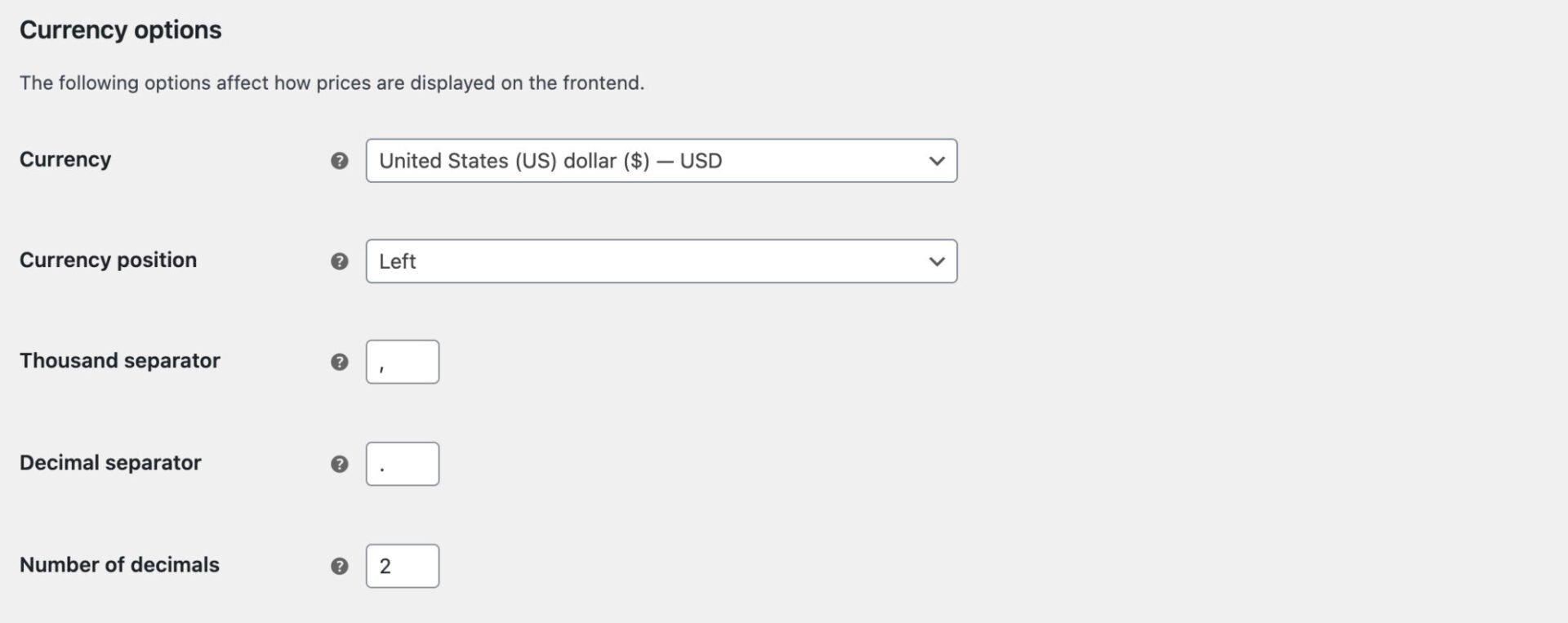
Using a premium extension, you can also use multiple currencies – allowing users to switch between different countries depending on locale.
WooCommerce front end pages
When you install WooCommerce, it automatically generates a number of pages on the front end. This includes all the pages involved in browsing products, making purchases, and managing accounts. These pages are styled by your WordPress theme, so you can create a consistent and user-friendly shopping experience.
Product page
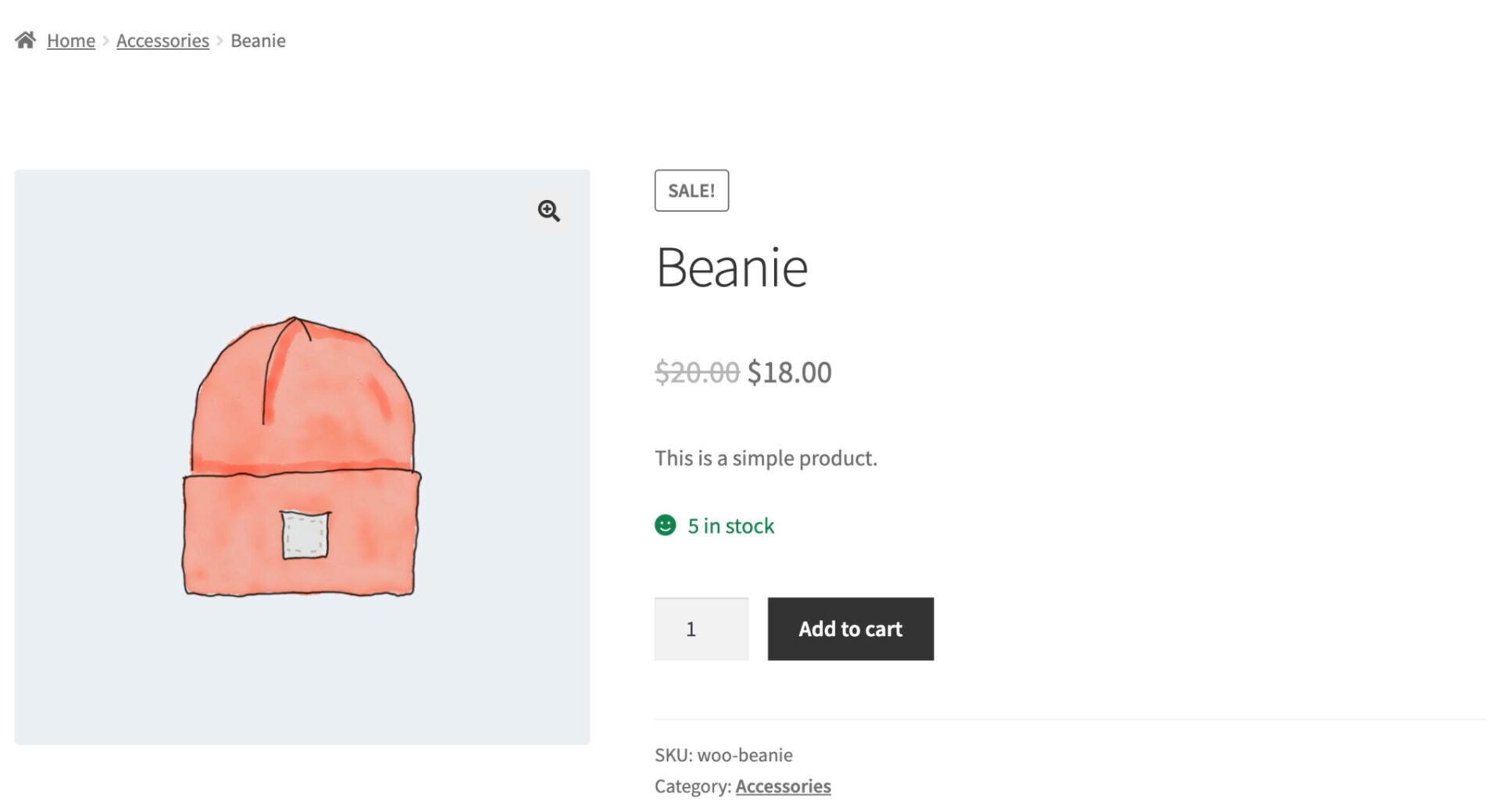
The product page is where customers view detailed information about individual items. It typically includes the product title, price, images, description, variations, and an add-to-cart button. WooCommerce product pages can be customized with tabs, galleries, reviews, and additional content to help shoppers make informed buying decisions.
Shop page
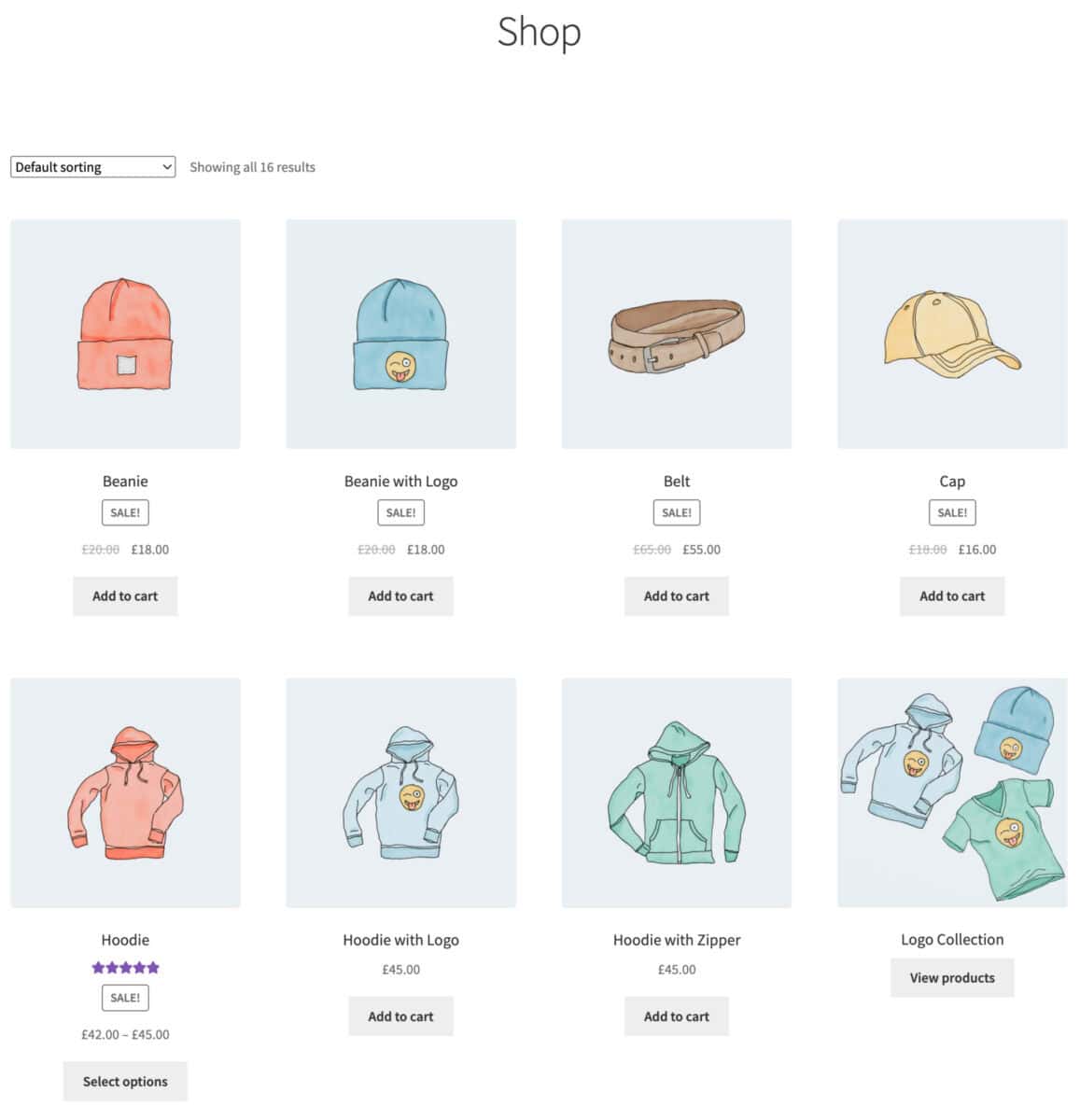
The shop page displays a catalog of products, usually in a grid or list layout. Customers can browse all available items, filter by categories, tags, price, or attributes, and sort products by popularity or price. This page acts as the main entry point to your store.
Cart and checkout pages
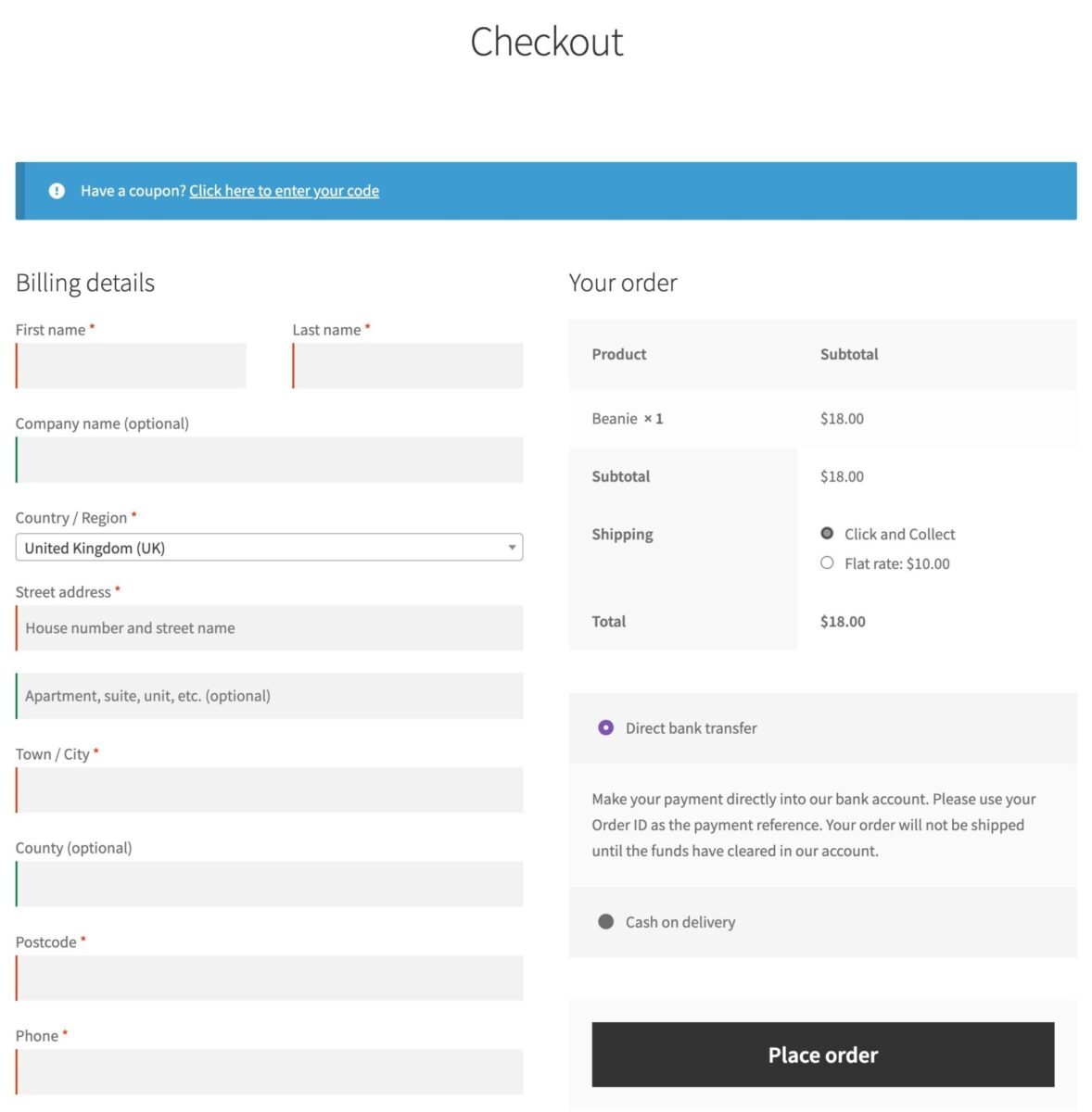
The cart page shows selected items and allows customers to update quantities or apply coupons. The checkout page collects billing, shipping, and payment details, guiding users through the final steps of their purchase.
Account page
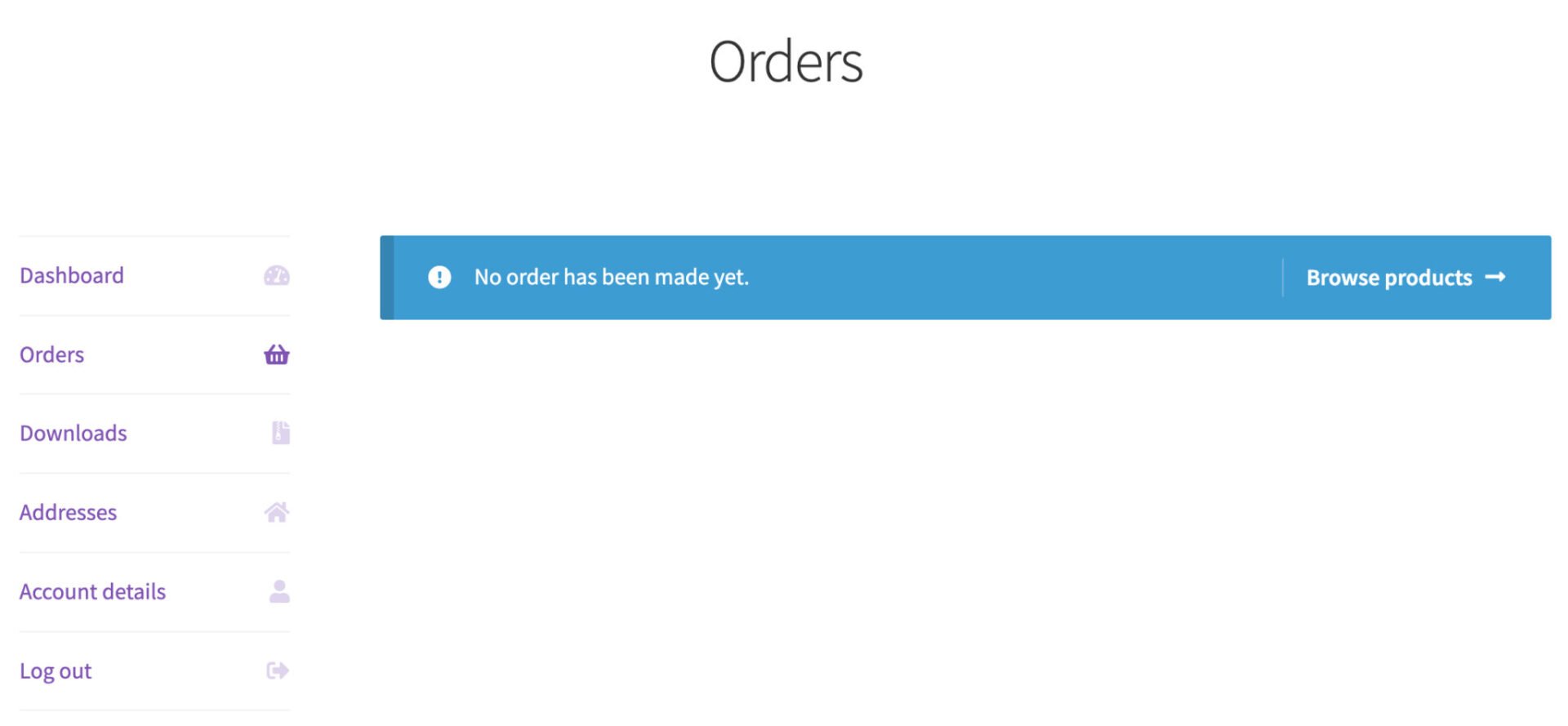
The account page lets registered customers manage their orders, addresses, downloads, and account details, improving convenience and encouraging repeat purchases.
WooCommerce payment methods and gateways
WooCommerce supports a wide range of payment methods, allowing store owners to offer flexible and convenient checkout options.
By default, WooCommerce includes support for bank transfers, cheques, cash on delivery, and PayPal. Additional payment gateways, such as Stripe, Square, Apple Pay, Google Pay, and Klarna, can be added using free or paid extensions.
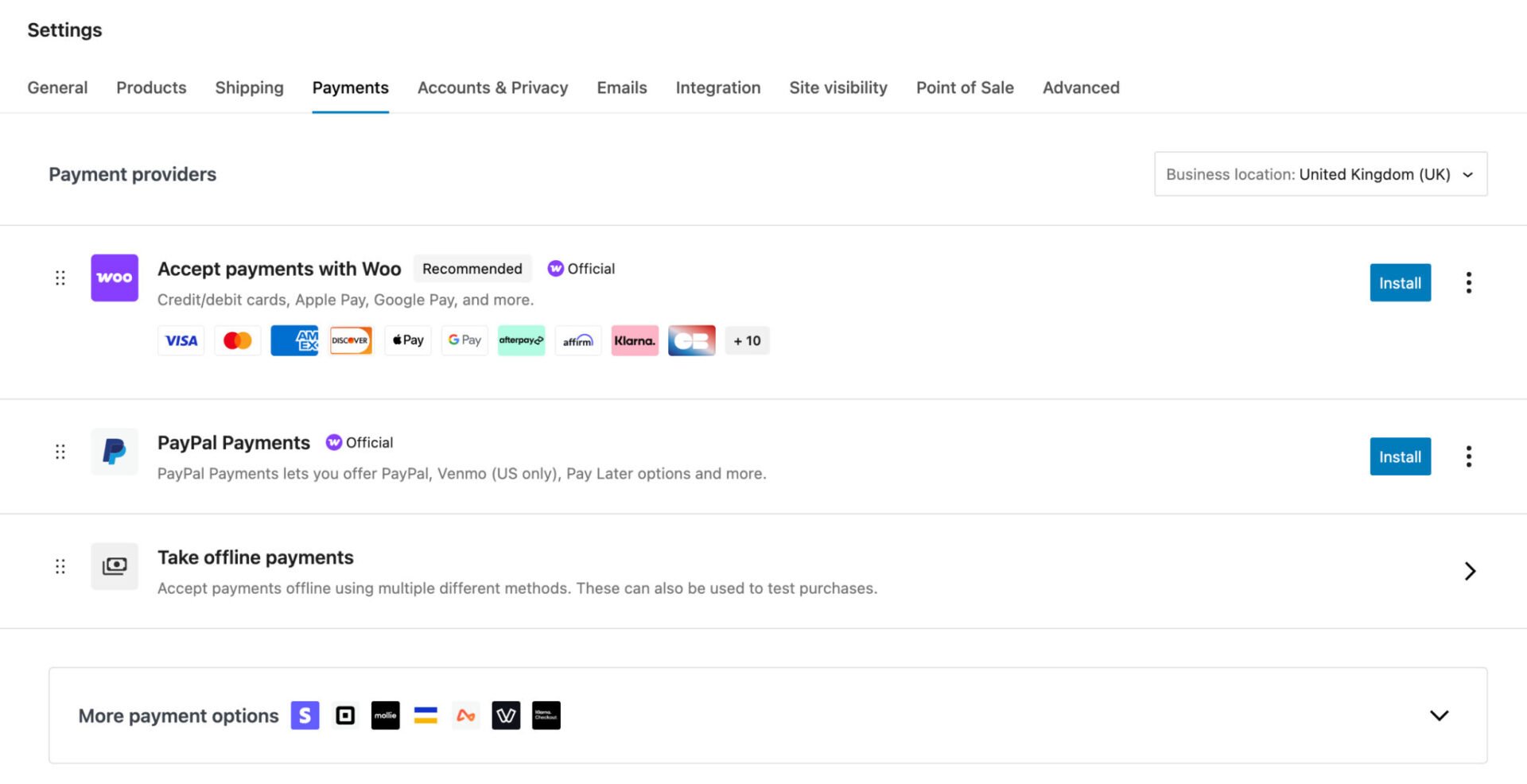
These gateways integrate securely with the checkout process, helping to protect customer data and reduce fraud. Offering multiple payment methods can improve conversion rates by giving customers the option to pay in a way that suits their preferences.
WooCommerce order management
Order management in WooCommerce allows store owners to efficiently track, process, and fulfil customer purchases from within the WordPress dashboard.
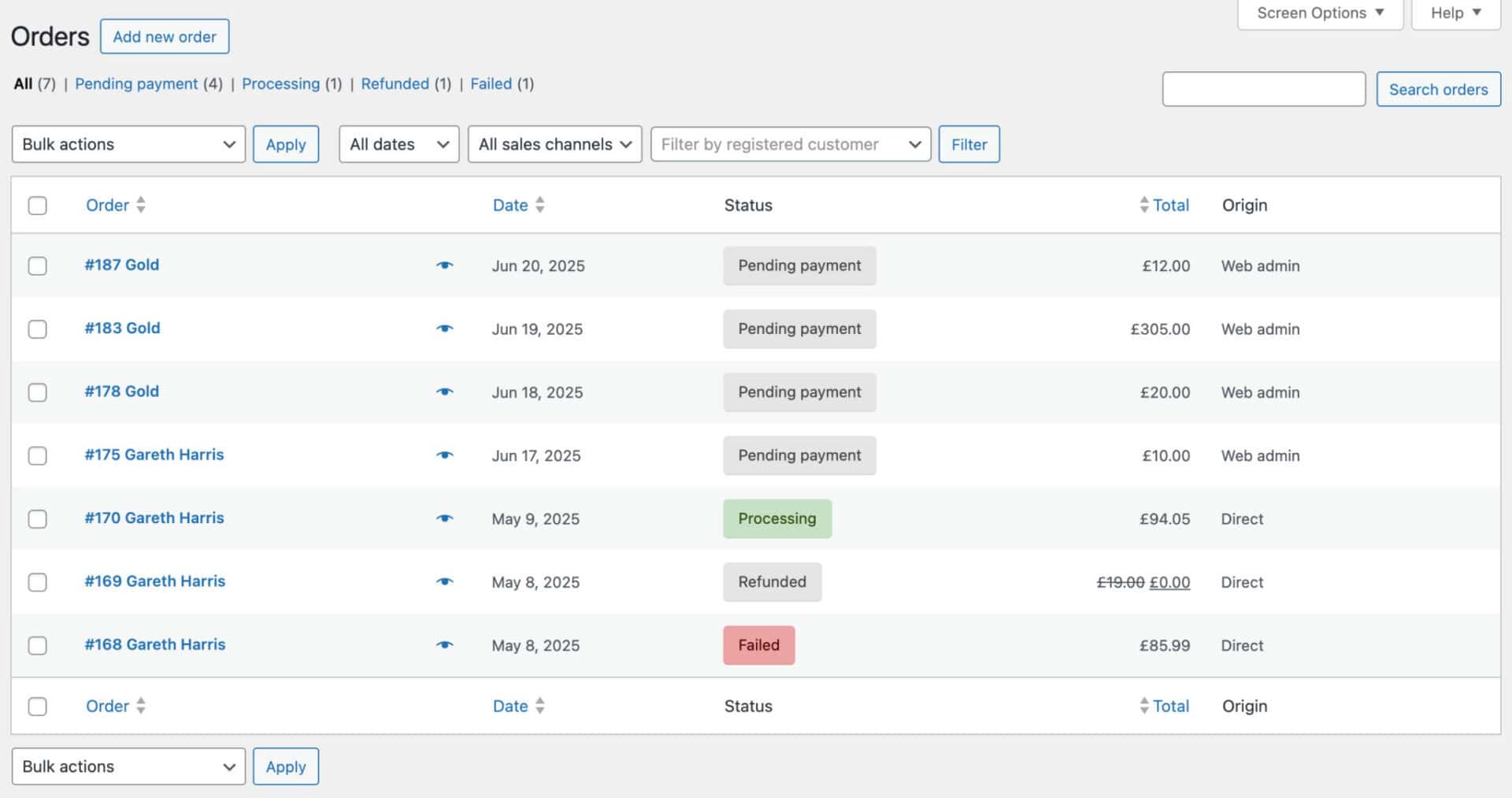
The Orders screen provides an overview of all orders in a single list, showing key details such as order number, customer, date, total, and current status. From this screen, you can quickly filter, search, and sort orders to find specific transactions.
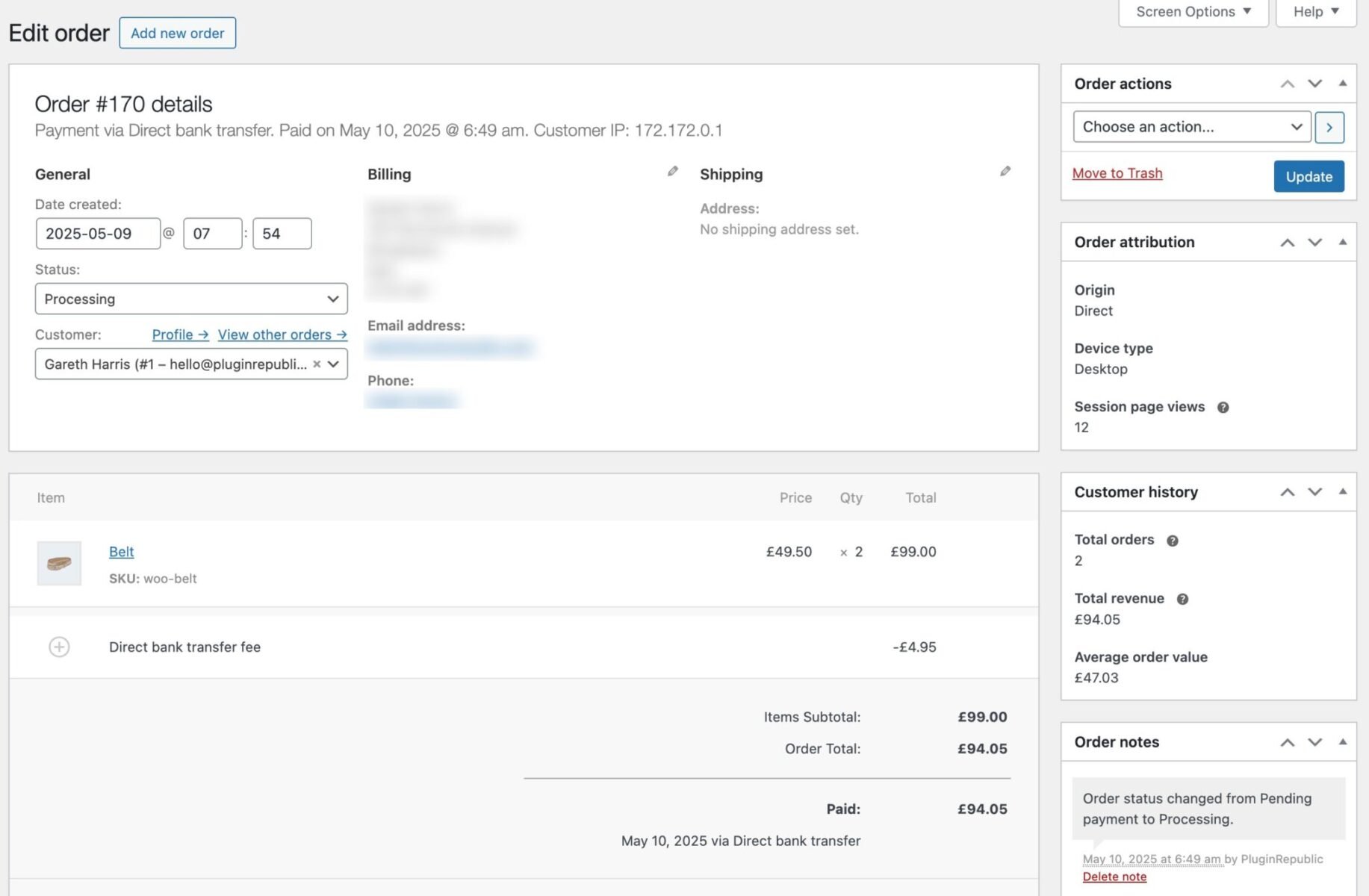
Clicking into an individual order opens a detailed view where you can see customer information, purchased items, payment and shipping details, and order notes. This area allows you to edit order details, add private notes for internal use, or send notes to customers for updates.
WooCommerce uses order statuses such as pending, processing, on hold, completed, cancelled, refunded, and failed to reflect each stage of the order lifecycle.
Order actions let you trigger tasks like resending order emails, marking orders as complete, or issuing refunds, helping to streamline daily order processing and customer communication.
WooCommerce tax settings
WooCommerce provides a robust system for managing taxes, making it easy for store owners to comply with local and international tax regulations.
Tax settings are configured in the WooCommerce dashboard under the “Tax” section, where you can enable or disable taxes, define how they are calculated, and set display preferences for prices.
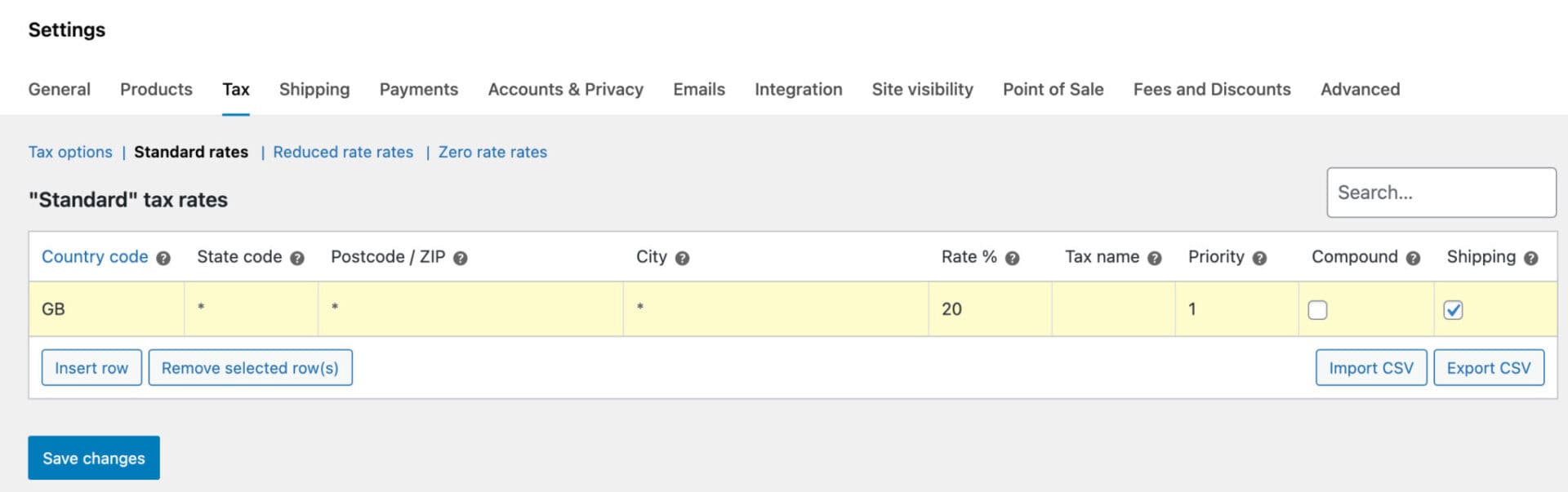
One key feature is tax classes, which allow you to group products by different tax rates. For example, you can create separate classes for standard-rated items, reduced-rate products, or tax-exempt goods. Each class can then have specific rates for different regions or countries, ensuring accurate calculation for all customers.
WooCommerce also gives you the option to display prices including or excluding tax, both in the store catalog and during checkout. This flexibility helps businesses cater to local regulations and customer expectations. Combined with automated tax calculations and region-specific rules, WooCommerce simplifies tax management for online stores of any size.
WooCommerce shipping
WooCommerce offers flexible shipping options to help store owners manage how products reach customers.
You can set up shipping zones, which define regions or countries with specific shipping methods, such as flat rate, free shipping, or local pickup. Each zone can have multiple methods, allowing you to tailor costs based on location.
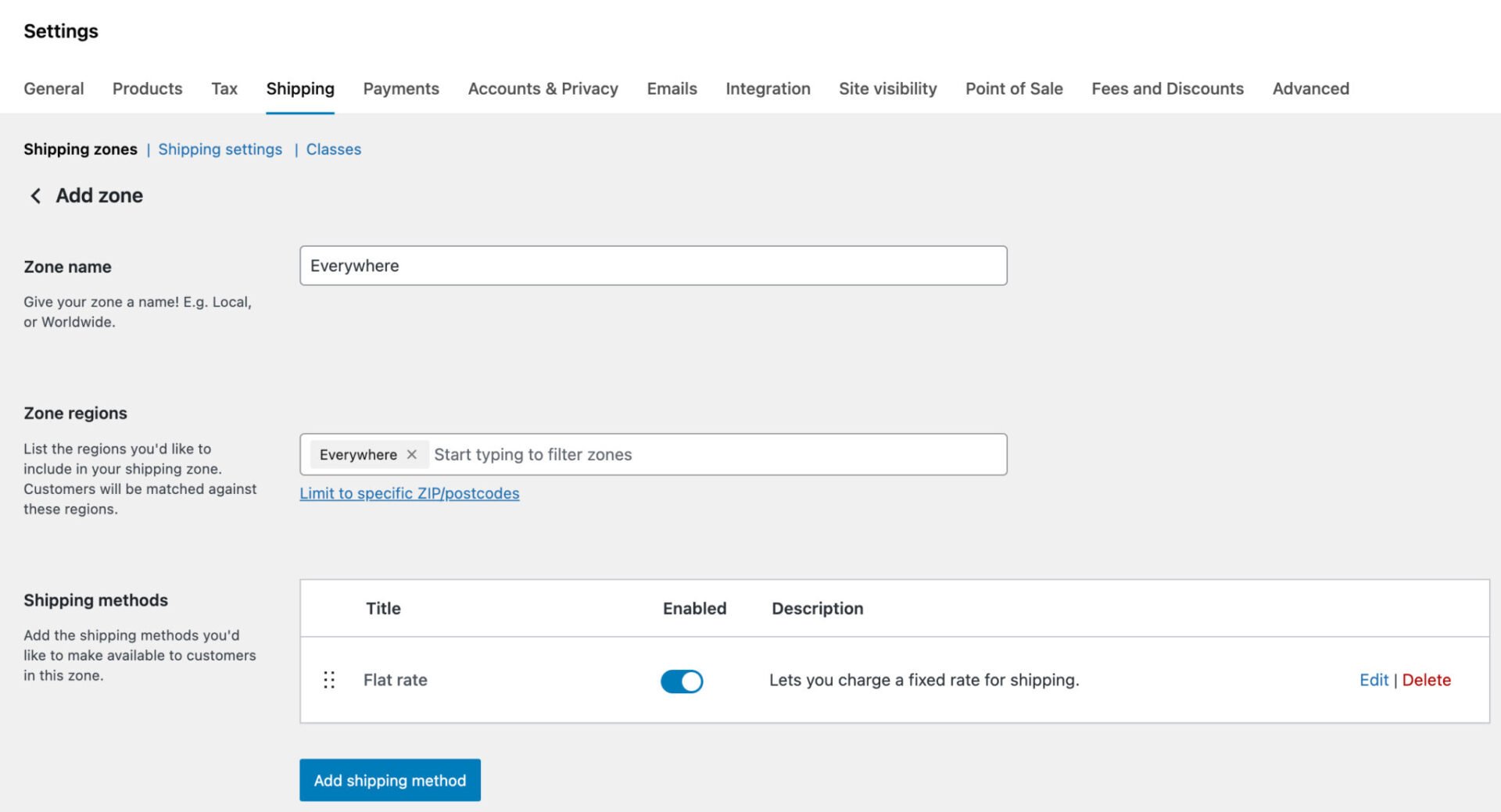
Customers can see shipping options and their costs in the cart and checkout pages.
WooCommerce also supports weight- or dimension-based shipping, and with extensions, you can integrate with major carriers like USPS, FedEx, or DHL for real-time rates.
Store owners can customize shipping rules per product or category, offer free shipping thresholds, and provide tracking information, creating a smooth and transparent delivery experience for customers.
Discounts and coupons in WooCommerce
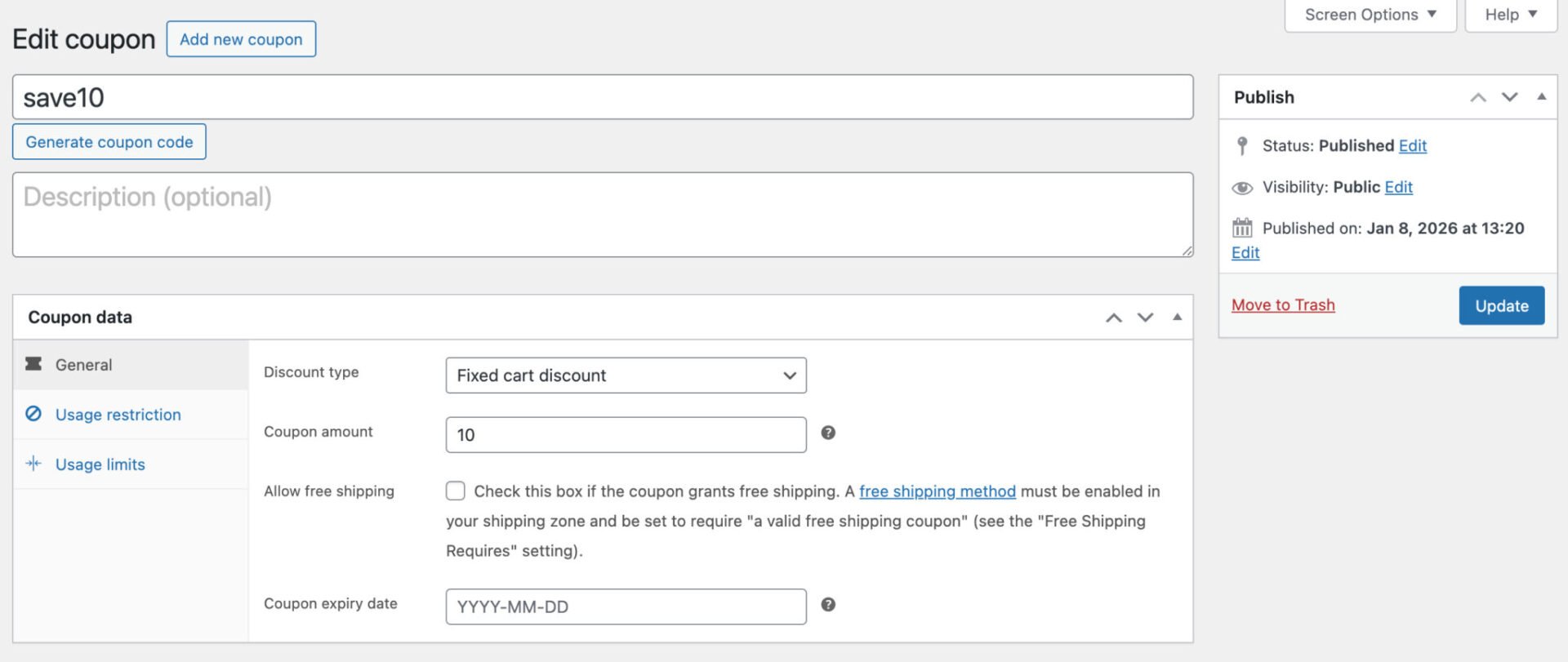
WooCommerce includes a coupon manager. Coupons can offer fixed or percentage discounts, free shipping, or product-specific reductions. You can set usage limits, expiration dates, and restrict coupons to certain products, categories, or user roles. WooCommerce also allows combining coupons with other promotions or limiting them to first-time customers.
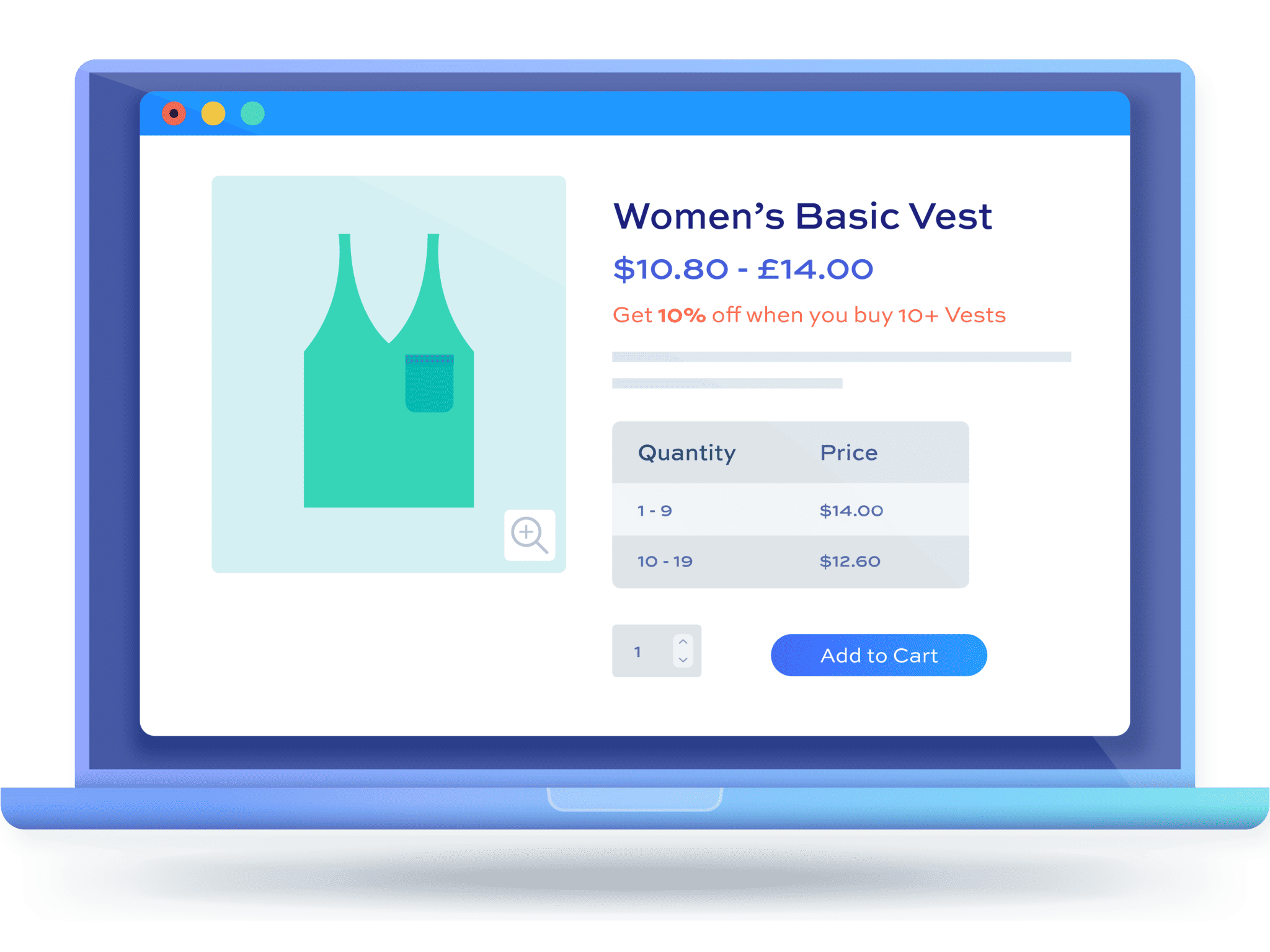
For more advanced discount strategies, like bulk discounts, BOGO (buy one, get one) offers, or tiered pricing, you’ll need an additional plugin. Our WooCommerce Dynamic Pricing and Discount Rules plugin allows you to create all kinds of discount.
Customer management
WooCommerce allows you to choose whether to let customers check out as guests or require them to create an account. You can also let customers register for an account without first making a purchase.
WooCommerce stores customer information such as names, email addresses, order history, and shipping details, which is all accessible from the WordPress dashboard. You can view, edit, and segment customers to improve service, personalize marketing, or offer loyalty incentives.
Integration with extensions enables advanced features like subscription management and membership access. Certain extensions, like our WooCommerce Wholesale Plugin Bundle, will allow you to create a complete wholesale or B2B store.
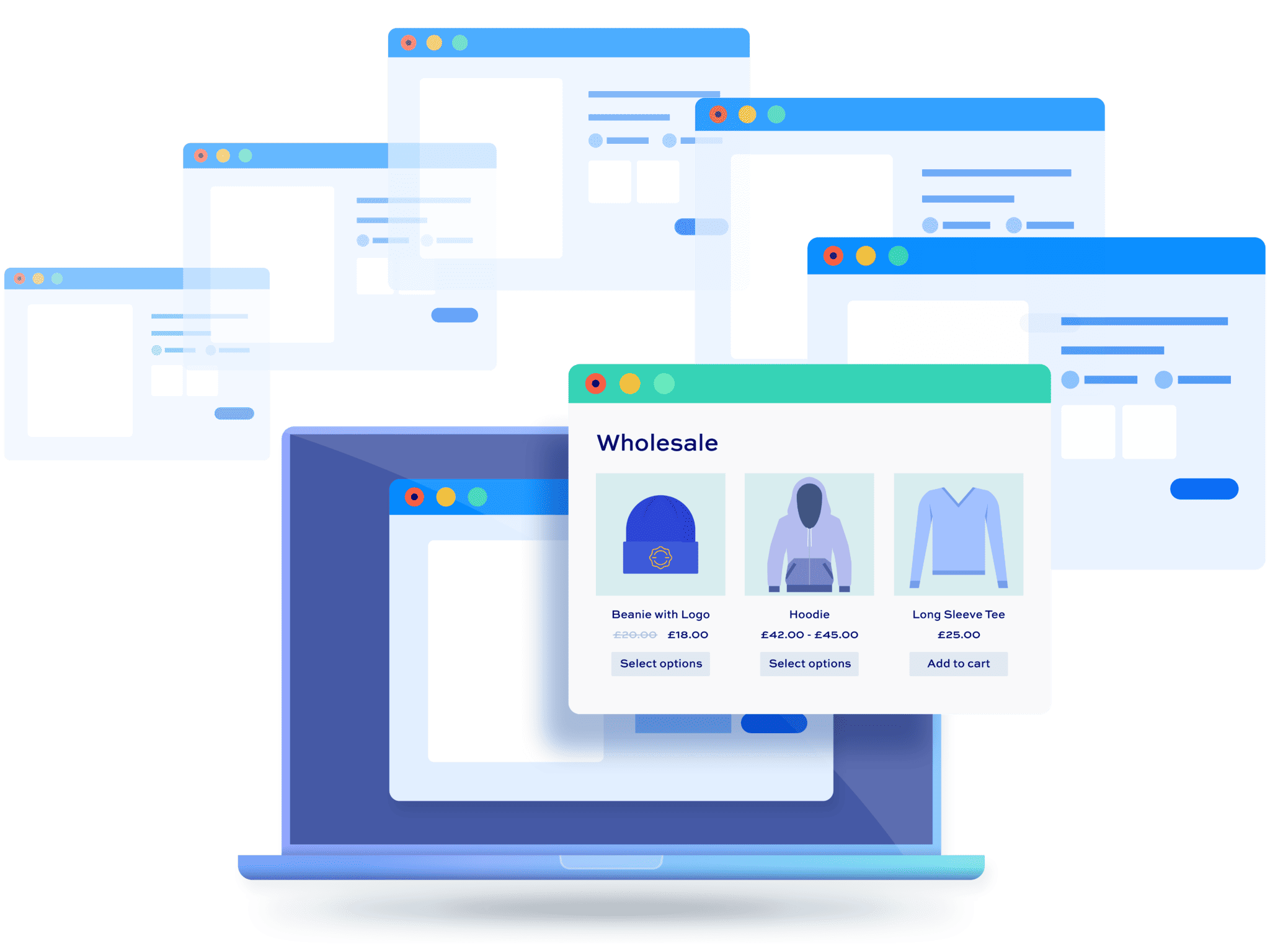
WooCommerce Wholesale & B2B Plugin Bundle
Create a wholesale or B2B store in WooCommerce
WooCommerce reports and analytics
WooCommerce offers built-in analytics and reporting tools that help store owners monitor performance and make data-driven decisions.
The dashboard provides reports on sales, revenue, orders, and taxes, as well as insights into product performance, including top-selling items and stock levels.
Customer-focused reports track purchase activity and repeat buying patterns.
Filters allow analysis by date range, product, category, or coupon usage.
For more advanced reporting, it’s possible to integrate with tools like Google Analytics. Third-party dashboards can also provide custom reports, visualisations, and detailed insights, enabling businesses to optimize sales strategies, marketing campaigns, and inventory management effectively.
How much does WooCommerce cost?
The WooCommerce plugin itself is free. However, there are a number of costs apart from the plugin itself to consider.
Domain registration – essential
If you’re running your own website and ecommerce store, you’ll need a domain name. Prices vary depending on provider – choose a reputable provider
Hosting – essential
Choosing the right host is critical for your WooCommerce store. We use and recommend Kinsta.
Premium plugins
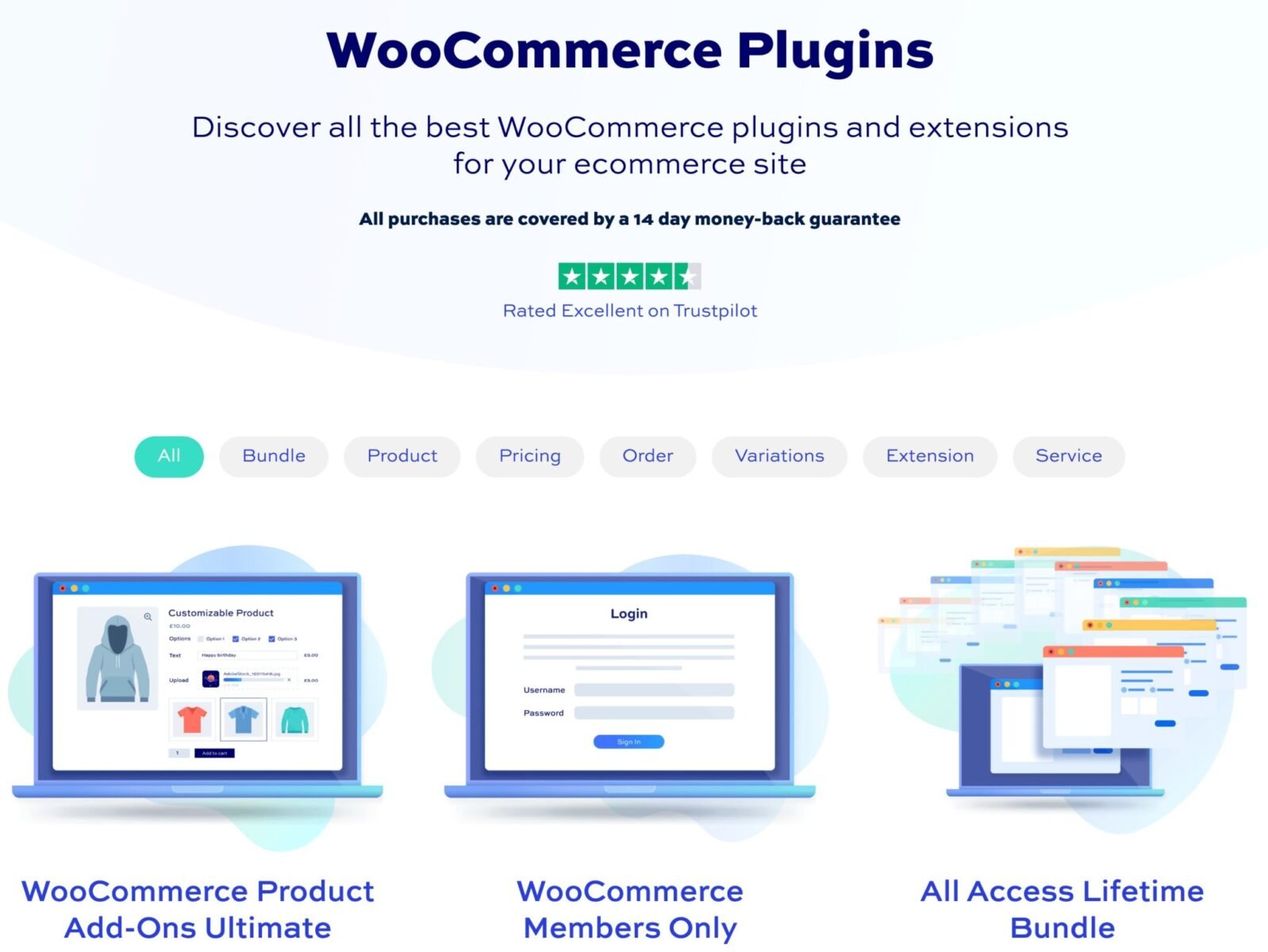
While WooCommerce provides a huge number of features out of the box, you may need to extend using additional plugins. That’s where we come in: our range of premium WooCommerce plugins is designed to help you at every step.
Premium themes
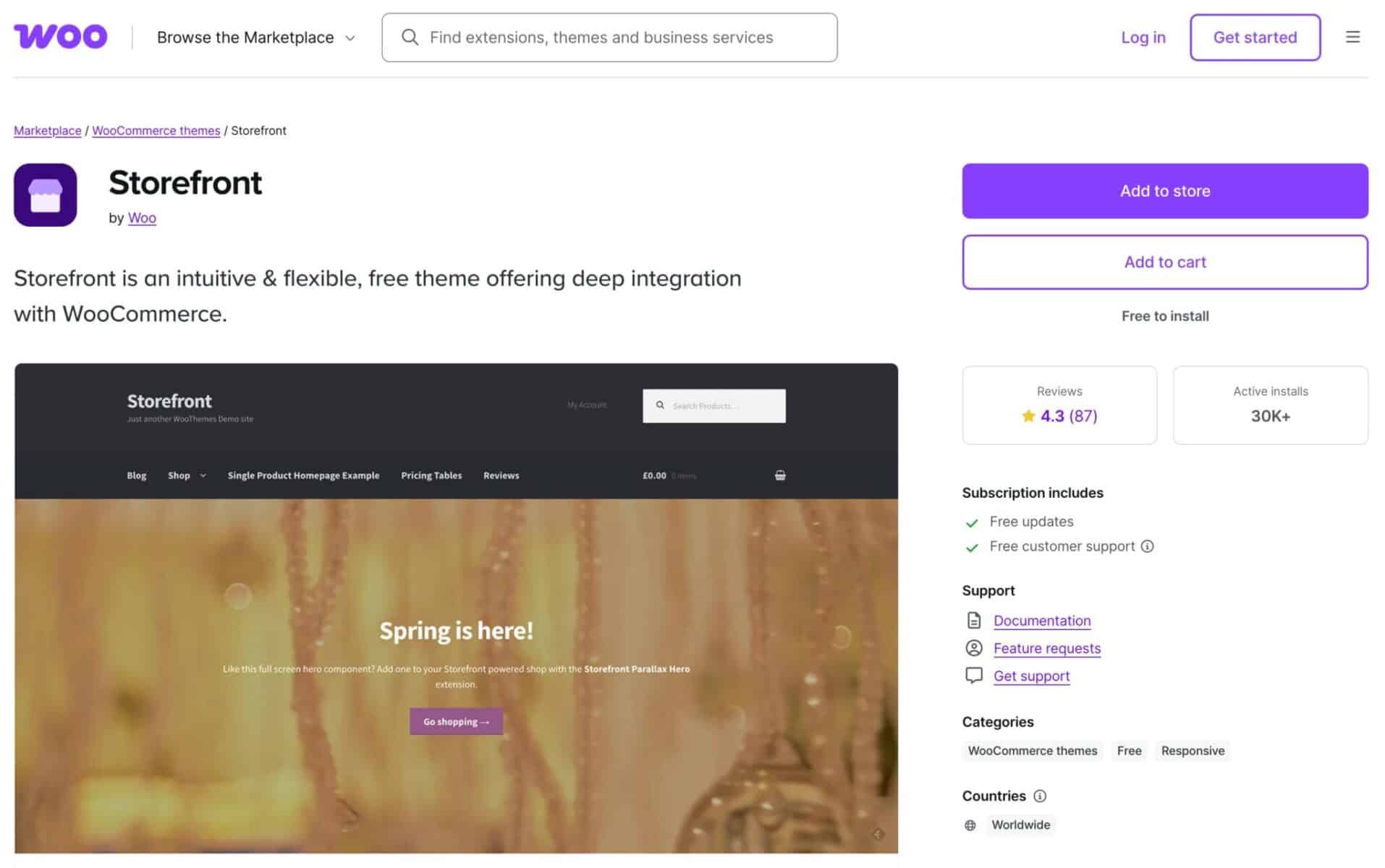
You don’t necessarily need to pay for a theme. WooCommerce’s own Storefront theme is free and there are many other free themes available.
Maintenance, development and design costs
These are hard to quantify as they’ll depend on your specific requirements. We offer our own WooCommerce custom development service – just get in touch to discuss your project.
What are the benefits of using WooCommerce?
WooCommerce offers numerous benefits for online store owners. It’s
- Built on WordPress, which means you own your own content and data, and gives you full control over your store
- Scalable, suitable for small shops or large enterprises
- SEO-friendly, helping your products to rank in search engines
- Highly customizable with themes, plugins, and extensions
- Supported by a large community and a rich ecosystem
- Has frequent updates and a professional, accountable team
Overall, WooCommerce provides flexibility, reliability, and growth potential for any ecommerce business. Let’s take a brief look at how it compares with other ecommerce platforms.
Advantages of WooCommerce over other ecommerce platforms
The main difference between WooCommerce and platforms like Shopify and BigCommerce is that Shopify and BigCommerce are hosted platforms, managing servers and updates for you, while WooCommerce is self-hosted.
The main advantages of WooCommerce over alternatives like Shopify and BigCommerce are:
- Full ownership of content and data: unlike hosted platforms such as Shopify, WooCommerce stores all product, customer, and order information on your own server, giving you complete control and flexibility without reliance on a third-party service
- Greater customization through plugins and themes: WooCommerce integrates seamlessly with thousands of WordPress plugins and themes, allowing you to add features, customize layouts, and create unique shopping experiences tailored to your brand
- Scalability without platform lock-in: You can start with a small store and grow to handle thousands of products and high traffic volumes without being tied to restrictive monthly plans or platform limitations. This flexibility ensures long-term growth and adaptability
Unlike Shopify, WooCommerce gives you complete control over hosting, design, and functionality, allowing businesses to tailor their store precisely and grow without subscription limitations.
Extending and customizing WooCommerce
One of the great advantages of WooCommerce is its extensibility. In this section we look at some additional plugins that will help you achieve extra functionality in your WooCommerce store.
Add extra product options to WooCommerce
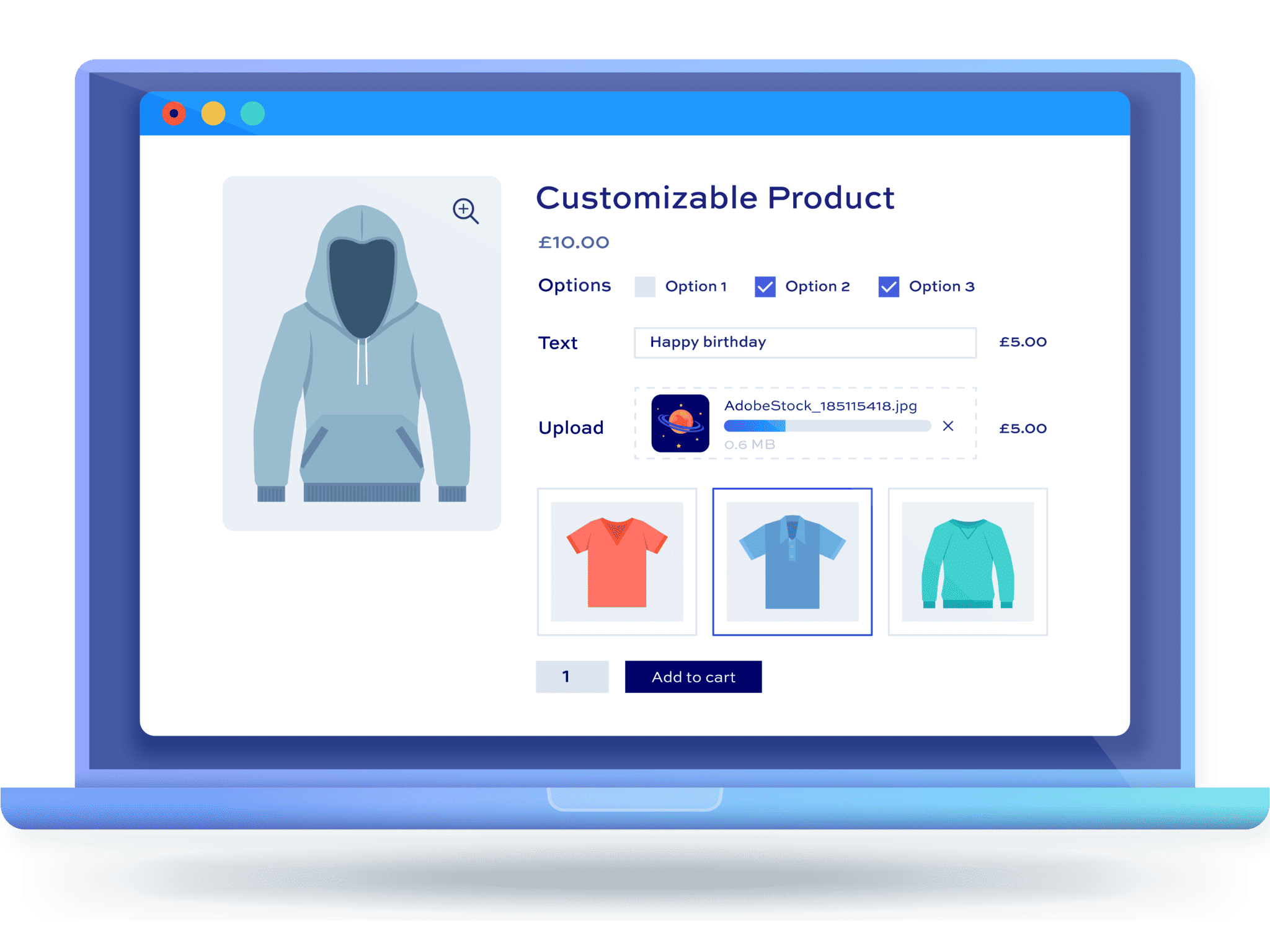
The WooCommerce Product Add-Ons Ultimate plugin offers powerful features to enhance your product pages. It lets you add 20+ custom field types like text boxes, dropdowns, checkboxes, file uploads, date and colour pickers, and more, so customers can personalize products.
You can assign prices to individual fields or options, even using percentages or quantity rules. The plugin supports conditional logic to show or hide fields based on selections, variation-specific fields, and global or per-product add-ons. Advanced options include child products, image swatches, checkbox groups, calculations, and REST API support for deeper integration.
WooCommerce membership sites
The WooCommerce Members Only plugin lets you create a powerful membership system for your WooCommerce store.
You can restrict access to content, products, categories, pages and custom post types based on user roles, login status, or passwords, and even hide prices or products from non-members. It supports multiple membership tiers, free or paid plans, and manual or purchase-based assignment of memberships.
The plugin also enables exclusive discounts for members, custom registration fields, conditional shipping or payment methods, and integrations with subscription and pricing extensions for advanced control.

WooCommerce bookings
The Bookings for WooCommerce plugin lets you turn WooCommerce products into fully bookable items with powerful features.
It adds calendar-based booking functionality, letting customers choose start and end dates with an intuitive date picker. You can define booking units like daily, overnight or weekly rentals, set availability limits, and automatically calculate booking costs based on duration.
The plugin shows availability and pricing on the front end, offers backend calendars for easy management, and supports pricing rules and discount options. It also integrates with third-party calendars like Airbnb and Booking.com via iCal sync, sends automated booking emails, and works with add-ons like extra services and deposits.
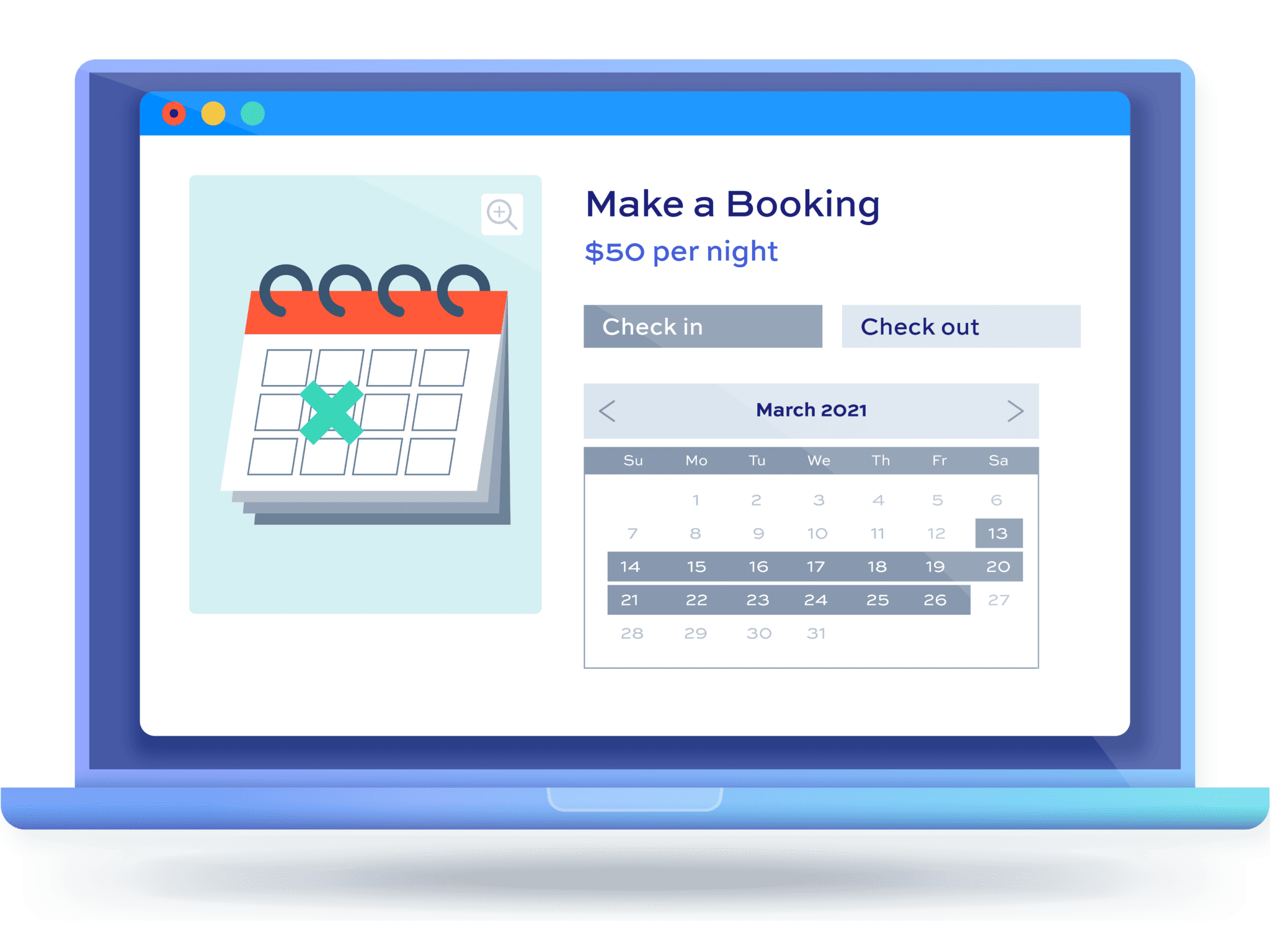
Bookings for WooCommerce
Accept bookings and rentals with the Bookings for WooCommerce plugin
What is WooCommerce – recap
In summary, WooCommerce is a powerful, open-source ecommerce plugin for WordPress that lets you turn any website into a fully functional online store. It provides tools for managing products, payments, shipping, taxes, and orders while giving store owners full ownership of content and data.
WooCommerce is highly customizable through themes and plugins, supports physical, digital, and variable products, and scales from small shops to large enterprises. Its front-end includes intuitive shop, product, cart, checkout, and account pages, while the dashboard offers inventory, order, customer, and analytics management.
Flexible, secure, and supported by a strong ecosystem, WooCommerce empowers businesses of all sizes to sell online effectively.