What are the best WooCommerce product options plugins? 8 compared

The best WooCommerce product options plugin for most stores is WooCommerce Product Add-Ons Ultimate. It has 20+ field types, conditional logic and formula pricing in every license and only costs from $79 a year.
Add-Ons Ultimate is our own plugin. I’ve compared it with seven other product options plugins below, including Extra Product Options & Add-Ons for WooCommerce and WooCommerce Product Options. Each entry covers features, pricing and the kind of store it suits.
I tested five of the seven first-hand on their live demos, so each entry says what the plugin is like to use – not what its developer claims.
Consumers are willing to pay 25.3% more on average for personalization across sectors, according to a 2020 survey of 3,000 consumers by Dassault Systèmes and CITE Research. Product options are how you offer personalization, and charge for it, on a WooCommerce product page.
What are WooCommerce product options?
WooCommerce product options are extra fields on the product page that let customers personalize or configure a product before adding it to the cart. For example, a text field for an engraving, a checkbox for gift wrap or number fields for width and height.
You’ll also see them called extra product options, custom product options and product add-ons. They all mean the same thing.
How are product options different from variations?
Variations are fixed combinations of attributes like size and color, each with its own price, SKU and stock level. They work well when you sell a small set of predefined versions of a product.
Product options collect input that variations can’t, like custom text, uploaded files and measurements. You can use both on the same product, and our guide to WooCommerce variations covers the variations side in more detail.
What should you look for in a product options plugin?
- Field types: text, number, checkbox, radio, dropdown, swatch, upload and date fields cover most products
- Pricing: look for per-option prices, percentages, price per character and formulas if you sell made-to-measure products
- Conditional logic: conditional product options keep the page short by hiding fields until they’re relevant
- Global options: apply one set of options to many products or categories and edit them from a single screen
- Stock and SKUs: some plugins let you use existing products as options so inventory is tracked
- Licensing: compare annual prices, lifetime licenses and what the free version leaves out
How did I compare these plugins?
I tested these plugins first-hand on their public demos, instead of relying on documentation or other people’s reviews. That covers the plugins from ThemeComplete, Barn2, ThemeHigh, Studio Wombat and YITH.
I couldn’t find a demo for Woo’s Product Add-Ons or Addify’s Product Options and Addons. I assessed those two from their Woo Marketplace pages.
Features and prices come from each developer’s own site and were checked in November 2026. Look for the ‘Hands-on’ note in each entry for what I found.
How do the best WooCommerce product options plugins compare?
| Plugin | Demo | Ideal for | Price from |
|---|---|---|---|
| WooCommerce Product Add-Ons Ultimate | Front end and admin | Personalized, configurable and made-to-measure products | $79/year or $199 lifetime |
| Extra Product Options & Add-Ons for WooCommerce | Front end | A long-established plugin with formula and lookup table pricing | $59/year |
| WooCommerce Product Options | Front end and admin | Displaying existing variations as swatches and checkboxes | $149/year |
| Extra Product Options for WooCommerce | Front end and admin | Simple custom fields on a free plugin | Free, premium from $39/year |
| Advanced Product Fields for WooCommerce | Front end and admin | An admin builder modeled on Advanced Custom Fields | Free, Pro from $69/year |
| YITH WooCommerce Product Add-Ons & Extra Options | Front end and admin | Stores already running other YITH plugins | Free, premium $120/year |
| Product Add-Ons for WooCommerce | None found | Basic extras like gift wrap and messages | $79/year |
| Product Options and Addons for WooCommerce | None found | Per-option stock on a Woo Marketplace extension | $69/year |
The 8 best WooCommerce product options plugins
Plugin #1: WooCommerce Product Add-Ons Ultimate
WooCommerce Product Add-Ons Ultimate lets you add 20+ types of product options to any WooCommerce product, each with its own price. It’s compatible with all themes and page builders.

WooCommerce Product Add-Ons Ultimate
Customize products with extra fields and options
With Add-Ons Ultimate, you can install preconfigured sets of fields from the add-ons library, so a product for engraving or printing is ready in seconds. You can then edit the fields however you like.
Key features
- 20+ field types, including text, upload, date picker, swatches, calculation and Products fields
- Pricing by flat fee, percentage, quantity, character count, uploaded file or formula
- Conditional logic on fields and groups, based on other fields, quantity, cost, attributes or user role
- Products fields that use existing products as options, with their stock, SKUs and tax class intact
- Group layouts as a list, accordion, tabs, steps or a modal window
- Import and export of fields between products and between sites
Pricing
- Single site: $79 a year or $199 lifetime
- Pro (up to 10 sites): $119 a year or $299 lifetime
- Agency (up to 50 sites): $349 a year or $899 lifetime
Pro and Agency licenses include free set-up of your first product’s fields.
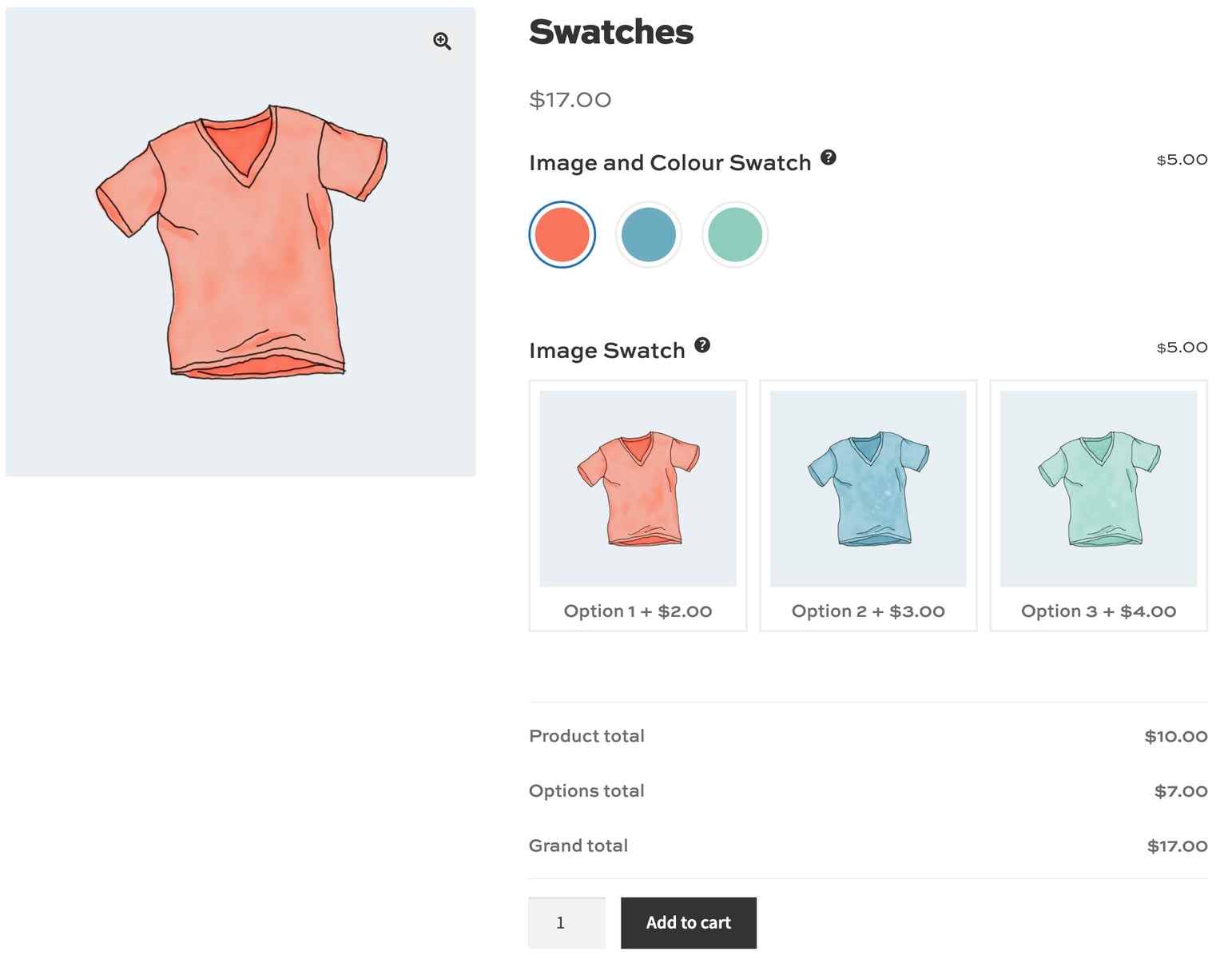
Hands-on: Add-Ons Ultimate has a front-end demo and a back-end demo. The front end is organized by feature, so you can see examples of every field type as well as more complex examples like product configurators.
The back end has ready-built products with their fields in place, so you can see how each one is set up. You can add options to individual products or globally.
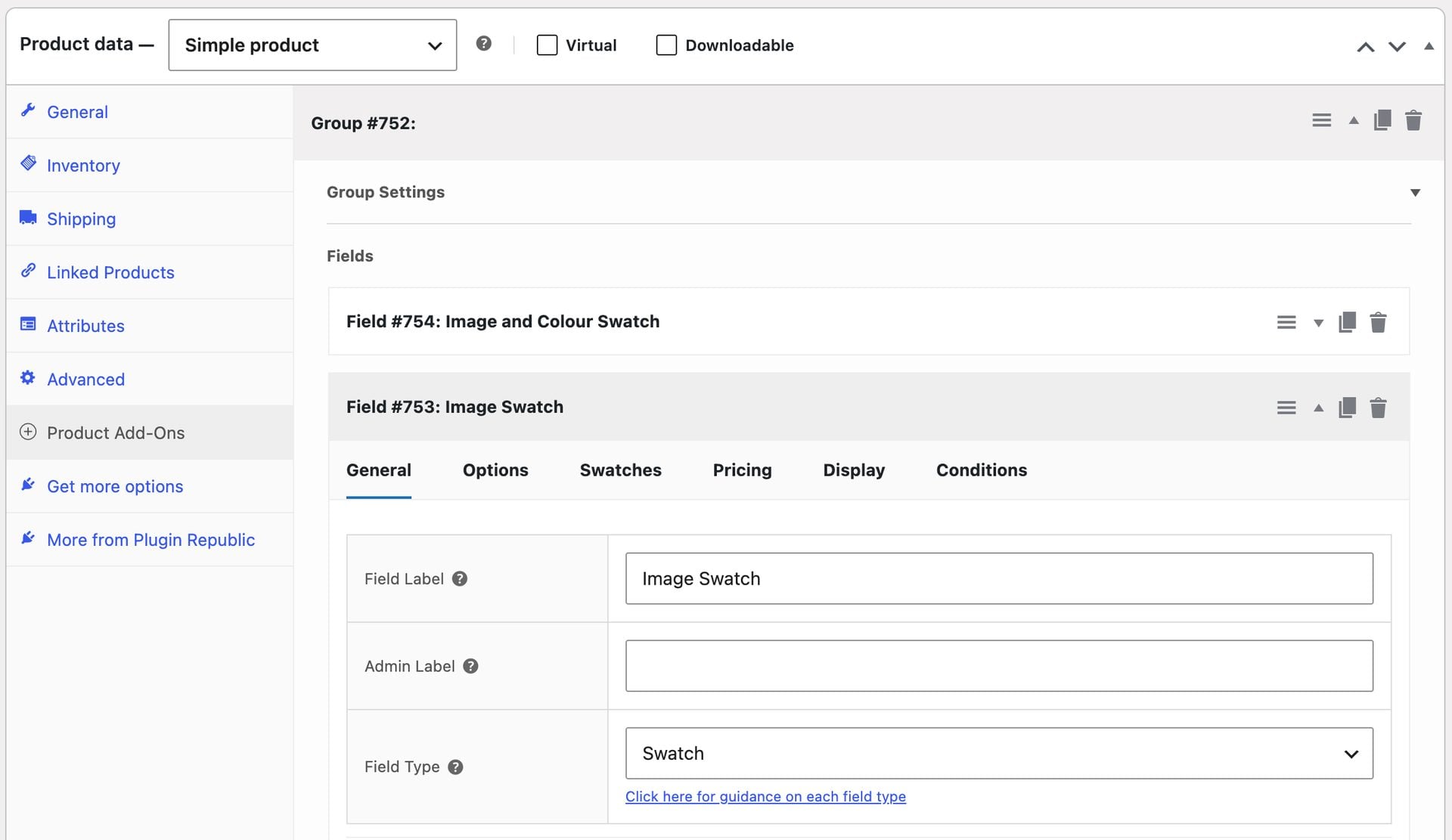
Ideal for: stores selling personalized products, product configurators or anything priced by measurement.

An excellent plugin, ticks all the boxes for a product options plugin. Perfect for adding gift card writing and gift wrap options to products. Five stars *****. I'd tried other plugins before including WooCommerce but they didn't tick all the boxes. This plugin does it all.
Plugin #2: Extra Product Options & Add-Ons for WooCommerce
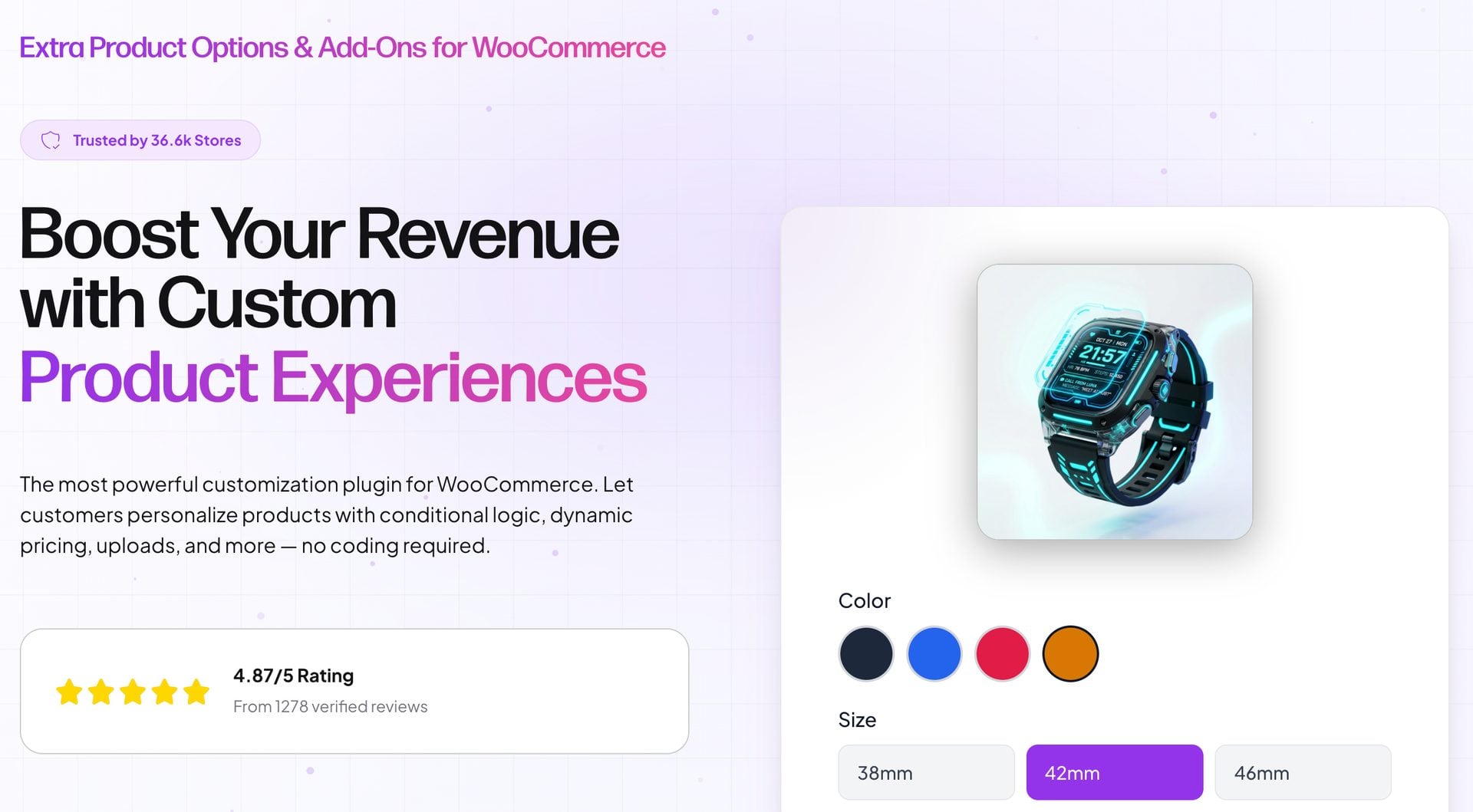
Extra Product Options & Add-Ons for WooCommerce by ThemeComplete has been on sale since 2014. ThemeComplete says it’s trusted by 36,600 stores and rated 4.87 out of 5 from more than 1,200 verified reviews.
Key features
- Radio buttons, checkboxes, dropdowns, text fields, range pickers, date and time, color pickers and uploads
- Product elements that add other products to the cart alongside the main product
- Pricing by fixed amount, percentage, character, word, math formula or lookup table
- Conditional logic with AND/OR rules for fields and sections
- Sections displayed as pop-ups, tabs or sliders
Pricing
- Starter (1 site): $59 a year
- Business (5 sites): $89 a year
- Agency (20 sites): $169 a year
- Scale (250 sites): $279 a year
The plugin is also sold on CodeCanyon as a one-time purchase with six months of support.
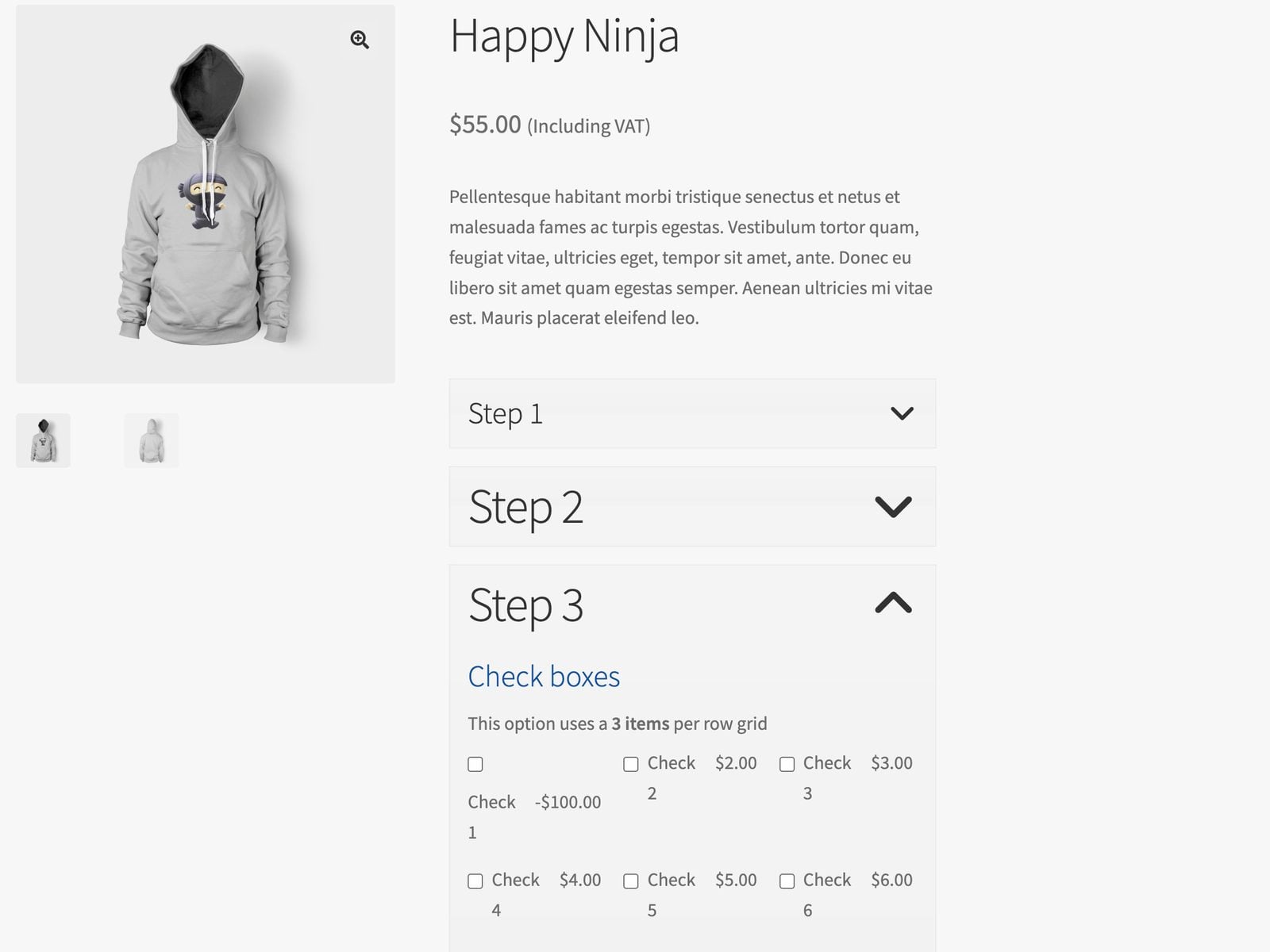
Hands-on: the front-end demo shows products with example options. I found some of the styling basic. For example, the spacing was cramped, text didn’t wrap consistently and font size was varied.
There’s no admin demo, so I couldn’t assess the back end.
Ideal for: stores on a tight budget that want a long-established plugin with formula and lookup table pricing.
Where Add-Ons Ultimate wins: a lifetime license that includes support and updates. ThemeComplete’s own plans are annual only.
Plugin #3: WooCommerce Product Options
The WooCommerce Product Options by Barn2 lets you build options in the plugin or display your existing variations as swatches, checkboxes and image buttons. Barn2 reports that it runs on more than 3,800 websites.

Key features
- 16+ field types, including text, number, upload, date, color swatches and image buttons
- Existing attributes and variations shown as checkboxes, radio buttons or swatches
- Eight pricing types plus custom price formulas
- A Products field that shows other products as options
- Tabs, step-by-step and popup layouts
Pricing
- 1 site: $149 a year or $499 lifetime
- Up to 5 sites: $249 a year or $849 lifetime
- Up to 50 sites: $399 a year or $1,299 lifetime
Live previews of text and images need the bundle with the Live Preview add-on, from $199 a year.
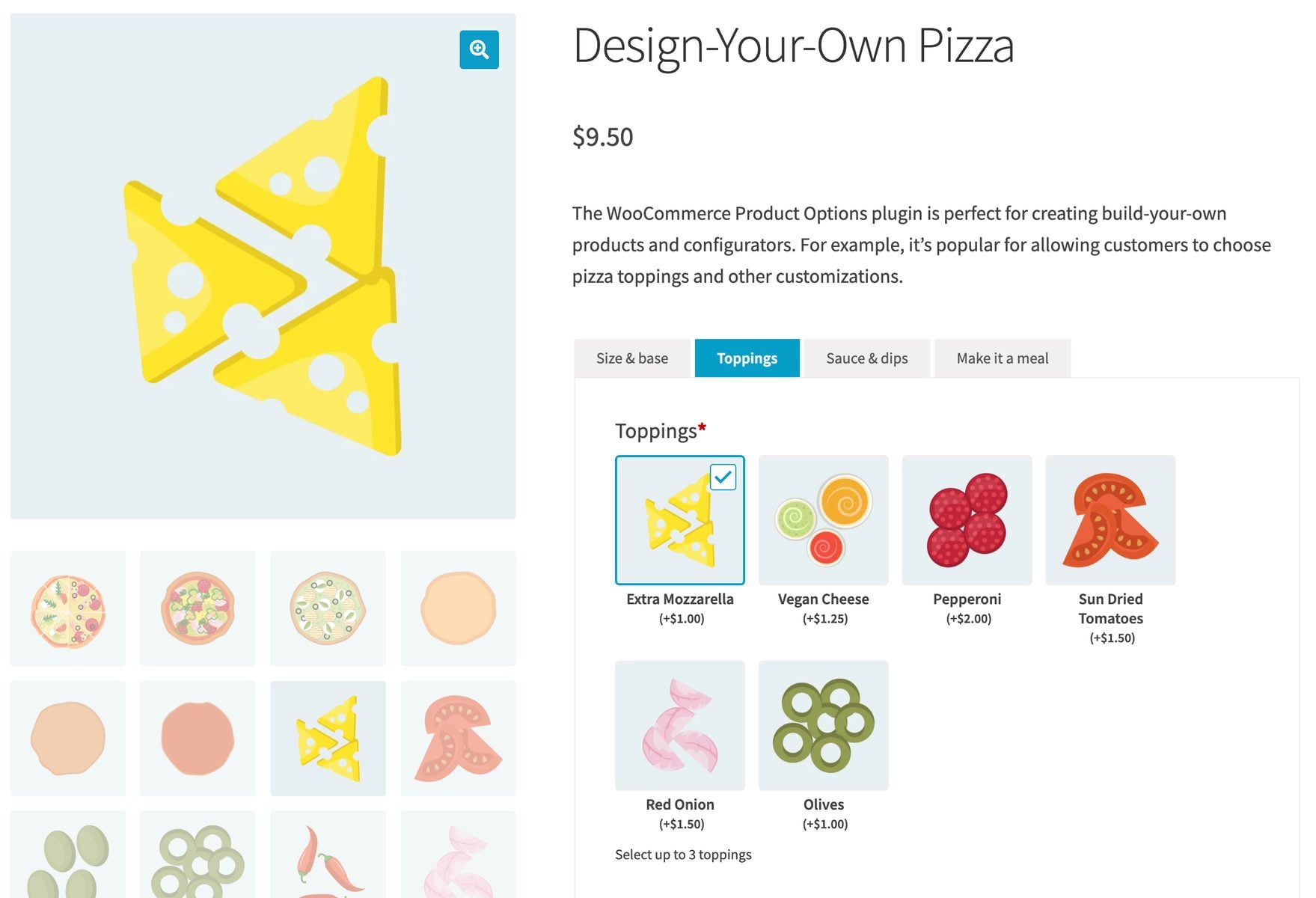
Hands-on: Barn2 has a front-end demo and an admin demo. The front end is thorough and better styled than ThemeComplete’s, and each product says which options it’s demonstrating.
The back end is slick and options are easy to set up. You manage them from a central screen, not on each product.
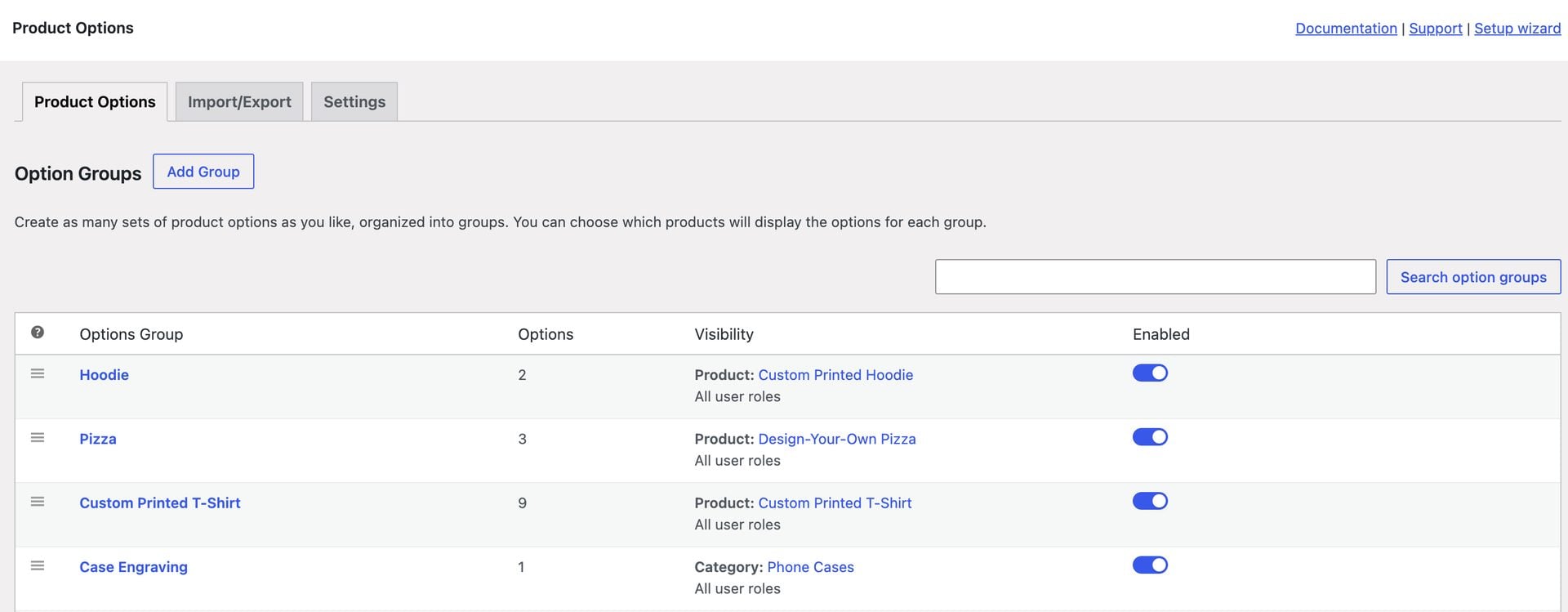
Ideal for: stores that have already built their options as variations and want to display them differently.
Where Add-Ons Ultimate wins: it costs $79 a year against $149, or $199 lifetime against $499. It also has 20+ field types against 16+.
Plugin #4: Extra Product Options for WooCommerce
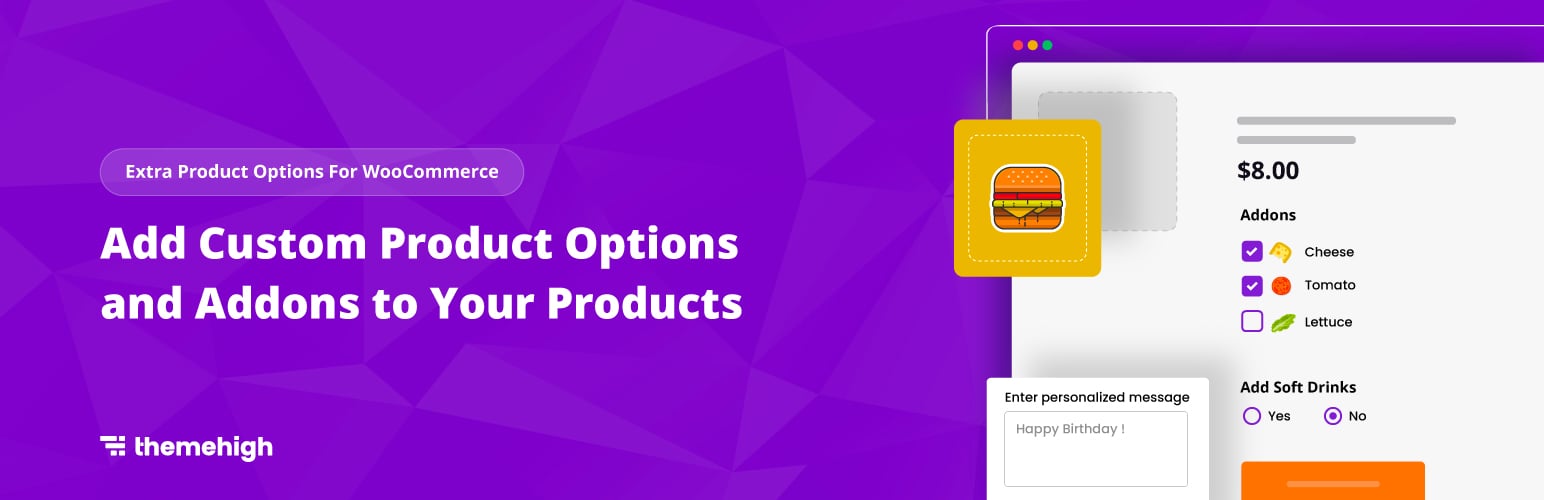
Extra Product Options for WooCommerce by ThemeHigh is a free plugin with a premium upgrade. It has more than 30,000 active installations and a 4.9 rating from 220 reviews on WordPress.org.
Key features (free)
- 20 field types, including text, number, select, radio, checkbox group, date picker and color picker
- Fields grouped into sections, shown before or after the add to cart button
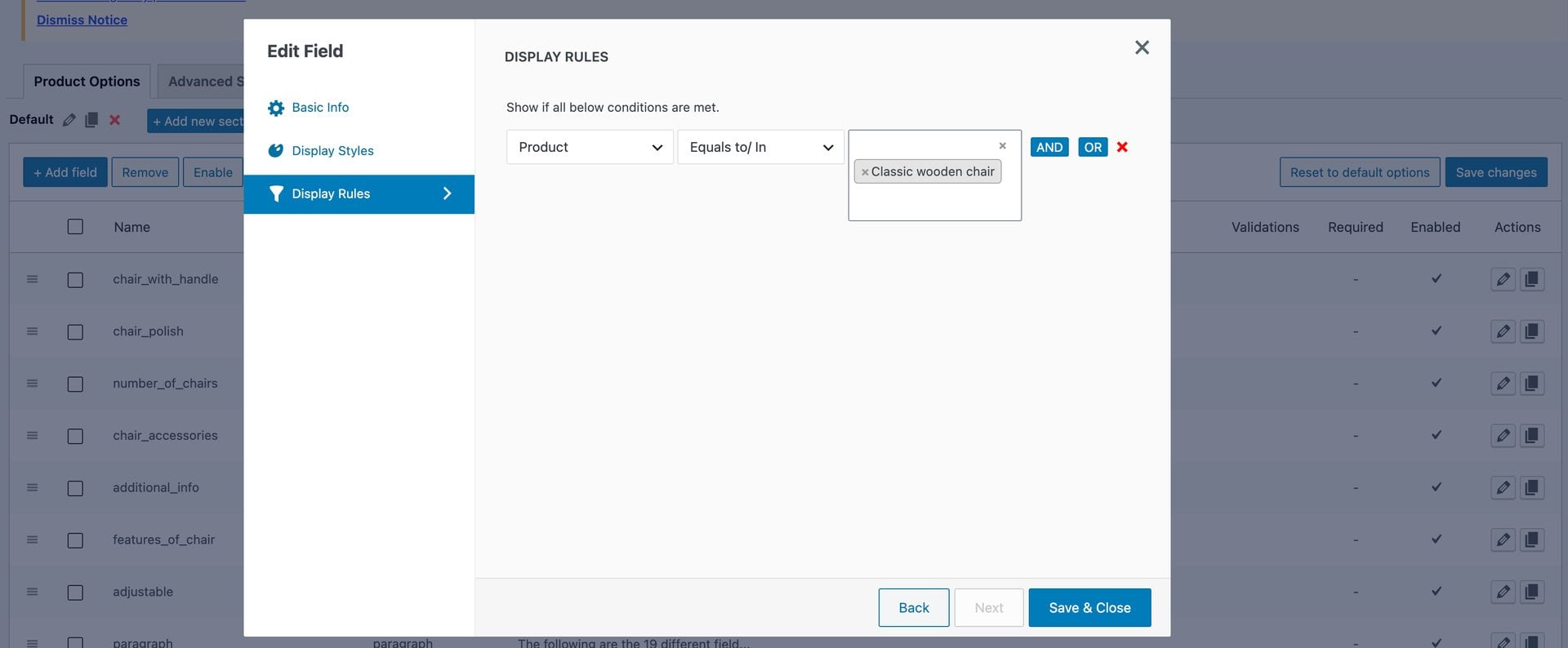
- Display rules by product, category and tag
Key features (premium)
- Eight more field types, including file upload, image group, label swatches and product group
- Prices on fields, including percentage, character count and custom formula
- Display rules based on other field values, user roles, variations and quantity
Pricing
- Free version on WordPress.org
- Premium, single site: $39 a year
Hands-on: ThemeHigh’s demo of the premium version has a front end and a back end, running on the Woodmart theme. The options look good on the product page.
Options have their own menu item in the dashboard, and the UI felt dated and unintuitive to me. It might suit you if you prefer to manage all your options from a single location.
Ideal for: stores that only need to collect extra information, without charging for it.
Where Add-Ons Ultimate wins: option pricing, file uploads and swatches are in every license. ThemeHigh includes them in its premium version only.
Plugin #5: Advanced Product Fields for WooCommerce
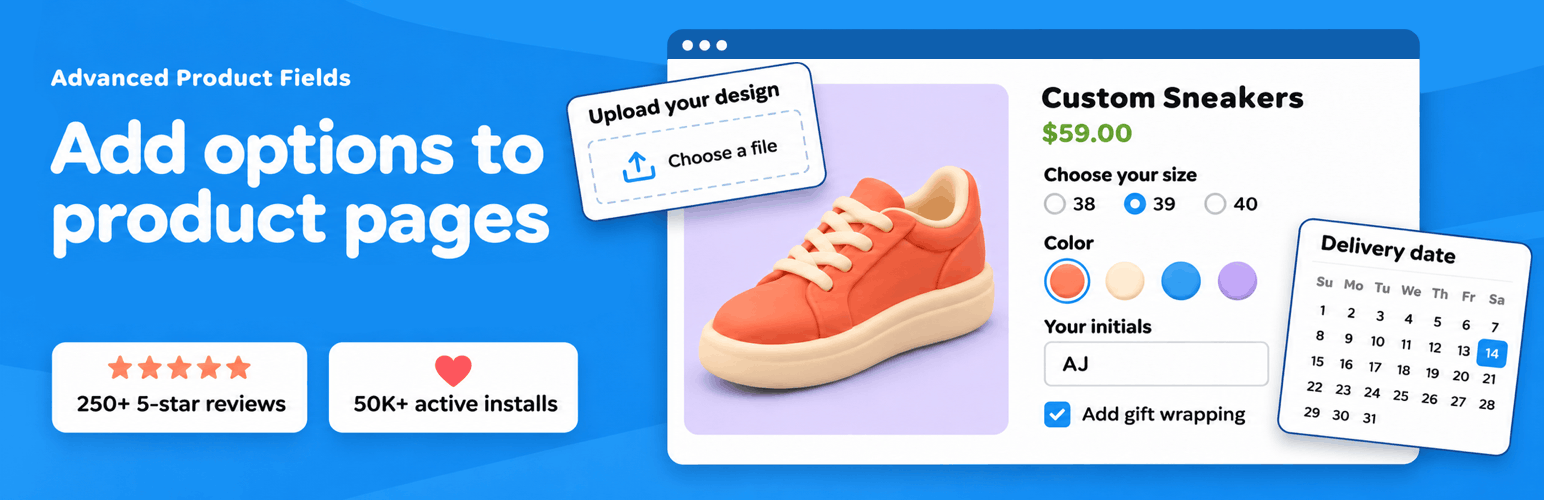
Advanced Product Fields for WooCommerce by Studio Wombat has an admin builder modeled on Advanced Custom Fields. It’s rated 4.8 out of 5 from 284 reviews on WordPress.org.
Key features
- 10 field types in the free version, 16 in Pro and 20 in Extended
- Conditional logic to show or hide fields
- Flat fee, percentage, character count and formula pricing, plus pricing from a lookup table
- Repeatable fields, by button or by quantity
- Child products, calculation fields and weight changes in the Extended version
Pricing
- Free version on WordPress.org
- Pro, single site: $69 a year
- Extended and Extended + Addons plans cost more, and every plan is available yearly or lifetime

Hands-on: the front-end demo organizes products by feature, with a product for each option type. The options are stylish on the page.
The admin demo lets you build options from scratch in an interface similar to Advanced Custom Fields. You can add fields on each product or as global field groups under WooCommerce > Product Fields, though I didn’t find the global screen in the admin demo
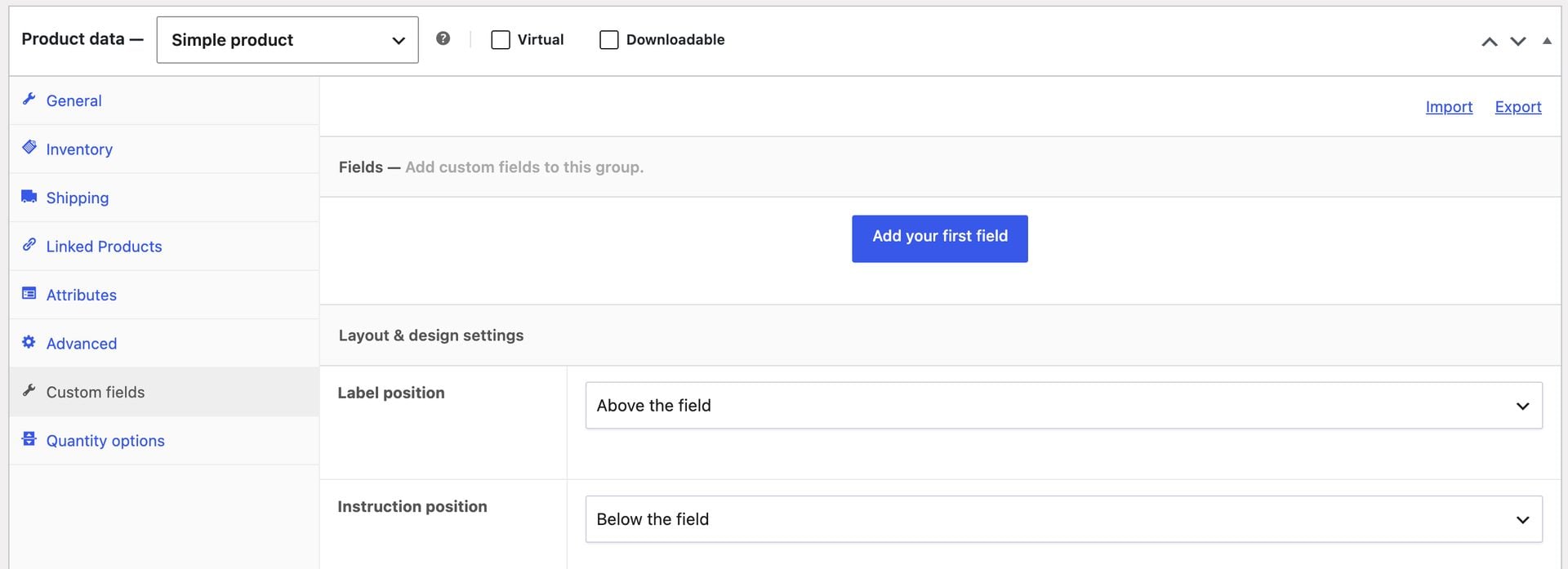
Ideal for: developers and store owners who already know the Advanced Custom Fields interface.
Where Add-Ons Ultimate wins: calculation fields and Products fields are in every license. Studio Wombat requires the Extended version for both.
Our round-up of advanced product fields plugins compares this plugin in more depth.
Plugin #6: YITH WooCommerce Product Add-Ons & Extra Options
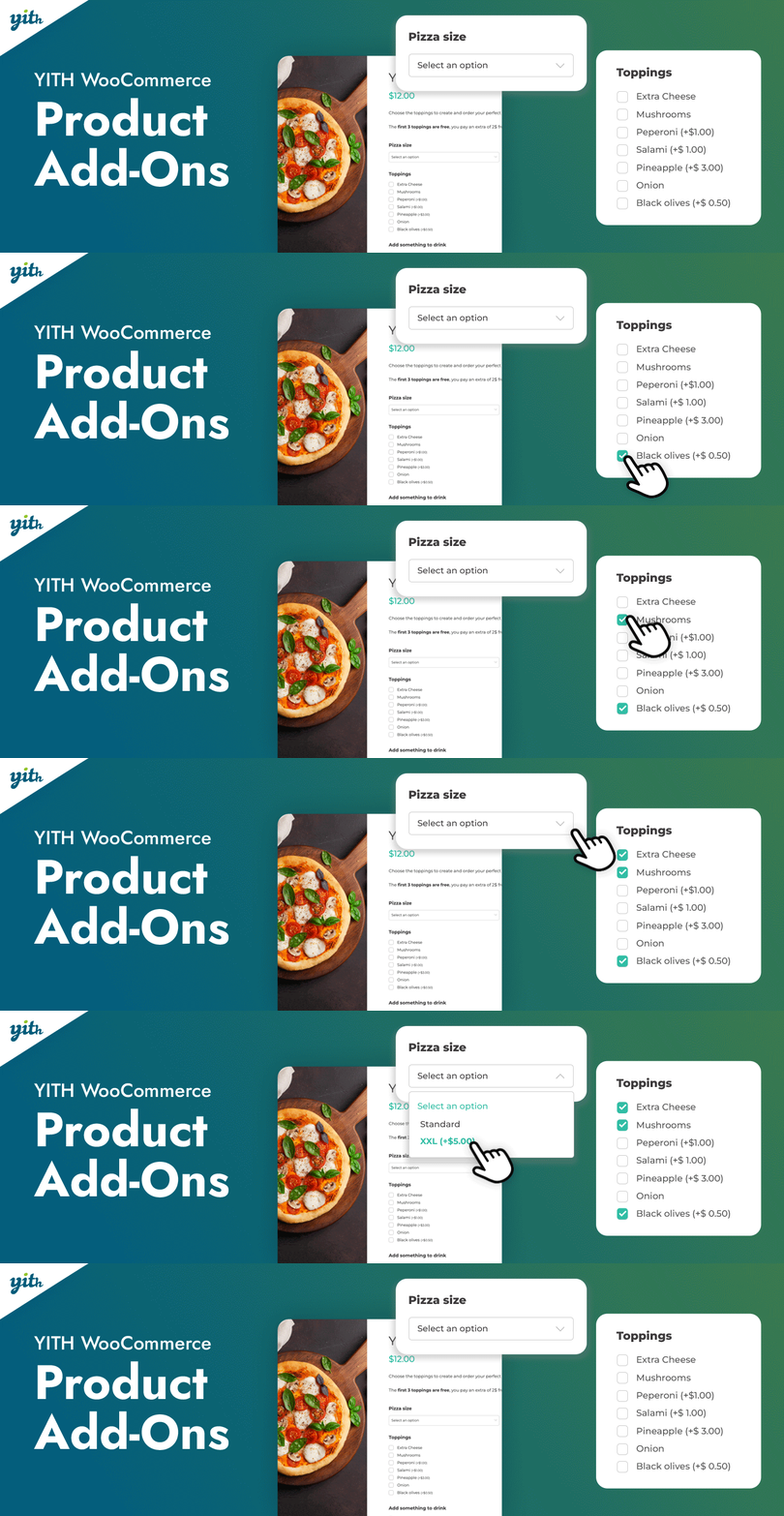
YITH WooCommerce Product Add-Ons & Extra Options is a free plugin with a premium version. The free version has 20,000 active installations and a 3.7 rating from 57 reviews on WordPress.org.
Key features
- Unlimited blocks of options, assigned to your products
- Radio buttons, dropdowns, text inputs and checkboxes in the free version, each with an optional cost
- Integrations with other YITH plugins, including Product Bundles, Subscriptions, Deposits and Multi Vendor
- 15 field types in the premium version
- Conditional logic to show or hide options in the premium version
Pricing
- Free version on WordPress.org
- Premium: $120 a year
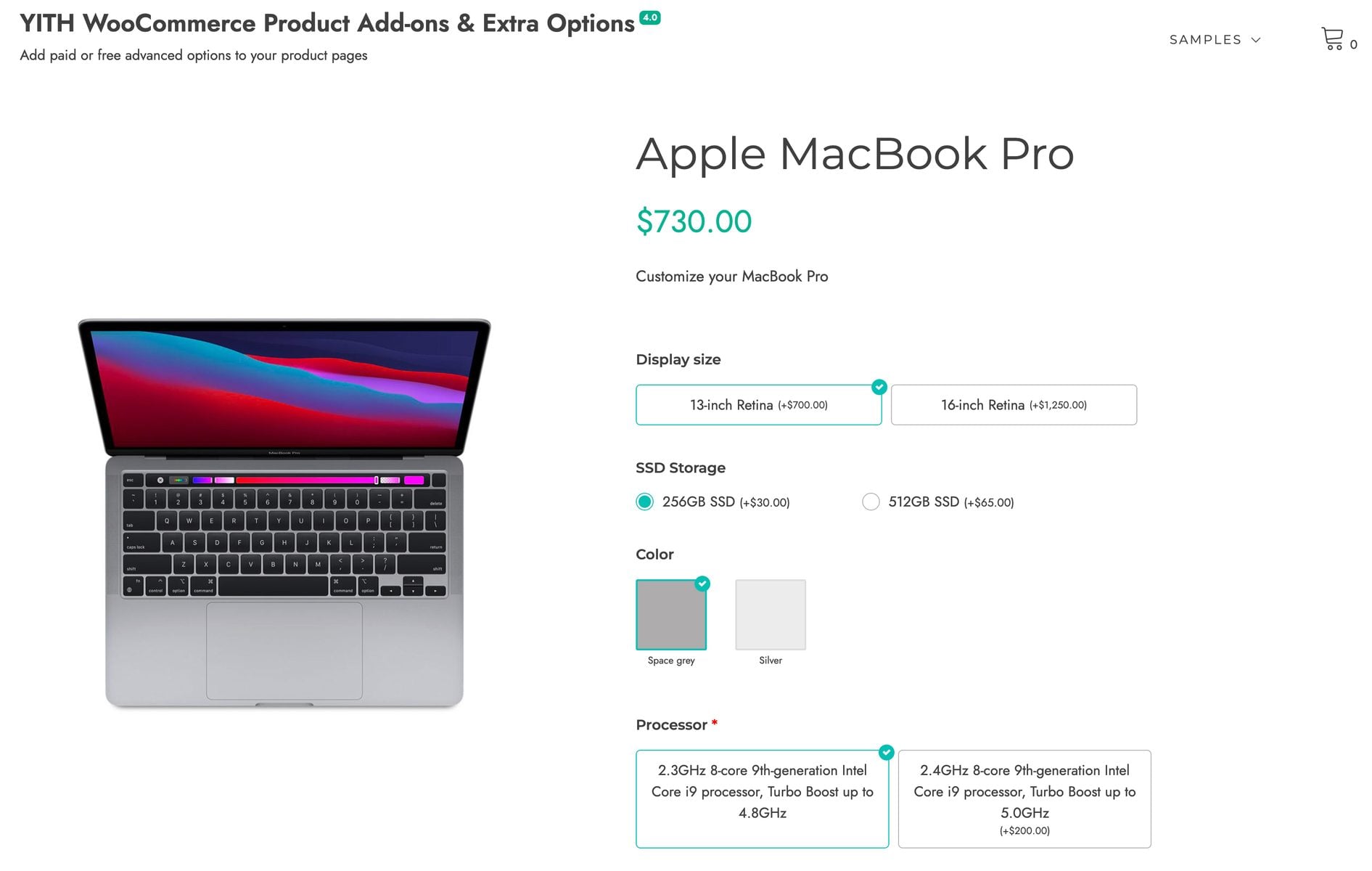
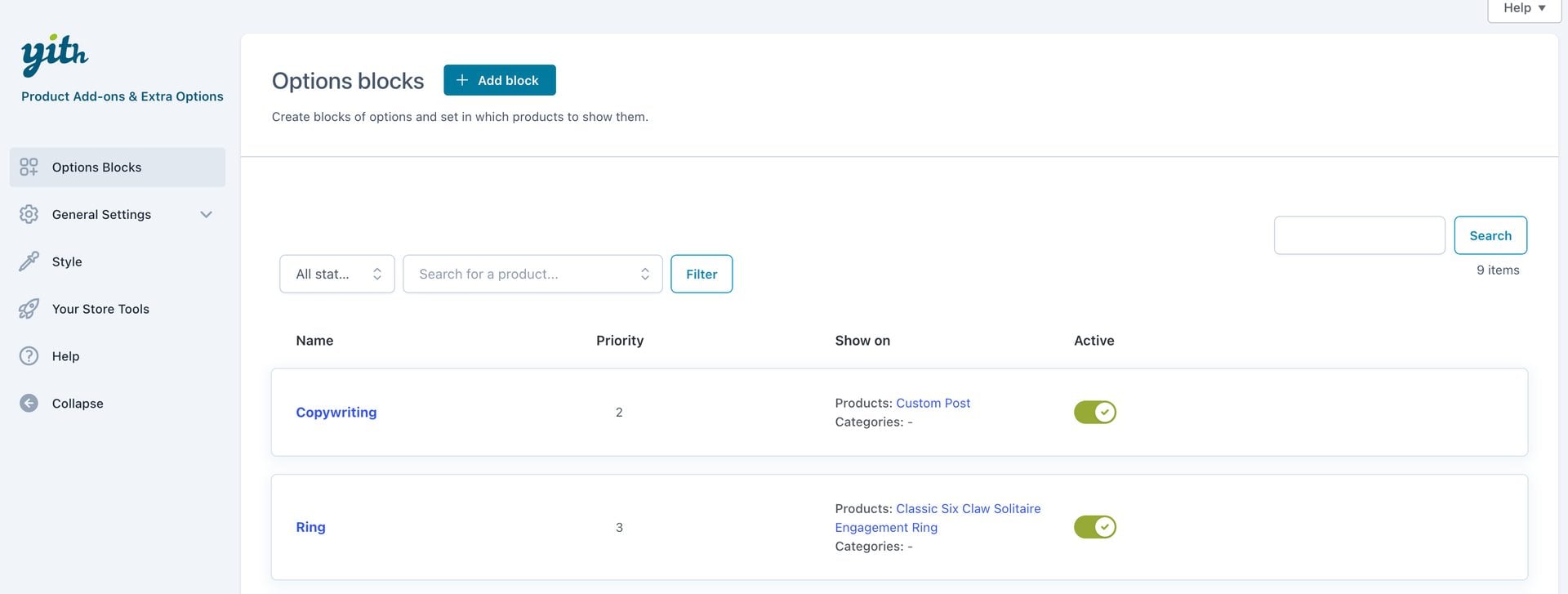
Hands-on: YITH has separate demos for the free and premium versions. They run on one of YITH’s own themes and the options look good on the page.
In the premium demo, as with ThemeHigh and Barn2, you manage options from a single location in the dashboard. Some users will prefer this, but I find it more intuitive to work on the product page itself when I’m adding options to specific products.
Ideal for: stores already running other YITH plugins.
Where Add-Ons Ultimate wins: formula pricing and calculation fields, which YITH doesn’t offer. It also has 20+ field types against 15, at $79 a year against $120.
Plugin #7: Product Add-Ons for WooCommerce
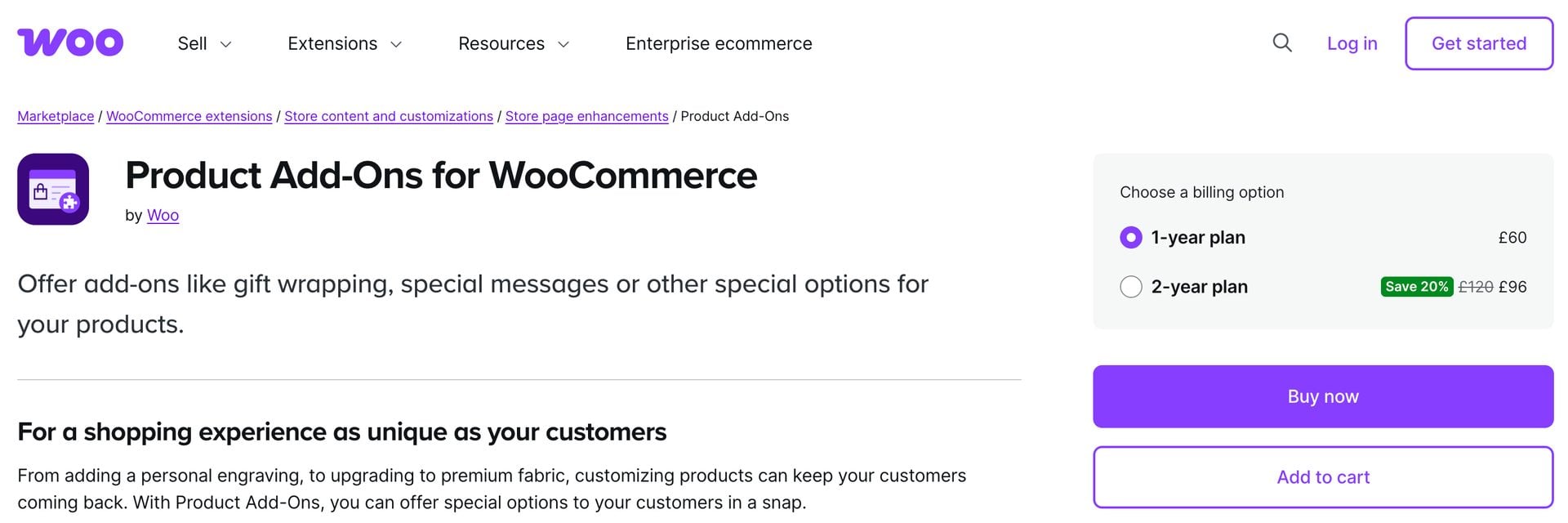
Product Add-Ons for WooCommerce is Woo’s own extension, with more than 100,000 active installs. It’s rated 3.4 out of 5 from 49 reviews on the Woo Marketplace.
Key features
- Multiple choice (dropdown, image or radio), checkbox, short text, long text, file upload, customer-defined price, quantity, date picker and heading fields
- Flat fee, percentage and quantity-based pricing
- Global add-ons or per-product add-ons
- Import and export of add-ons
Woo states that Product Add-Ons doesn’t show or hide fields based on a customer’s earlier selections.
Pricing
- $79 a year
Demo: I couldn’t find a demo for this plugin.
Ideal for: stores adding basic extras like gift wrap, messages and tips.
Where Add-Ons Ultimate wins: conditional logic, formula pricing and 20+ field types, at the same $79 a year.
Plugin #8: Product Options and Addons for WooCommerce
Product Options and Addons for WooCommerce by Addify is sold on the Woo Marketplace. It has 700+ active installs and a 4.9 rating from 13 reviews.

Key features
- 16 field types, including dropdowns, multi-select, checkboxes, text, file uploads, colors, images, date picker and time picker
- Dependent add-ons that appear based on other add-ons
- Add-ons restricted by user role
- Stock levels for individual options
- Flat and quantity-based fees as fixed amounts or percentages, plus price per character
Pricing
- $69 a year
Demo: I couldn’t find a demo for this plugin.
Ideal for: stores that want per-option stock on an extension bought through their Woo account.
Where Add-Ons Ultimate wins: formula and calculation pricing, 20+ field types against 16 and a lifetime license.
Are there any free WooCommerce product options plugins?
Three plugins in this list have a free version on WordPress.org:
- Extra Product Options for WooCommerce (ThemeHigh): 20 field types and display rules by product, category and tag, with prices on fields and file uploads in the premium version
- Advanced Product Fields for WooCommerce (Studio Wombat): 10 field types in the free version, with more in the paid plans
- YITH WooCommerce Product Add-Ons & Extra Options: radio buttons, dropdowns, text inputs and checkboxes, each with an optional cost
A free plugin is enough if you only need to collect a few extra details. You’ll need a paid plugin once you want uploads, swatches or formula pricing.
How do you add product options to a WooCommerce product?
You can add product options to a WooCommerce product in four steps using WooCommerce Product Add-Ons Ultimate.
- Install the plugin
Upload and activate WooCommerce Product Add-Ons Ultimate.
- Add a group and a field
Open the ‘Product Add-Ons’ tab on your product, then click ‘Add Group’ and ‘Add Field’.
- Choose the field type and price
Pick from 20+ field types and enter a price if needed.
- Optionally add a condition
Show or hide the field based on another field.
Here’s each step in more detail.
Step #1: Install the plugin
Once you’ve purchased WooCommerce Product Add-Ons Ultimate:
- Download the plugin’s zip file by clicking on the link on your order confirmation screen or in your welcome email. You’ll receive the email automatically a few seconds after you’ve completed the purchase
- Go to Plugins > Add New in your WordPress dashboard
- Click on the ‘Upload Plugin’ button
- Drag and drop the plugin’s downloaded zip file into the ‘Choose File’ area and click ‘Install Now’
- When the plugin has uploaded, click the ‘Activate Now’ button
The plugin is now active and you’re ready to add your first field.
Step #2: Add a group and a field
- Edit the product where you want to add the option
- Click the ‘Product Add-Ons’ tab in the ‘Product data’ section
- Click ‘Add Group’ then ‘Add Field’
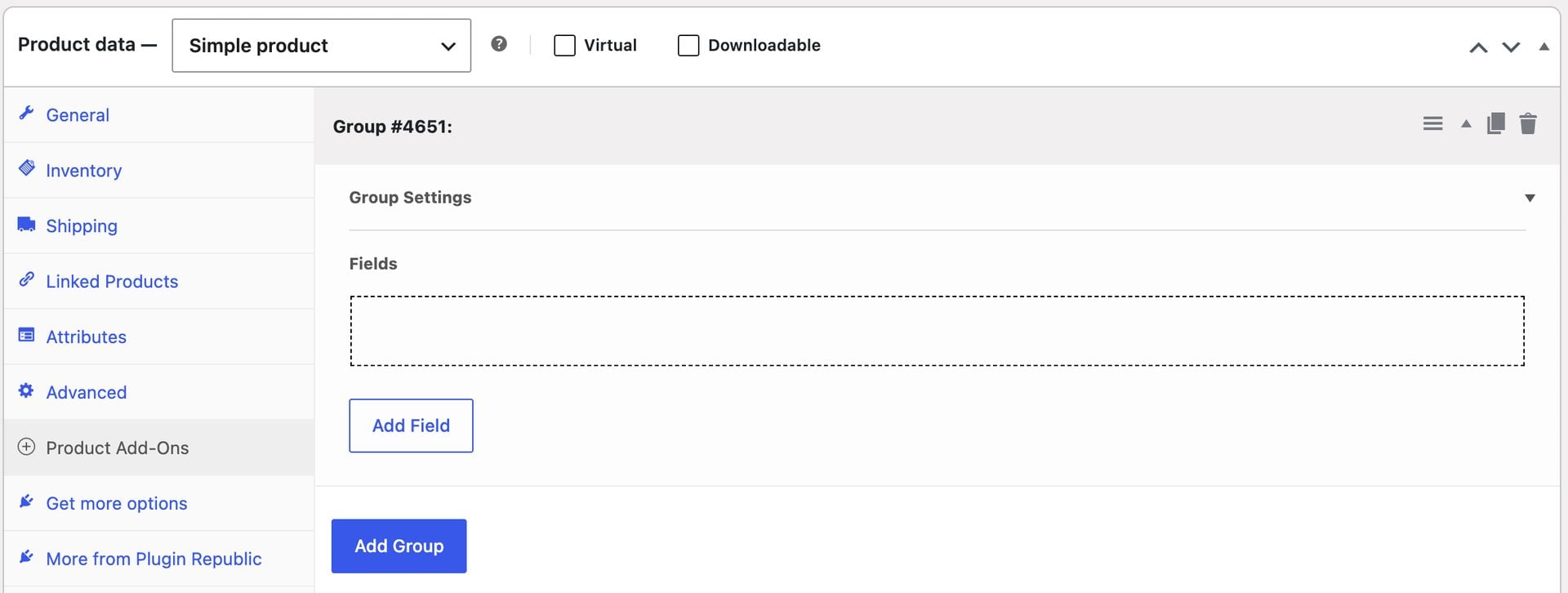
You now have an empty field on your product. Now let’s look at its settings.
Step #3: Choose the field type and price
- Choose a field type, such as ‘Text’ or ‘Upload’
- Enter a label for the field
- Click on the ‘Pricing’ tab and enter a price if you want to charge for the option
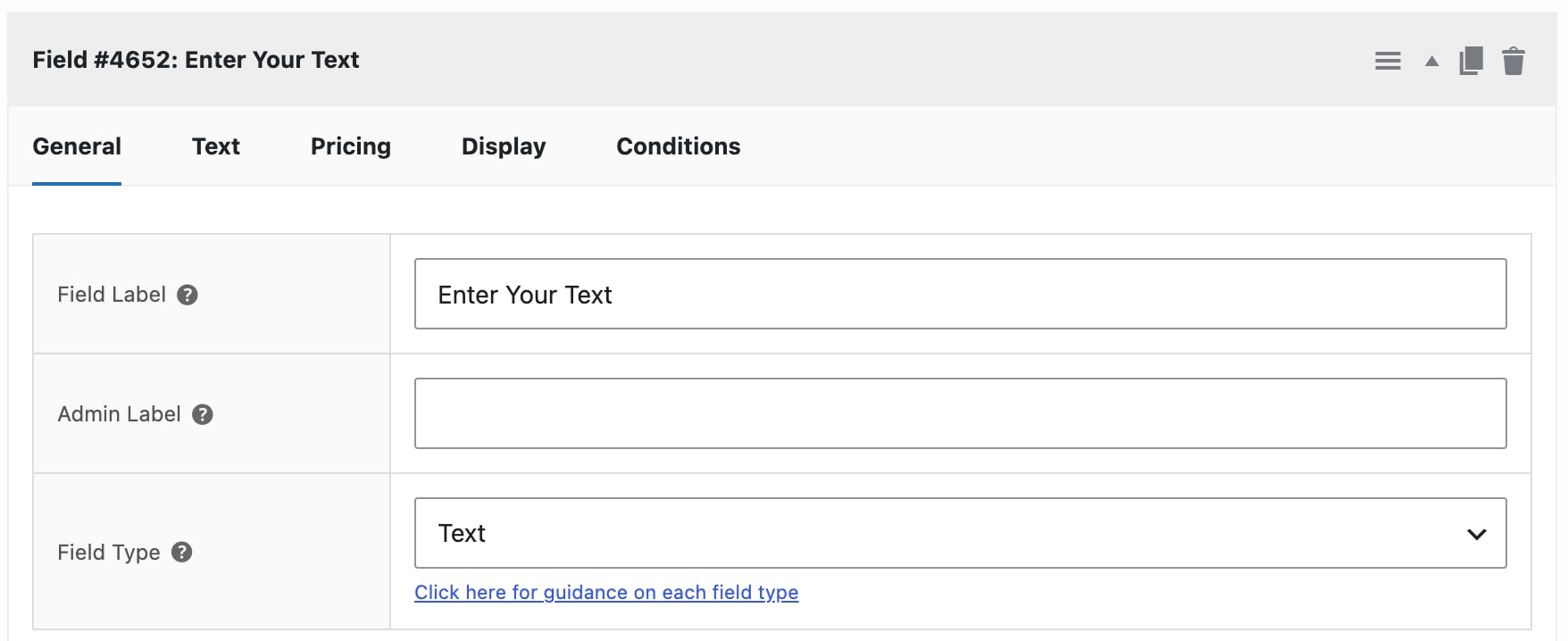
Save your product. Customers can now fill in the field on the product page and the product price will update with their choice.
Step #4: Optionally add a condition
- Click the ‘Conditions’ tab on the field where you want to add the condition
- Select whether you want to show or hide the field
- Choose the field and set a value for the condition
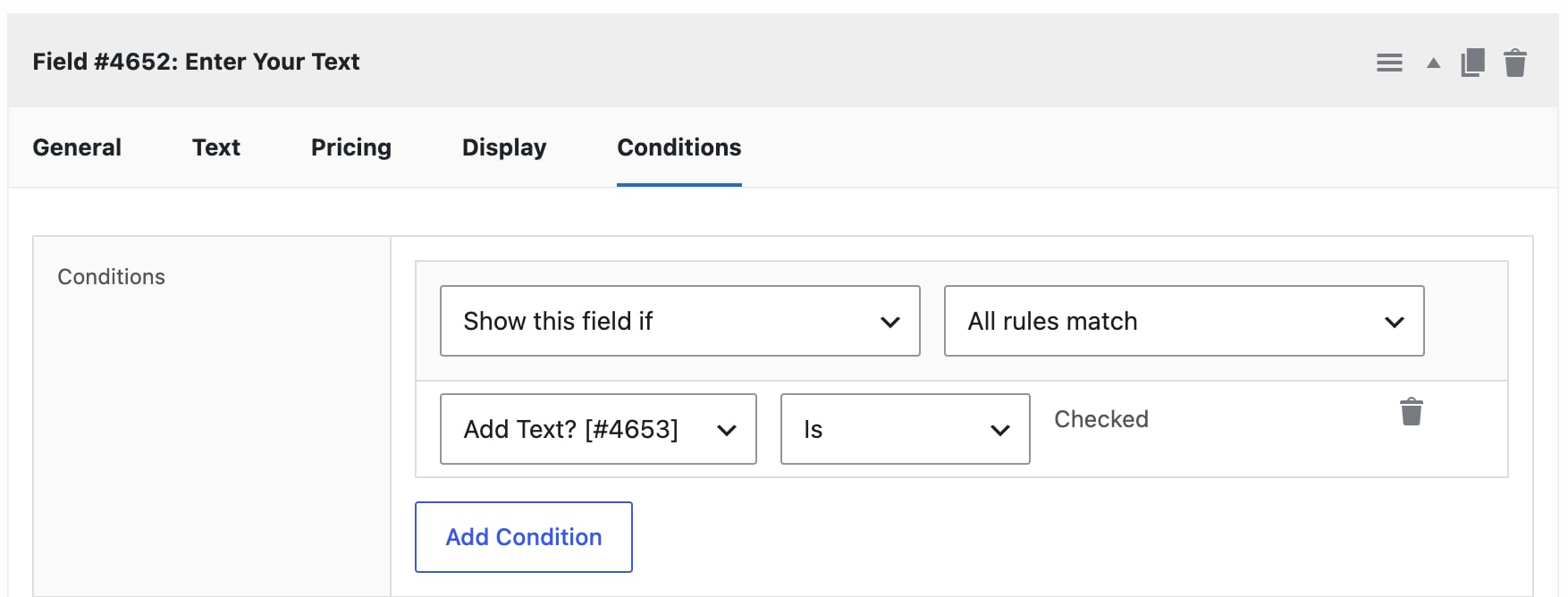
Save your product. The field now only appears when the customer has made the matching selection.
There’s a demo site here where you can see over 100 example products. There are also over 40 config files available from within the add-ons library that you can use to create new product options instantly.
Which WooCommerce product options plugin should you choose?
For personalized products, Add-Ons Ultimate has the text, upload and swatch fields you need, with price per character and price per uploaded file. For made-to-measure products, its calculation fields set the price from the customer’s measurements.
If you’re building a product configurator, Products fields let you use existing products as components with their own stock and SKUs. Group layouts like steps and tabs keep a long configurator manageable.
If you’d prefer to manage every option from one central screen, Barn2’s plugin had the slickest back end of the ones I tried and a well-styled front end. It can also display options you’ve already set up as variations as swatches.
If you already know Advanced Custom Fields, Studio Wombat’s builder will feel familiar. On a tight budget, ThemeHigh’s free version covers simple fields that don’t need a price.
FAQs
Yes. Every plugin in this list supports option prices in its paid version. With Add-Ons Ultimate, every field and every option within a field can have its own price, which is added to the product price when the customer selects it. Prices can be flat fees, percentages of the product price, multiplied by quantity or charged per character. You can also set prices with formulas.
Yes, with most plugins in this list, though not with the Product Add-Ons extension from Woo. Add-Ons Ultimate lets you show or hide a field or a whole group based on the value of other fields, product quantity, product cost, attributes, log-in status or user role. You can chain conditions too, so that one field reveals a second field and the second reveals a third.
Yes. In Add-Ons Ultimate, you track stock by using a Products field. This lets you use other products from your store as options, so each option keeps its own inventory, SKU and tax class.
Yes. With Add-Ons Ultimate, you can use variations and product options together on the same product, and you can show certain fields only when a specific variation is selected.
Yes. Calculation fields in Add-Ons Ultimate work out a value or a price from customer inputs like width and height. The Advanced Calculations extension adds lookup table pricing.
WooCommerce product options plugins – recap
In this article, I looked at what WooCommerce product options are, what to look for in a plugin and how eight product options plugins compare, with first-hand notes from testing five of the competitors on their live demos. I also looked at how to add your first option to a product in four steps.
WooCommerce Product Add-Ons Ultimate is my pick, with 20+ field types, conditional logic and formula pricing in every license, plus a lifetime license if you prefer not to renew.
WooCommerce Product Add-Ons Ultimate is compatible with all themes and page builders, including Astra, Flatsome and Woodmart, and page builders like Elementor and Divi. If you have any questions, our world-class support team is on hand to help. And it’s backed by a 14-day money-back guarantee, so you can try it risk-free.
WooCommerce Product Add-Ons Ultimate
Customize products with extra fields and options