In Bookings for WooCommerce, if an item is returned early to you or the booking ends sooner than expected, you can restore the bookable item’s availability using booking statuses. The remaining dates are released immediately and the item can be booked again straight away.
To return a bookable item to stock early:
- Step #1: Go to the booking’s edit screen.
- Step #2: Select ‘Completed’ from the status dropdown in the sidebar metabox.
- Step #3: Save the booking.
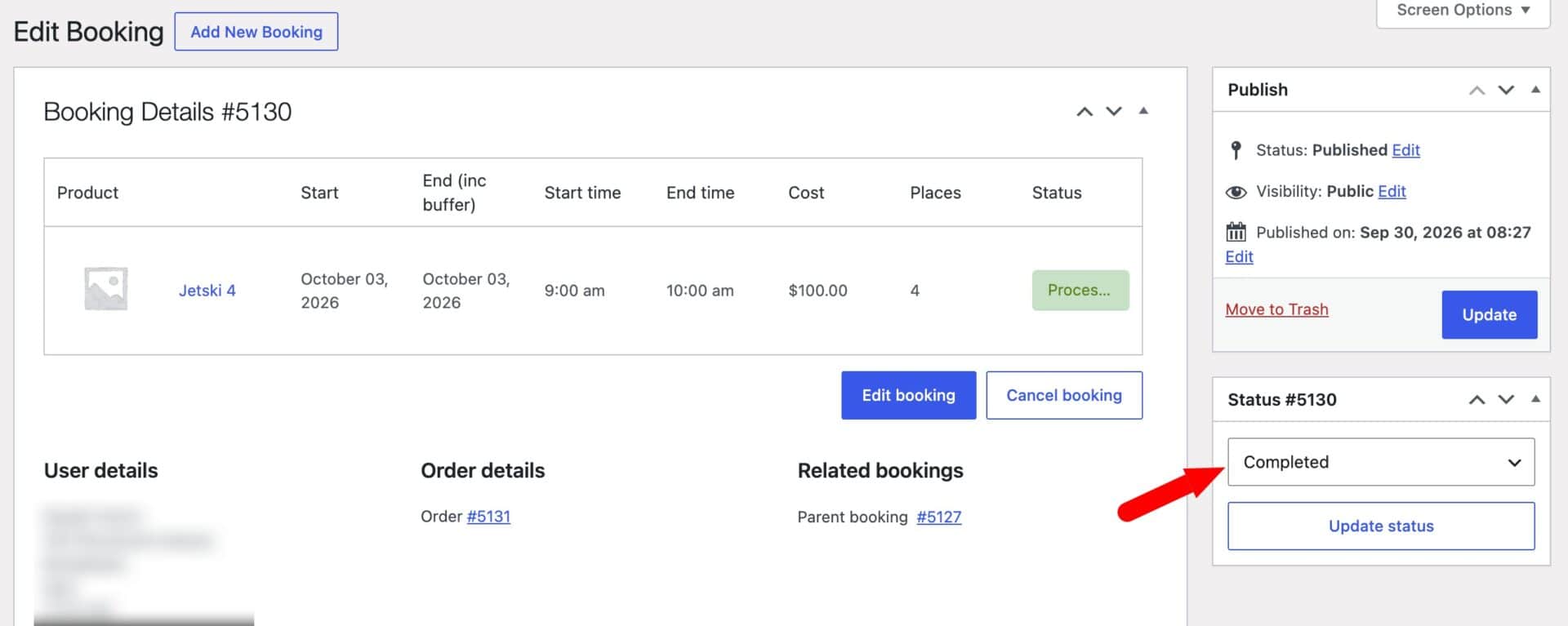
The Completed status must be enabled in WooCommerce > Bookings > Statuses for this option to appear. If the booking is part of a bundle, all its child bookings are marked Completed too.