In Bookings for WooCommerce, if an item is not returned to you on time or a booking runs over for any reason, you can mark the booking as overdue using booking statuses. This reduces the product’s booking capacity until the item is available again. It also flags any potential conflicts if the same item has another booking.
To flag a late return:
- Step #1: Go to the booking’s edit screen
- Step #2: Select ‘Overdue’ from the status dropdown in the sidebar metabox
- Step #3: Save the booking
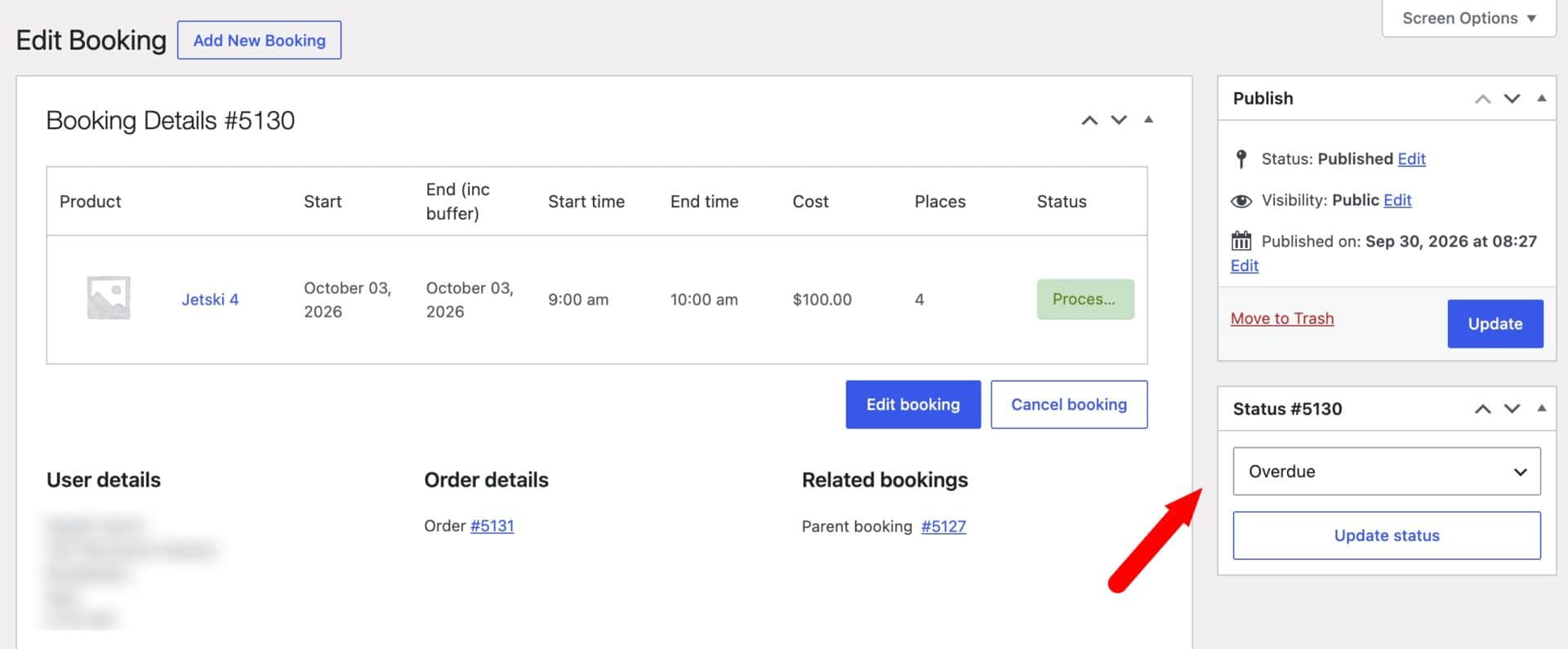
For a single-unit product, the product becomes unavailable until you resolve the booking. For a multi-unit product, the remaining units stay bookable.
Check the bookings list for conflicts after flagging a late return. These show any existing bookings that may no longer have enough availability.

When the item is returned, mark the booking as completed. This restores the product’s capacity and clears any conflicts.