1. Home
  2. Knowledge Base
  3. WooCommerce Product Add-Ons Ultimate
  4. Add-On Fields
  5. Color picker fields
  1. Home
  2. Knowledge Base
  3. WooCommerce Product Add-Ons Ultimate
  4. Color picker fields

Color picker fields

The WooCommerce Product Add-Ons Ultimate plugin allows you to add color picker input fields to your WooCommerce product. Users can select an exact hex color value from a graphical palette. There’s a demo product here.

(If you just want to add color swatches, see this article).
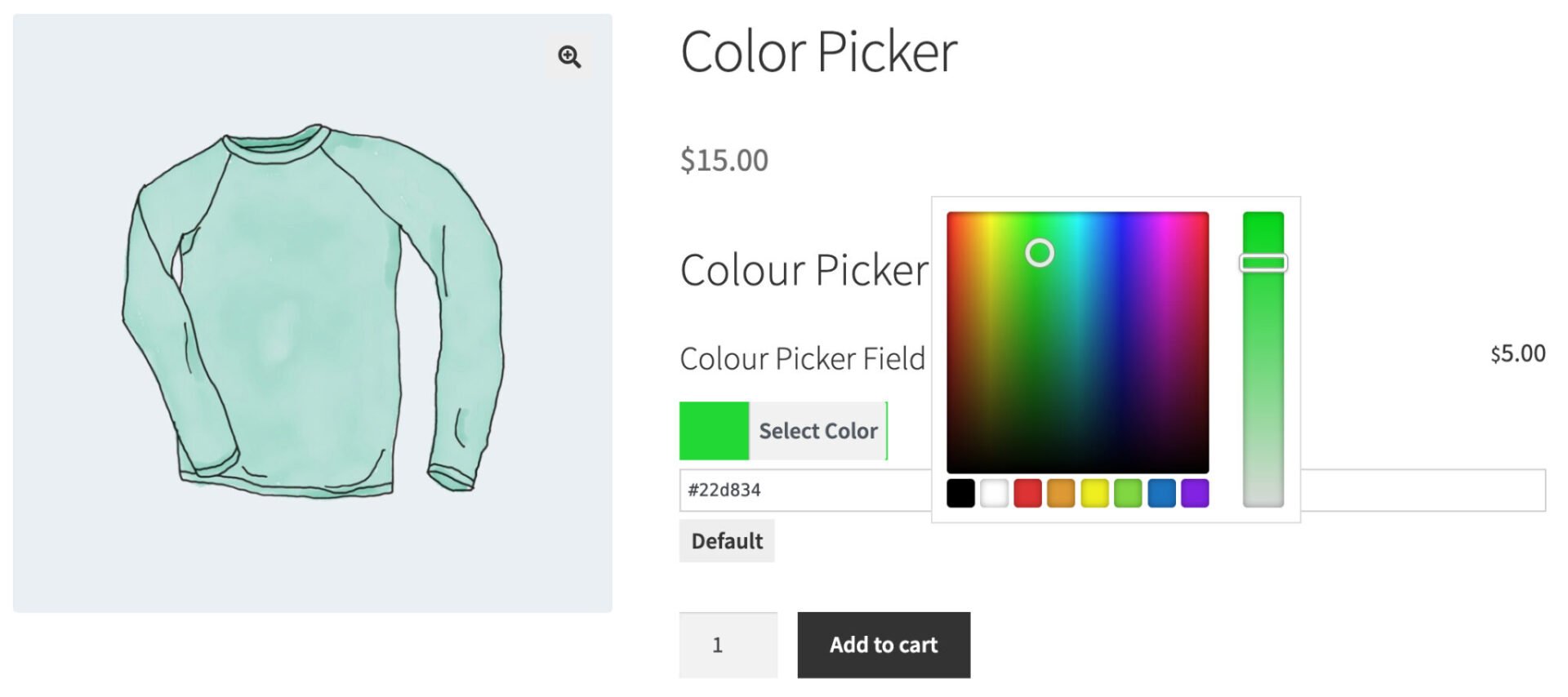
Color picker field

To add a color picker field, just choose ‘Color Picker’ from the ‘Field Type’ dropdown list.
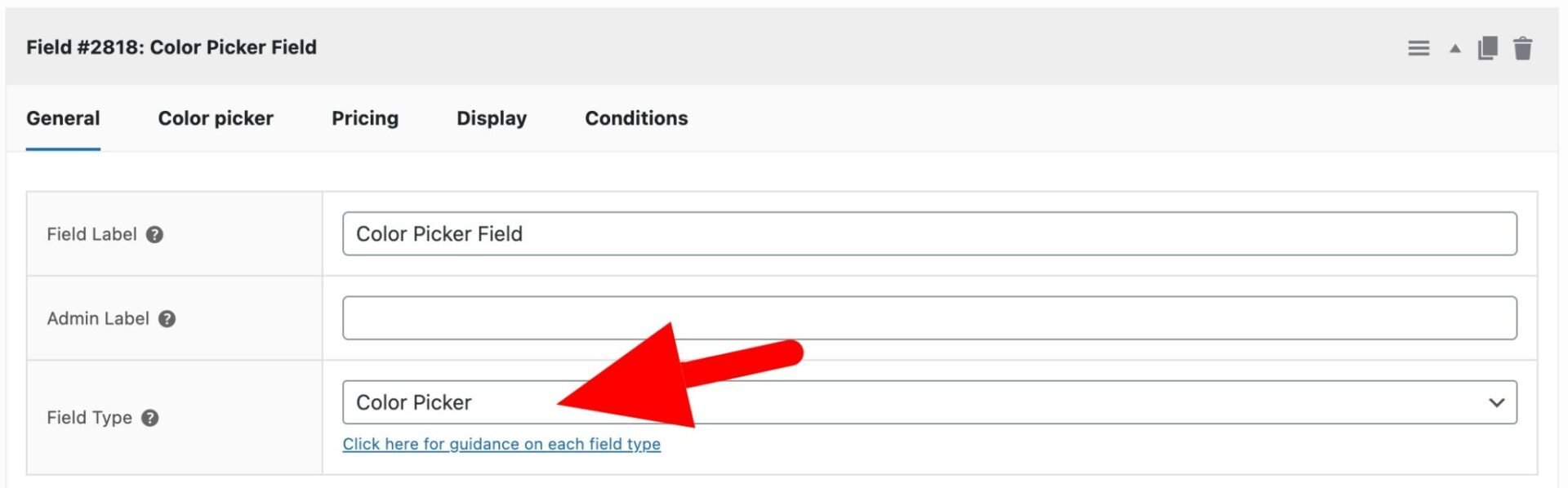
Color Picker field type setting

Color Picker fields have some specific settings. Click on the ‘Color picker’ tab to access them.
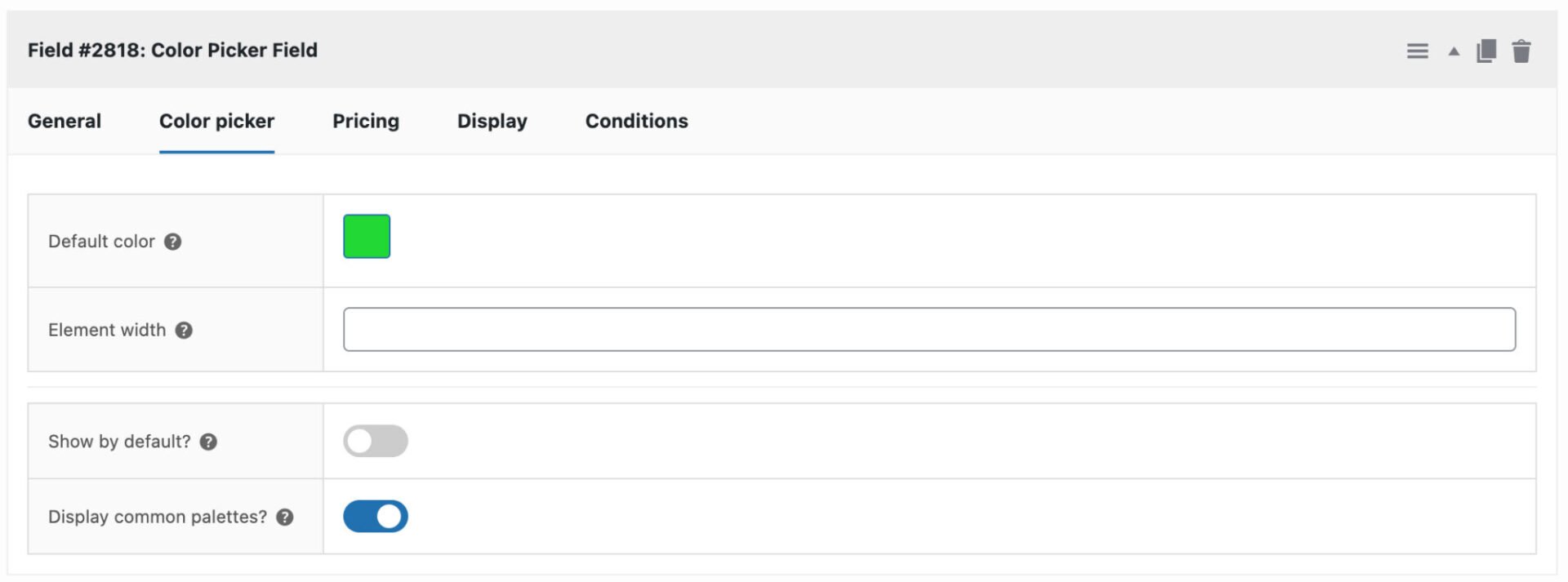
Color picker settings tab

Default color

Define a default color to display when the product page loads.

Element width

You can define a custom width in pixels for the color picker palette (leave blank for the default).

Show by default

Enable this option to display the color palette by default when the product page loads.

Display common palettes

Enable this option to display a row of common color palettes below the color picker.

Was this article helpful?

Related Articles

  • Select box fields
    • Plugin: WooCommerce Product Add-Ons Ultimate
    • Content Type: Support Document
  • Text swatches
    • Plugin: WooCommerce Product Add-Ons Ultimate
    • Content Type: Support Document
  • Information fields
    • Plugin: WooCommerce Product Add-Ons Ultimate
    • Content Type: Support Document
  • Calculation fields
    • Plugin: WooCommerce Product Add-Ons Ultimate
    • Content Type: Support Document
  • Upload fields
    • Plugin: WooCommerce Product Add-Ons Ultimate
    • Content Type: Support Document
  • Textarea fields
    • Plugin: WooCommerce Product Add-Ons Ultimate
    • Content Type: Support Document