In the WooCommerce Product Add-Ons Ultimate plugin text fields allow you to add text input fields to your WooCommerce product. Text inputs allow a single line of text. There’s a demo product here.
If you would like to allow multiple lines of text, use the Textarea field instead.

To add a text field, just choose ‘Text’ from the ‘Field Type’ dropdown list.
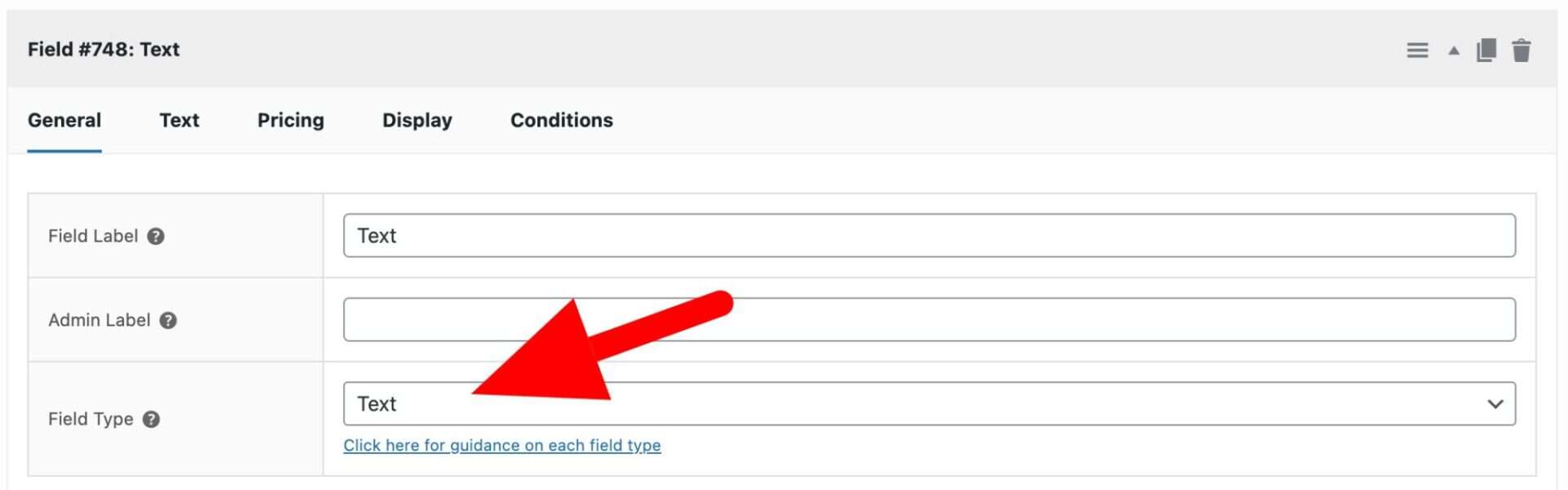
When you select ‘Text’ as the field type, you’ll see the ‘Text’ tab appear in the settings. Click this to access further settings for your text field.
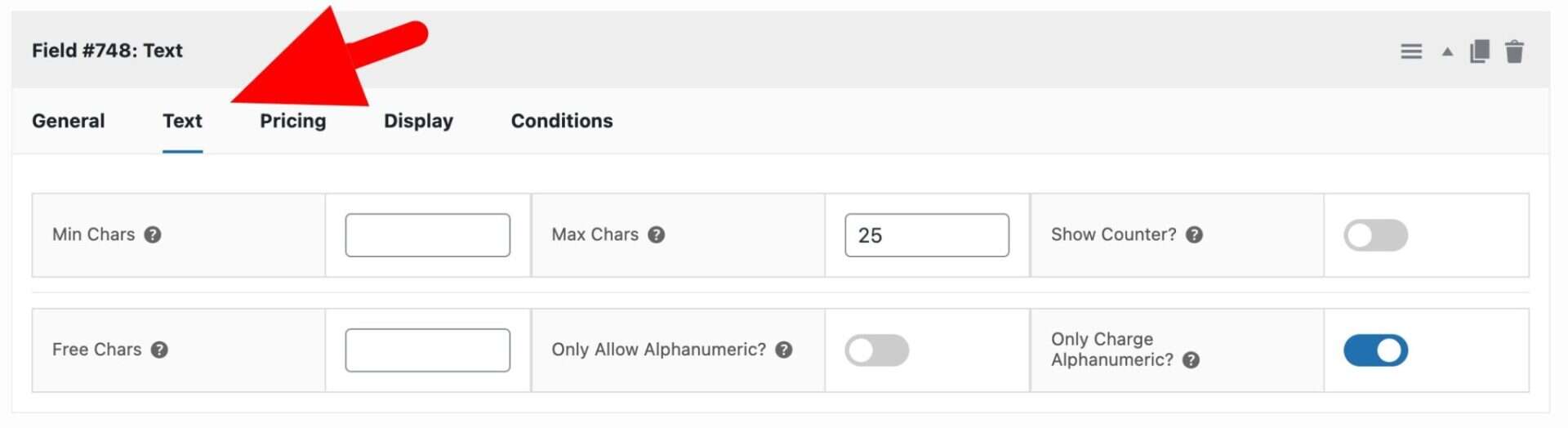
Min chars
Enter the minimum number of characters permitted in the text field.
Max chars
Enter the maximum number of characters permitted in the text field.
Show counter
Enable this option to display a counter showing the user how many characters they have entered and how many they are allowed.
Price per character
Enable this option if you would like to multiply the value of the field price by the number of characters entered by the user.
Free chars
An optional number of free characters to allow the user before the price per character pricing rule is implemented.
Only allow alphanumeric?
Check this field if you would like to restrict the characters to alphanumeric ones.
Only charge alphanumeric?
Check this field if you would like to allow non-alphanumeric characters but only charge for alphanumeric characters.
Related tutorials
See this article for more information on adding text fields to WooCommerce product pages.