1. Home
  2. Knowledge Base
  3. WooCommerce Product Add-Ons Ultimate
  4. Add-On Fields
  5. Name your price fields
  1. Home
  2. Knowledge Base
  3. WooCommerce Product Add-Ons Ultimate
  4. Name your price fields

Name your price fields

In the WooCommerce Product Add-Ons Ultimate plugin name your price fields allow you to add number input fields to your WooCommerce product so that the user can define their own price. There’s a demo product here.

Name Your Price add-on field

To add a name your price field, just choose ‘Name Your Price’ from the ‘Field Type’ dropdown list.
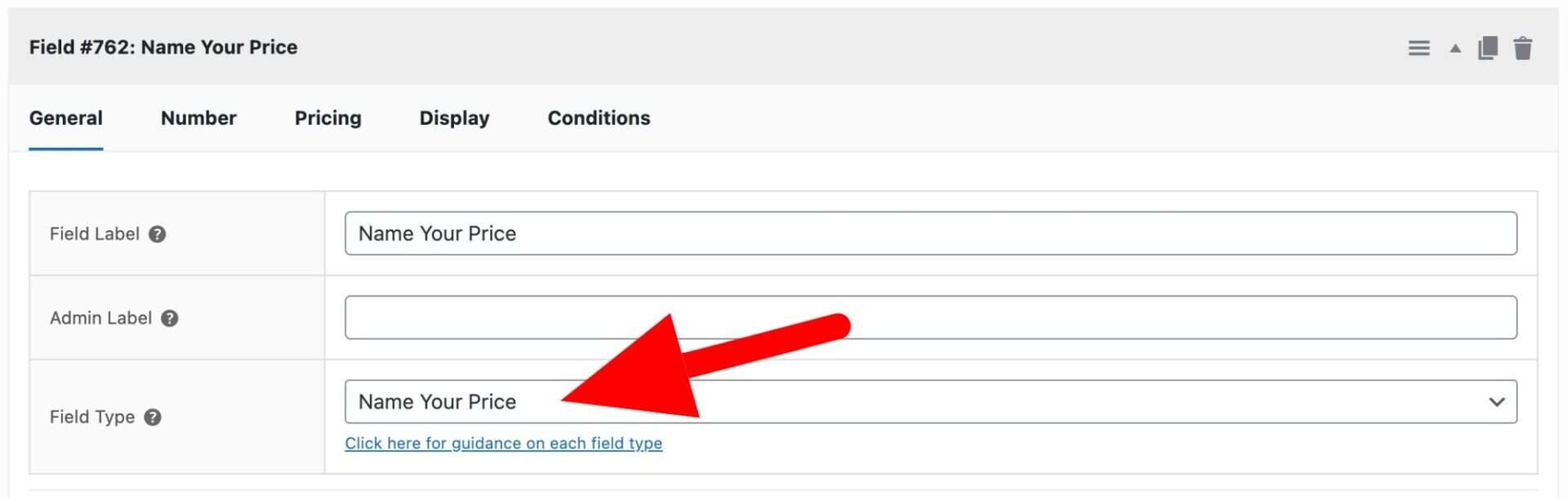
Name Your Price field type setting

When you select Name Your Price, you’ll see an additional ‘Number’ tab appear on the settings. Click on this for some settings that are specific to this field type.
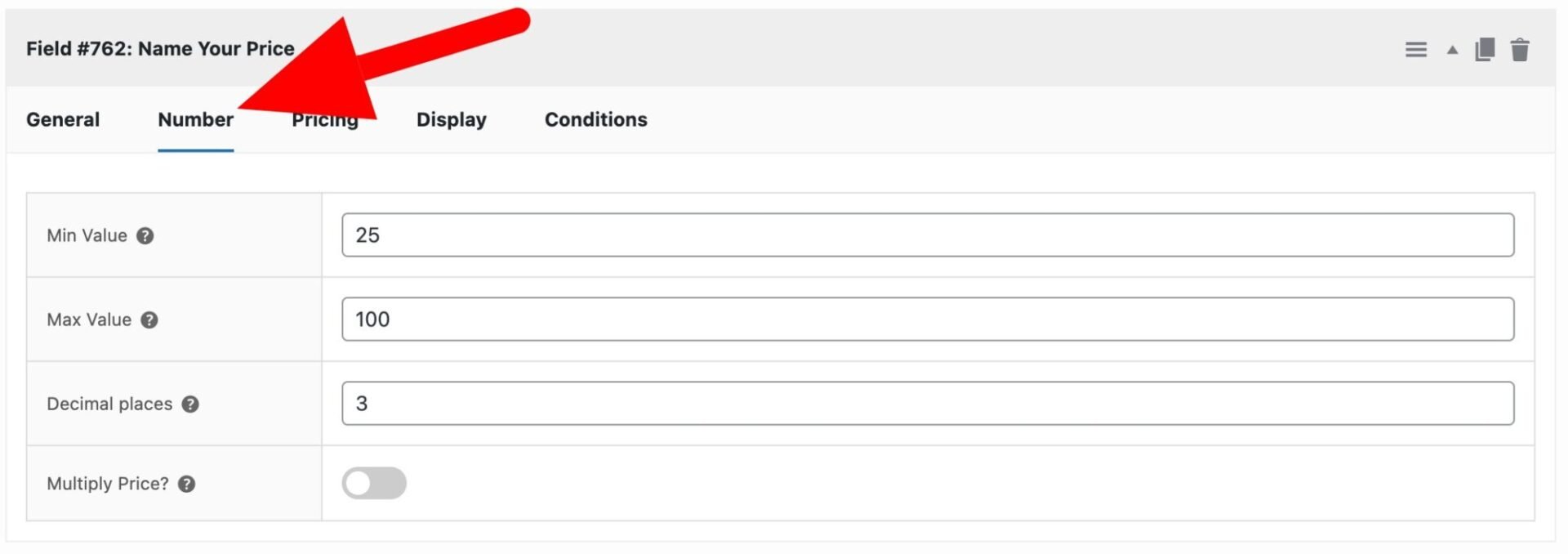
Number tab settings

Min value

Enter the minimum permitted value that the user can enter.

Max value

Enter the maximum permitted value that the user can enter.

Decimal places

Specify how many decimal places for the input field on the front end.

Multiply price

Check this field if you would like to multiply the value of the field by the field price. You can set the field price on the ‘Pricing’ tab.

Was this article helpful?

Related Articles

  • Select box fields
    • Plugin: WooCommerce Product Add-Ons Ultimate
    • Content Type: Support Document
  • Color picker fields
    • Plugin: WooCommerce Product Add-Ons Ultimate
    • Content Type: Support Document
  • Text swatches
    • Plugin: WooCommerce Product Add-Ons Ultimate
    • Content Type: Support Document
  • Information fields
    • Plugin: WooCommerce Product Add-Ons Ultimate
    • Content Type: Support Document
  • Calculation fields
    • Plugin: WooCommerce Product Add-Ons Ultimate
    • Content Type: Support Document
  • Upload fields
    • Plugin: WooCommerce Product Add-Ons Ultimate
    • Content Type: Support Document