1. Home
  2. Knowledge Base
  3. WooCommerce Product Add-Ons Ultimate
  4. Add-On Fields
  5. Information fields
  1. Home
  2. Knowledge Base
  3. WooCommerce Product Add-Ons Ultimate
  4. Information fields

Information fields

In the WooCommerce Product Add-Ons Ultimate plugin information fields are used to provide further details about a product or field. Unlike most other field types in Add-Ons Ultimate, information fields don’t accept any user input. They display information only. There’s a demo product here.
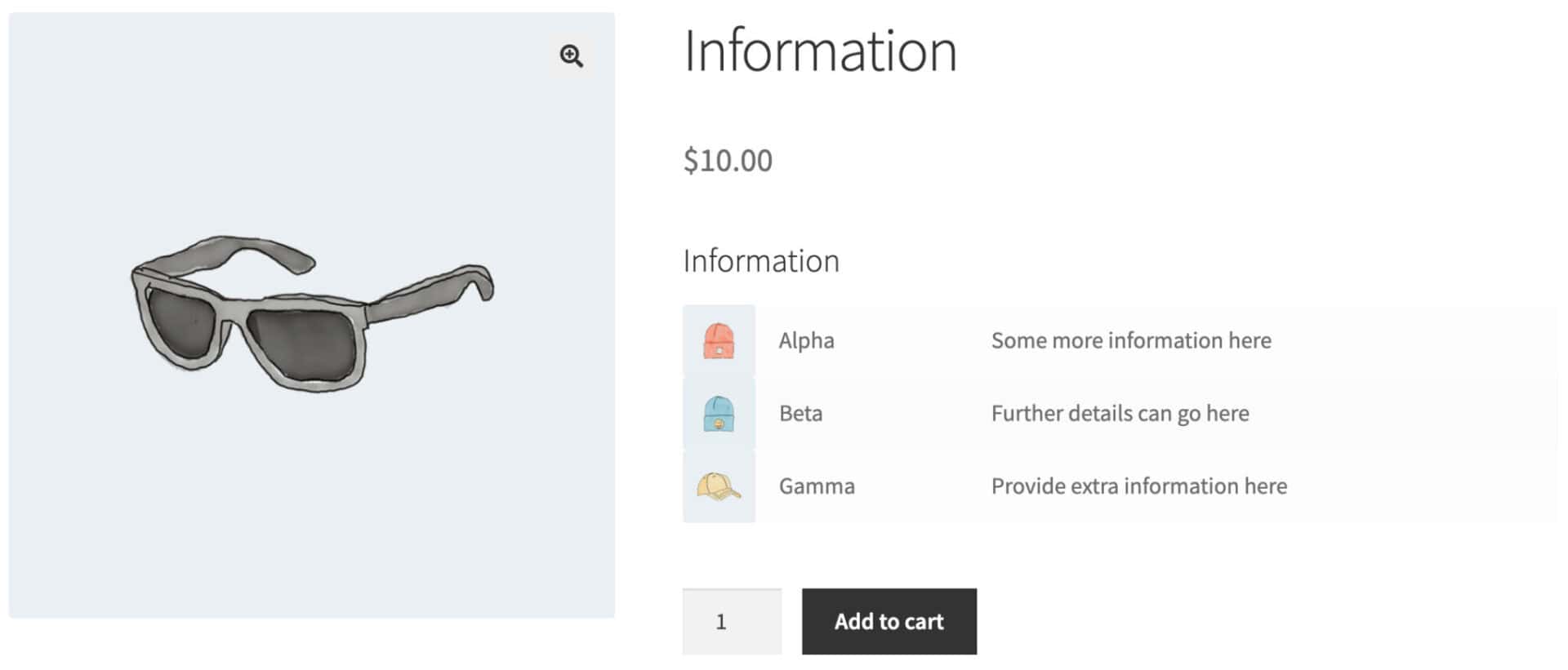
Information field

To add an information field, choose ‘Information’ as the ‘Field Type’.
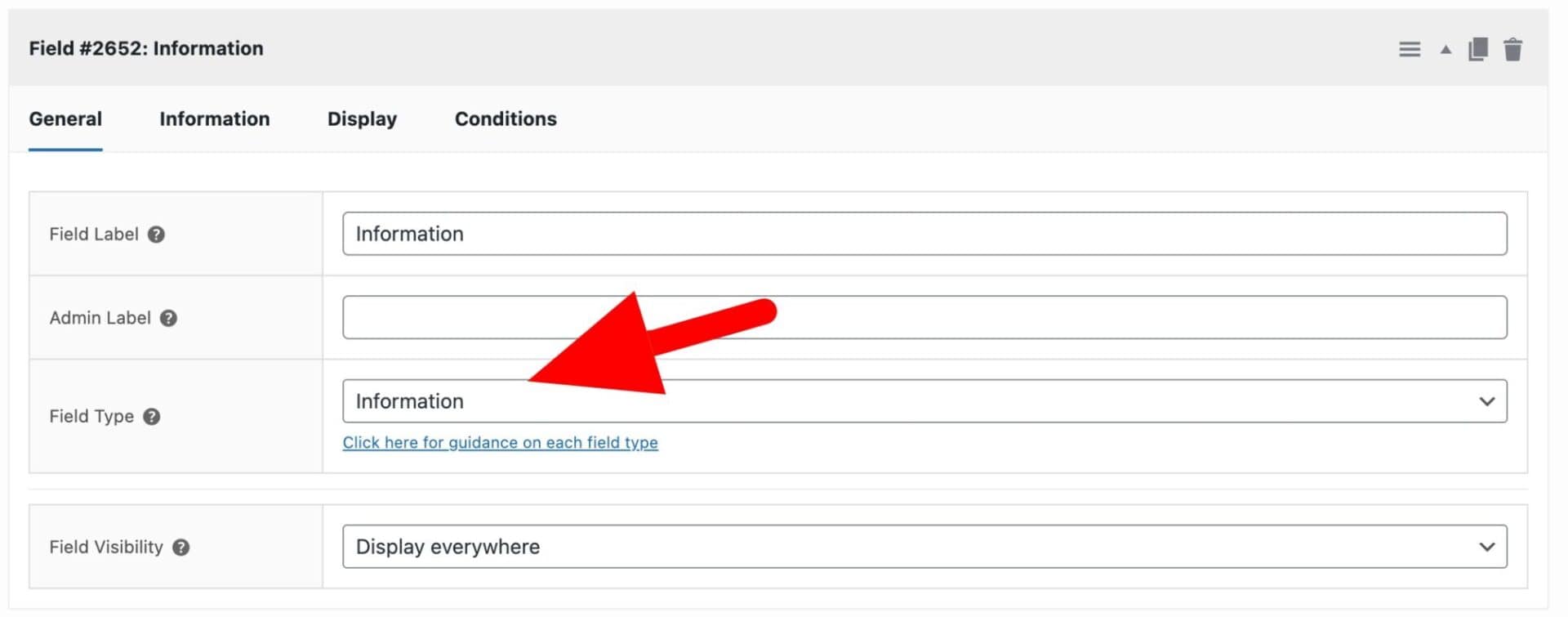
Information field setting

Then to add each line of information, click on the ‘Information’ tab.
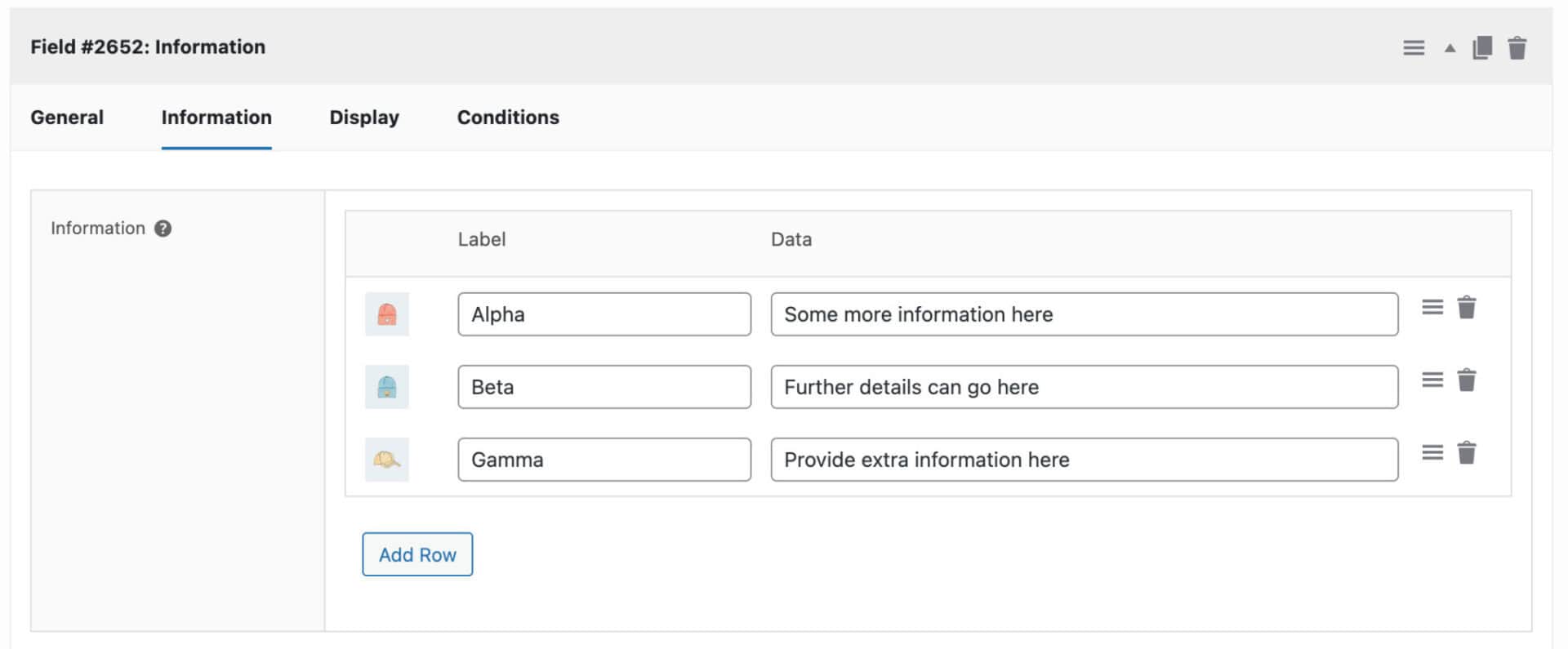
Information tab setting

Click on the image placeholder to the left of the ‘Label’ field to upload an optional image.

Enter text in the ‘Label’ field to display a label on the front end.

Enter text in the ‘Data’ field to display further information.

Click ‘Add Row’ to add further lines of information.

Was this article helpful?

Related Articles

  • Select box fields
    • Plugin: WooCommerce Product Add-Ons Ultimate
    • Content Type: Support Document
  • Color picker fields
    • Plugin: WooCommerce Product Add-Ons Ultimate
    • Content Type: Support Document
  • Text swatches
    • Plugin: WooCommerce Product Add-Ons Ultimate
    • Content Type: Support Document
  • Calculation fields
    • Plugin: WooCommerce Product Add-Ons Ultimate
    • Content Type: Support Document
  • Upload fields
    • Plugin: WooCommerce Product Add-Ons Ultimate
    • Content Type: Support Document
  • Textarea fields
    • Plugin: WooCommerce Product Add-Ons Ultimate
    • Content Type: Support Document