In the WooCommerce Product Add-Ons Ultimate plugin checkbox fields allow you to add a checkbox input field to your WooCommerce product where you users can choose a single option. There’s a demo product here.

To create a checkbox, choose ‘Checkbox’ from the ‘Field Type’ dropdown list. You can enter a label in the ‘Field Label’ setting.
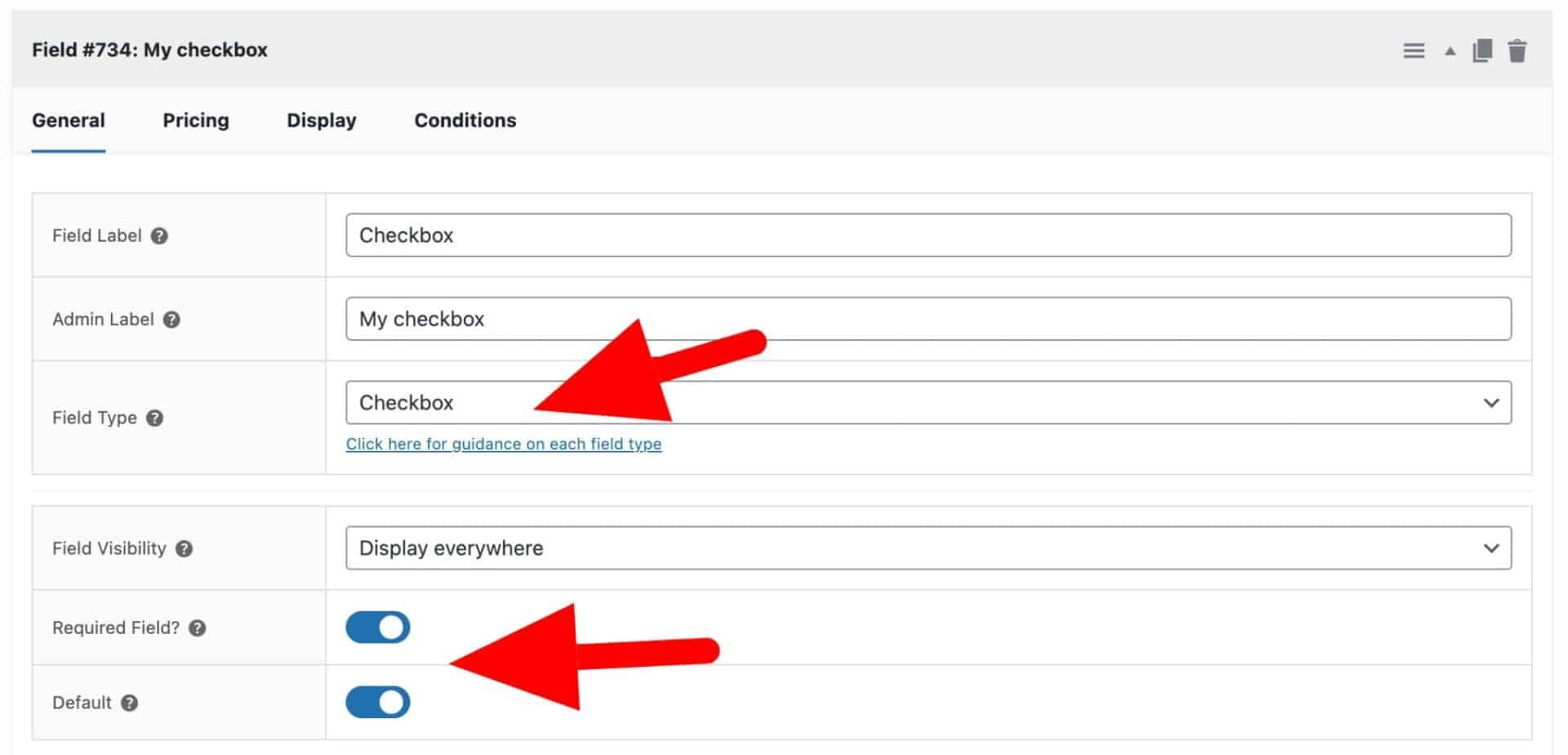
To add a checkbox field, just choose ‘Checkbox’ from the ‘Field Type’ dropdown list.
Required field
Enable this option if the user must select the checkbox in order to add the product to their cart.
Default
Enable this option if the checkbox should be selected by default.
Pricing tab
Click on the ‘Pricing’ tab for price-related settings. Enter a price in the ‘Field Price’ setting. This price will added to the product price if the user selects the checkbox.
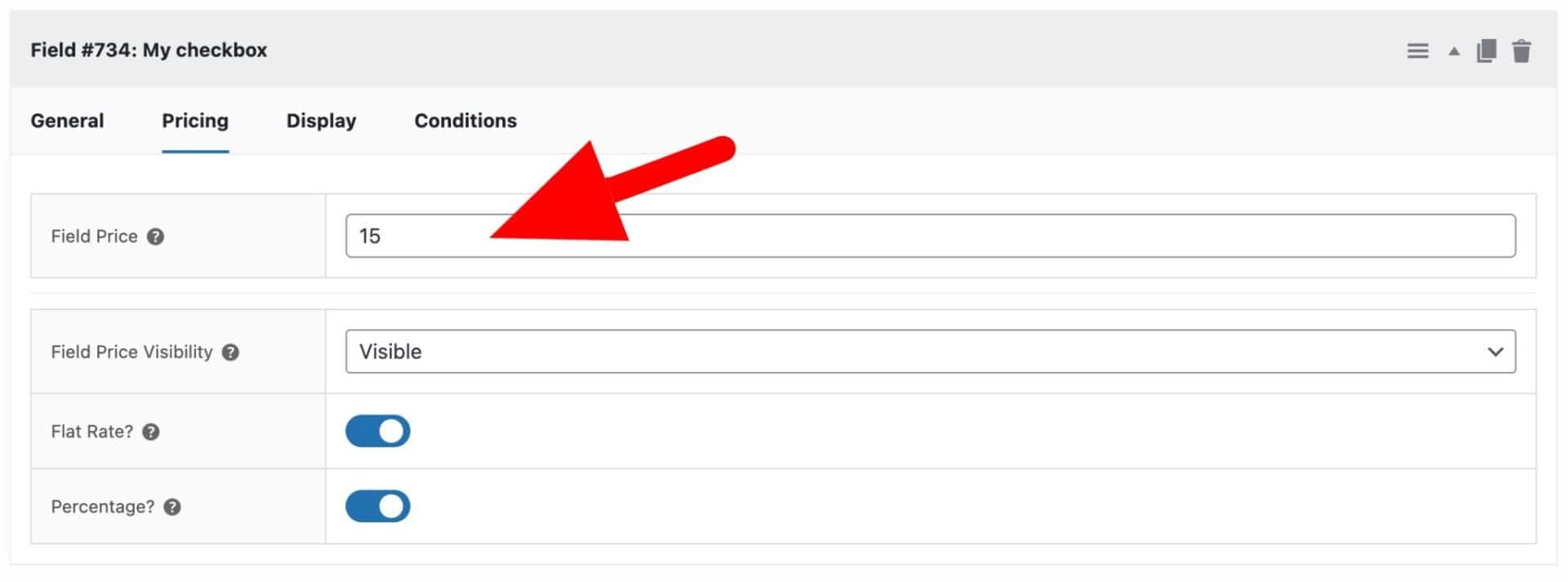
For further information about the other settings in the ‘Pricing’ tab, see these documents.