1. Home
  2. Knowledge Base
  3. WooCommerce Product Add-Ons Ultimate
  4. Add-On Fields
  5. Radio group fields
  1. Home
  2. Knowledge Base
  3. WooCommerce Product Add-Ons Ultimate
  4. Radio group fields

Radio group fields

In the WooCommerce Product Add-Ons Ultimate plugin radio group fields allow you to add radio group fields to your WooCommerce product. Radio groups allow the user to pick a single option. There’s a demo product here.

If you want to allow the user to pick multiple options, you can use the Checkbox group field.

Radio group add-on field

To add a radio group field, just choose ‘Radio Group’ from the ‘Field Type’ dropdown list.
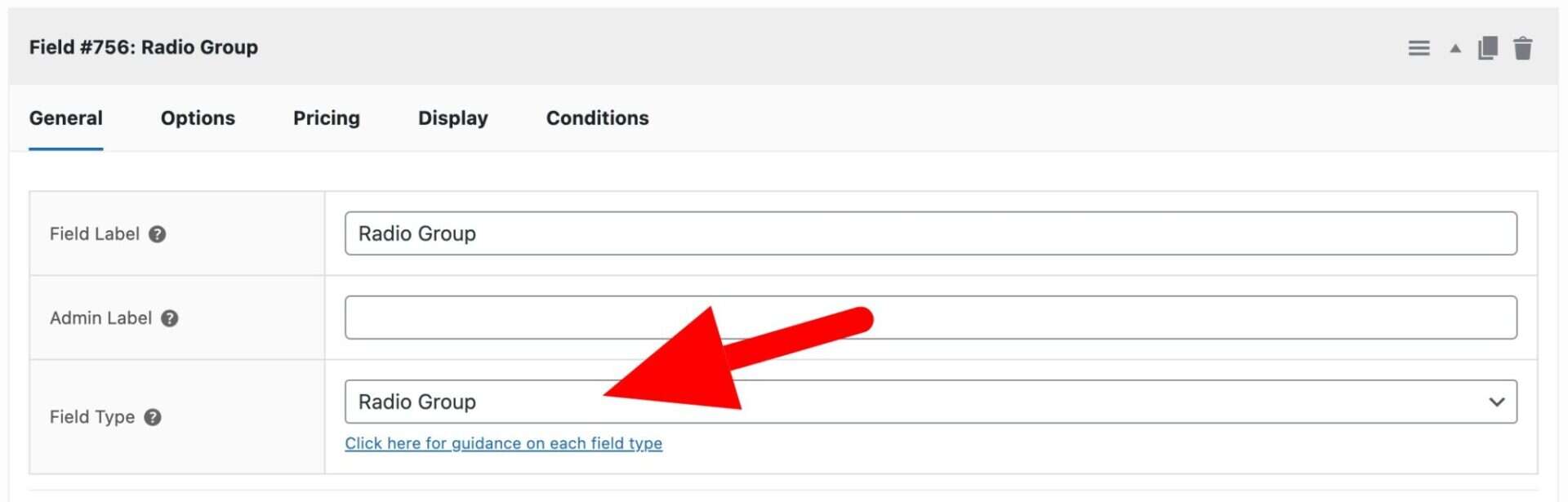
Radio group field setting

When you select ‘Radio Group’ as the field type, the ‘Options’ tab will appear. Click it to add options.
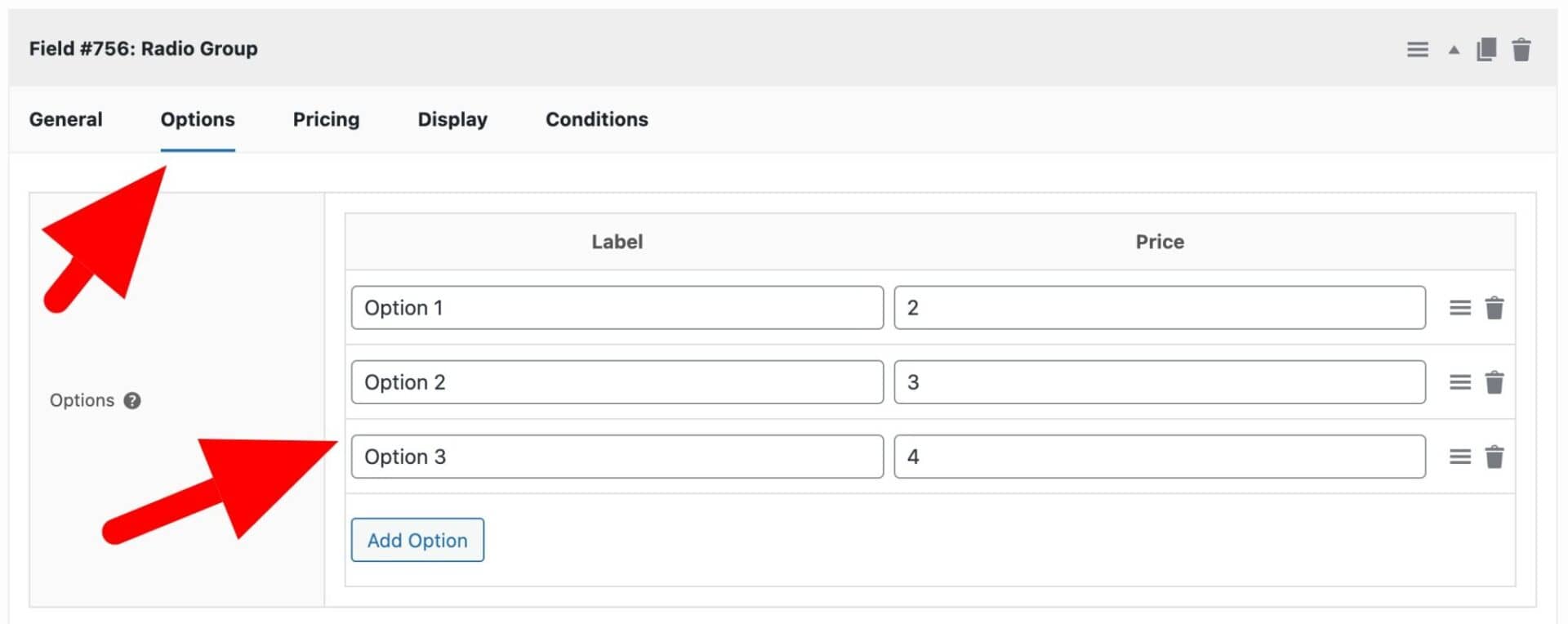
Radio group options tab

Click the ‘Add Option’ button to add your first option then enter the option name in the first field, under ‘Label’. If you wish, you can assign a price to this option that will only be added to the product price if the user selects this option.

You can add as many options as you like. Drag them to re-order them if necessary.

Text Swatch

If you’d like to display your radio fields as text swatches or buttons, please see this article.
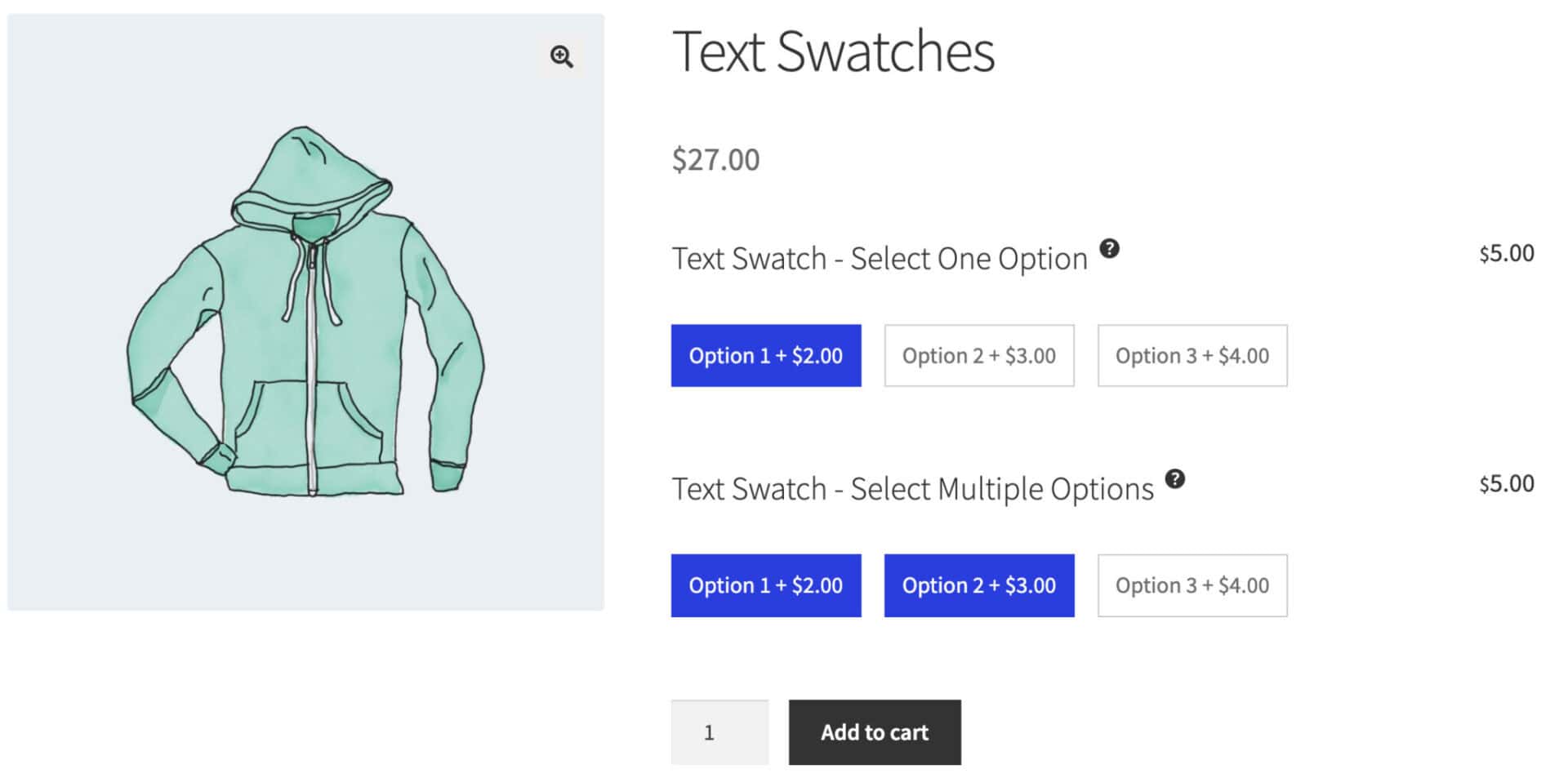
Text swatch add-on field

Was this article helpful?

Related Articles

  • Calendar lists
    • Plugin: WooCommerce Product Add-Ons Ultimate
    • Content Type: Support Document
  • Select box fields
    • Plugin: WooCommerce Product Add-Ons Ultimate
    • Content Type: Support Document
  • Color picker fields
    • Plugin: WooCommerce Product Add-Ons Ultimate
    • Content Type: Support Document
  • Text swatches
    • Plugin: WooCommerce Product Add-Ons Ultimate
    • Content Type: Support Document
  • Information fields
    • Plugin: WooCommerce Product Add-Ons Ultimate
    • Content Type: Support Document
  • Calculation fields
    • Plugin: WooCommerce Product Add-Ons Ultimate
    • Content Type: Support Document