In the WooCommerce Product Add-Ons Ultimate plugin number fields allow you to add number input fields to your WooCommerce product. You can also choose to display these as range sliders if you wish. There’s a demo product here for the standard number input field.

To add a number field, just choose ‘Number’ from the ‘Field Type’ dropdown list.
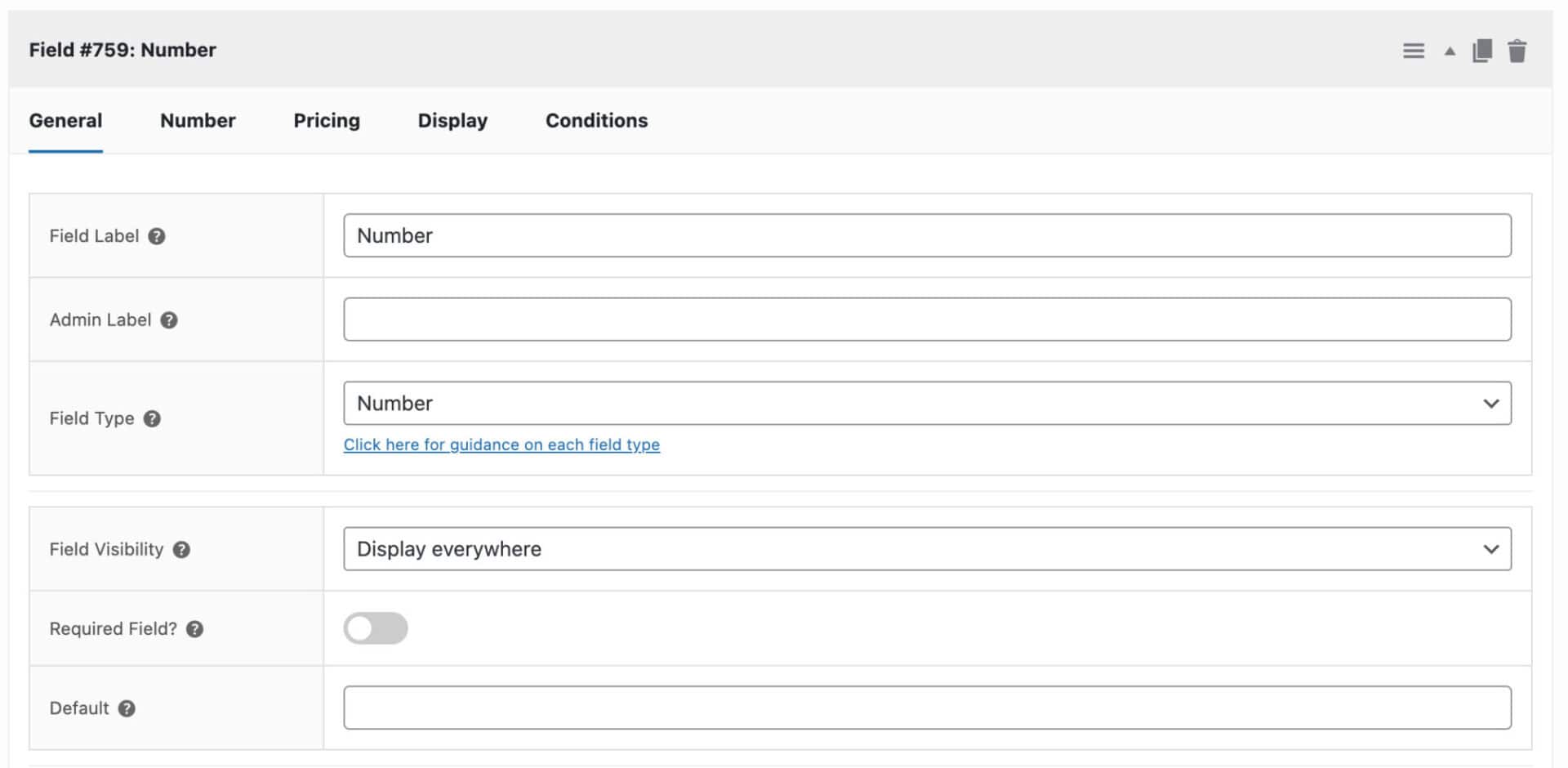
When you select Name Your Price, you’ll see an additional ‘Number’ tab appear on the settings. Click on this for some settings that are specific to this field type.
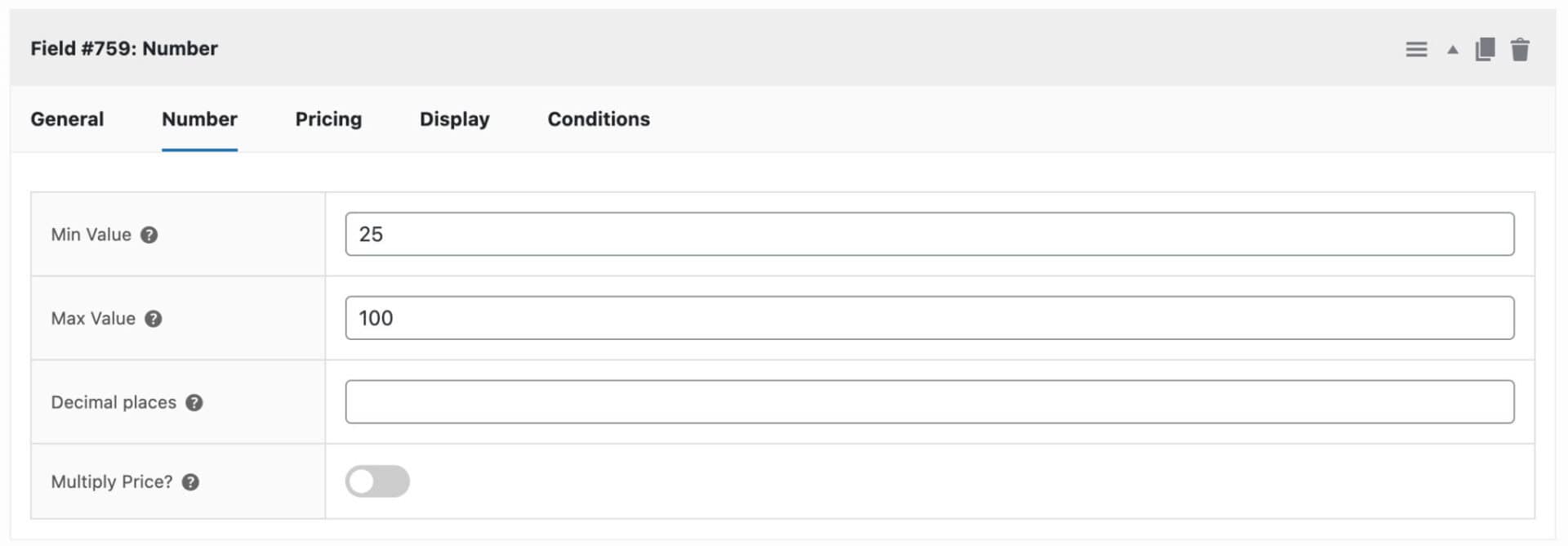
Min value
Enter the minimum permitted value that the user can enter.
Max value
Enter the maximum permitted value that the user can enter.
Decimal places
Specify how many decimal places for the input field on the front end.
Multiply price
Check this field if you would like to multiply the value of the field by the field price. You can set the field price on the ‘Pricing’ tab.
Number range slider
If you wish, you can display a number field graphically as a range slider. There’s a demo product here.

To enable this range slider, click on the ‘Display’ tab and enable ‘Display as Slider’.
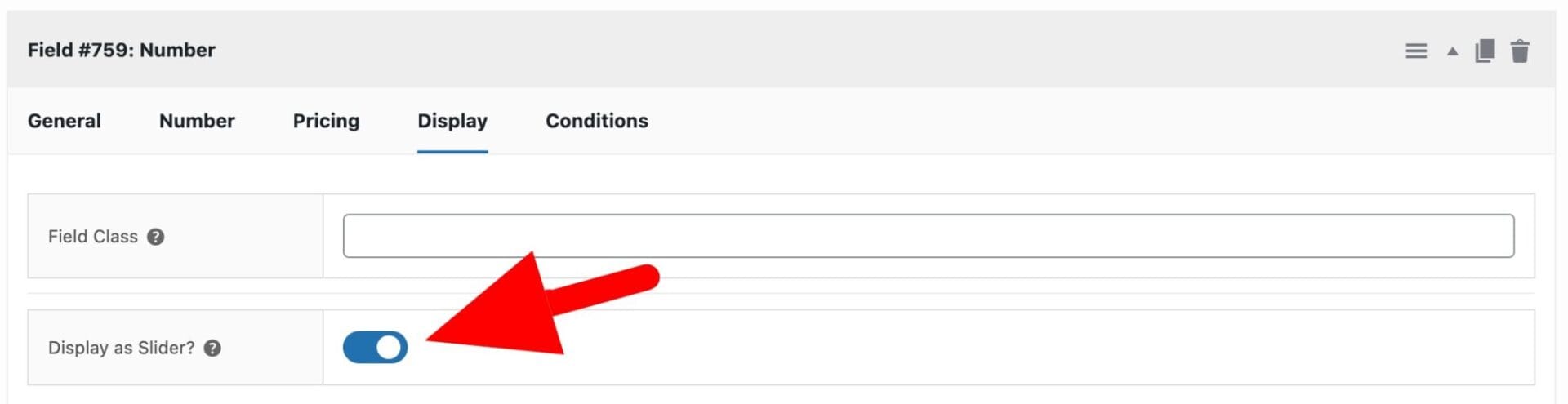
Note that you will need to enter a Max Value for your number range slider.
How to filter the step / increment attribute
You can filter the step / increment attribute (the amount the number field increases or decreases) by using the following snippet:
| <?php | |
| /** | |
| * Return a step value of 100 for a specific field ID | |
| * Update the field ID in line 8 below | |
| * Update the step value in line 9 if you wish | |
| */ | |
| function demo_number_field_step( $step, $item ) { | |
| if( $item['field_id'] == 12345 ) { | |
| return 100; | |
| } | |
| return $step; | |
| } | |
| add_filter( 'pewc_number_field_step', 'demo_number_field_step', 10, 2 ); |
Here’s how to add a snippet.