WooCommerce Bulk Variations
Sell more variations by speeding up the buying process - let customers buy from an easy-to-use bulk variations order form




Pricing
Yearly licenses renew annually - cancel anytime
Lifetime licenses are a one-time payment
Single
$69 + VAT *
Use on a single siteUse this plugin on one production site
Renews annuallyThis plugin will automatically renew every year. If you cancel it, you can continue to use the plugin but will not receive support or updates
14 day money back guaranteeIf the plugin isn't what you want, just drop us a line within 14 days for a full refund
Pro
$99 + VAT *
Use on up to 5 sitesUse this plugin on up to 5 sites
Renews annuallyThis plugin will automatically renew every year. If you cancel it, you can continue to use the plugin but will not receive support or updates
14 day money back guaranteeIf the plugin isn't what you want, just drop us a line within 14 days for a full refund
Free set-upDrop us an email after your purchase with the details of a product you'd like to set up and we'll do it for you - free of charge
Agency
$349 + VAT *
Use on up to 25 sitesUse this plugin on up to 25 sites
Renews annuallyThis plugin will automatically renew every year. If you cancel it, you can continue to use the plugin but will not receive support or updates
14 day money back guaranteeIf the plugin isn't what you want, just drop us a line within 14 days for a full refund
Free set-upDrop us an email after your purchase with the details of a product you'd like to set up and we'll do it for you - free of charge
Single
$189 + VAT *
Use on a single siteUse this plugin on one production site
One-time paymentThis is a single one-time charge. You'll receive support and updates for the lifetime of the product
14 day money back guaranteeIf the plugin isn't what you want, just drop us a line within 14 days for a full refund
Pro
$279 + VAT *
Use on up to 5 sitesUse this plugin on up to 5 sites
One-time paymentThis is a single one-time charge. You'll receive support and updates for the lifetime of the product
14 day money back guaranteeIf the plugin isn't what you want, just drop us a line within 14 days for a full refund
Free set-upDrop us an email after your purchase with the details of a product you'd like to set up and we'll do it for you - free of charge
Agency
$899 + VAT *
Use on up to 25 sitesUse this plugin on up to 25 sites
One-time paymentThis is a single one-time charge. You'll receive support and updates for the lifetime of the product
14 day money back guaranteeIf the plugin isn't what you want, just drop us a line within 14 days for a full refund
Free set-upDrop us an email after your purchase with the details of a product you'd like to set up and we'll do it for you - free of charge
All prices are in US Dollars.
A full refund if you're not happy
I built this plugin myself and my team and I are available to support you personally. We want you to be 100% satisfied with your purchase so if, for any reason, this plugin doesn't meet your expectations over the next 14 days, let us know and we'll give you a full refund.

WooCommerce Bulk Variations plugin
Make it easy for your customer
Sell more variations
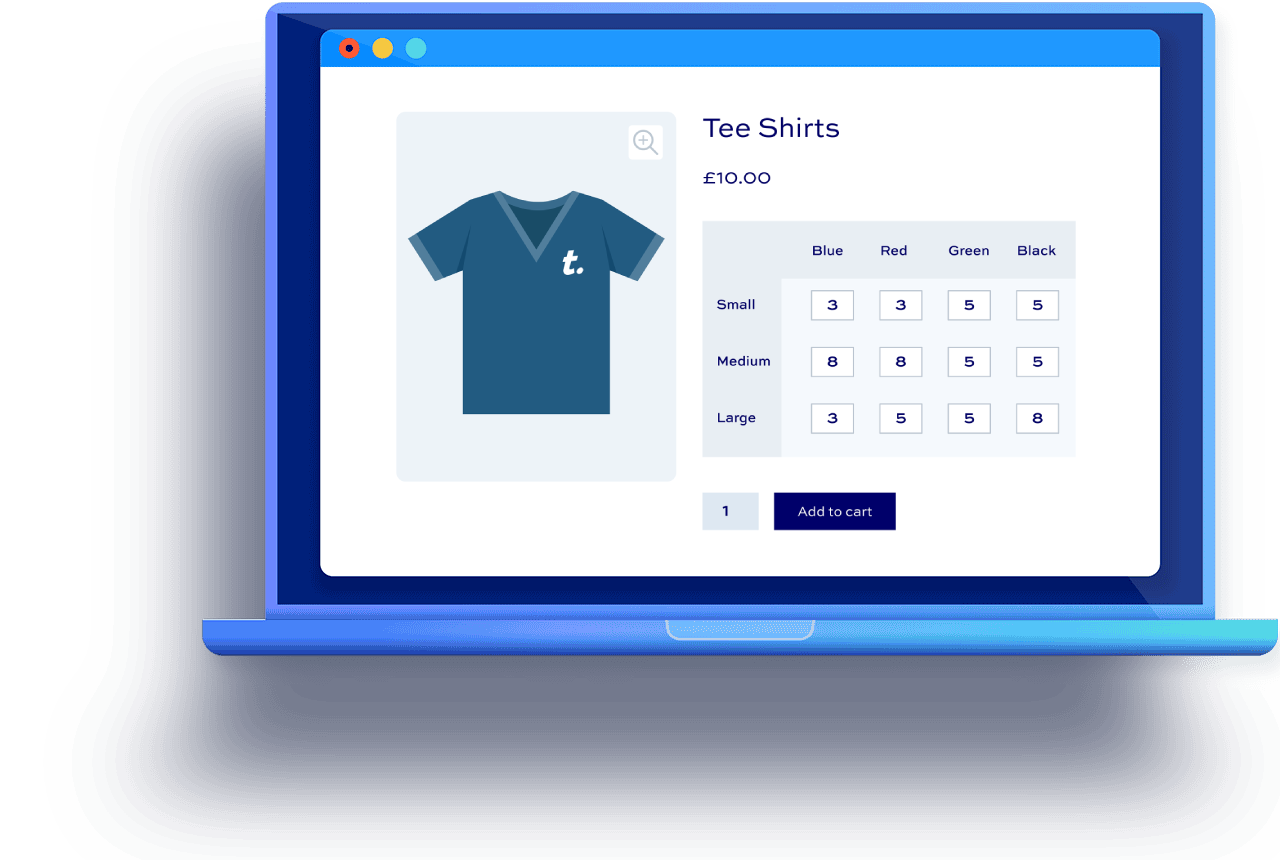
- Display variations in a filterable bulk order form so that users can order multiple variations from one place
- Let users enter quantities for multiple variations direct into the order form - no need for page reloads
- Ideal for clothing and workwear stores and wholesale and B2B sites - anywhere the users are purchasing several variations in a single order
Help your customers buy quicker
- Let users filter the grid by attribute to focus on the items they want
- Add pricing and stock information direct in the order form
- Display running totals for selected items quantities and price
- Set optional default quantities
WooCommerce Bulk Variations plugin features
The best plugin for improving how you work with WooCommerce variations

WooCommerce bulk variations plugin
Allow users to order variations in bulk direct from the product page

Variations as single products
Add variations to the shop and category pages just like simple products

Gray out out-of-stock variations
Easily gray out out-of-stock variations - so users can see them but not purchase them

WooCommerce bulk variations grids
Display WooCommerce variations in a table grid - bulk order forms on product pages for all variations makes it easier for customers
Filterable bulk variations forms
Allow customers to filter the order form by one or both attributes - making it simpler to line up the attribute terms they want
Quantity fields per variation
Present users with a quantity field for each variation, making ordering quicker and easier
Show stock status and prices
Choose to include each variation's price and stock status in the variations table
Enable for some or all variable products
Choose where to to enable variation tables - for all variable products or just the ones you choose
One attribute or two
Works for variable products with one attribute or two, allowing you to create single or multi column tables
Display grid at full width
Optionally display variation tables at full width below the product image
Automatically generate thumbnails
Create thumbnails for rows and columns automatically using variation images
High performance
The bulk variations order form performs well even with large numbers of variations
Show variations as separate products with one click
The easiest way in WooCommerce to show variations as single products. Update one setting to show product variations on archive pages
Show single variations on shop and category pages
Let users add variations to the cart directly from shop and category pages. No need to click through to product pages and choose attributes from dropdown lists
Hide variable products on shop and category pages
Choose to hide parent variable products on archive pages, replacing them with their variations
Hide out-of-stock variations
Choose to hide any out-of-stock variations from shop and category pages
Disable out of stock variations
Keep out-of-stock variations visible - ensuring you retain customers and SEO
Restyle in-stock and out-of-stock variations
Style in-stock and out-of-stock items in different colours - highlight in-stock variations
Display in-stock items above out-of-stock items
Prioritize in-stock variations above out-of-stock variations
Compatible with all themes and page builders
Works with all WordPress themes and page builders - offer bulk variations through your existing theme
Multilingual bulk variations plugin
Compatible with all multilingual solutions and available in 9 fully translated versions
WooCommerce Product Add-Ons Ultimate
Let users select their bulk variations then personalize their orders with add-on fields
WooCommerce Variation Swatches
Let users filter attributes in the variations grid by clicking on color, text or image swatches
WooCommerce Dynamic Pricing and Discount Rules
Apply 10+ discount types to variations including simple percentage or fixed discounts, bulk pricing, BOGO
WooCommerce Request a Quote
Let users select multiple variations from the order form then add them to a quote request
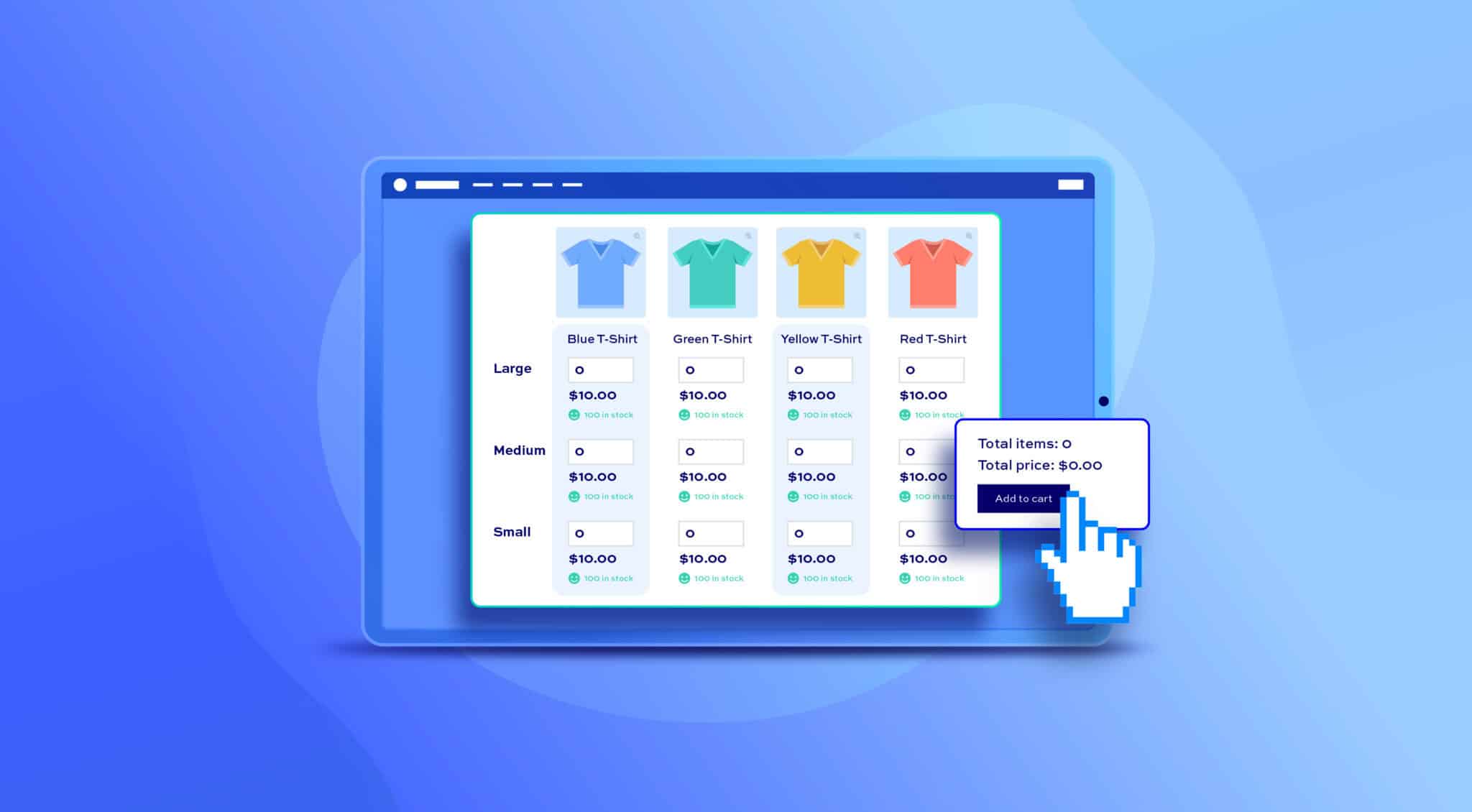
Create bulk order forms for teeshirts 

Let users order multiple variations of a teeshirt product with size and color attributes
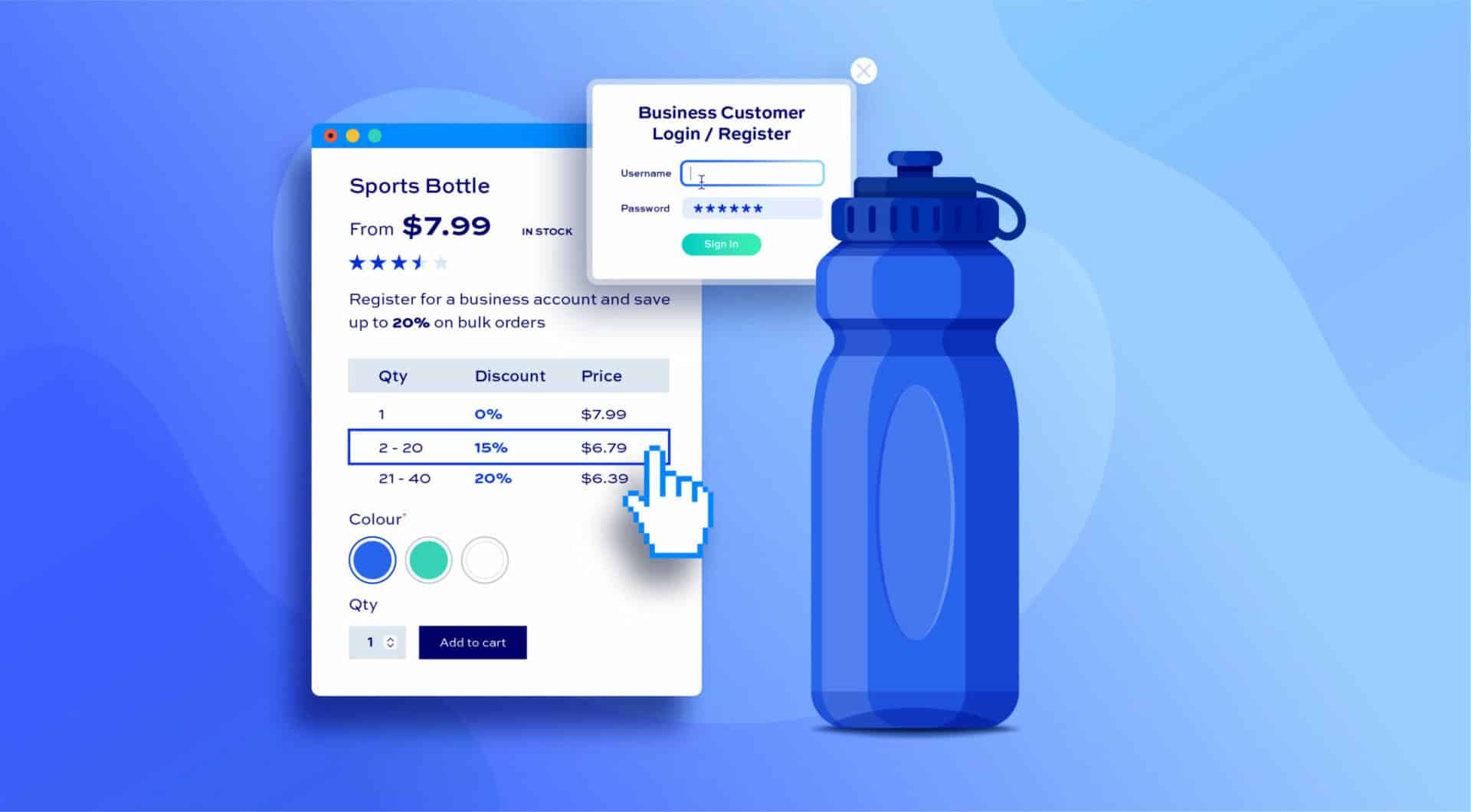
Add bulk order forms to wholesale sites
Add bulk variations order forms as part of your B2B or wholesale site
WooCommerce Bulk Variations plugin customer reviews
See more reviews View us on Trustpilot
Our products are featured on

FAQs
Can I display bulk variations in a grid?
Yes, you can use the plugin to display your variations in a bulk order form so that customers can select quantities for multiple variations and add them all to the cart with one click.
You can enable this for some or all of your variable products.
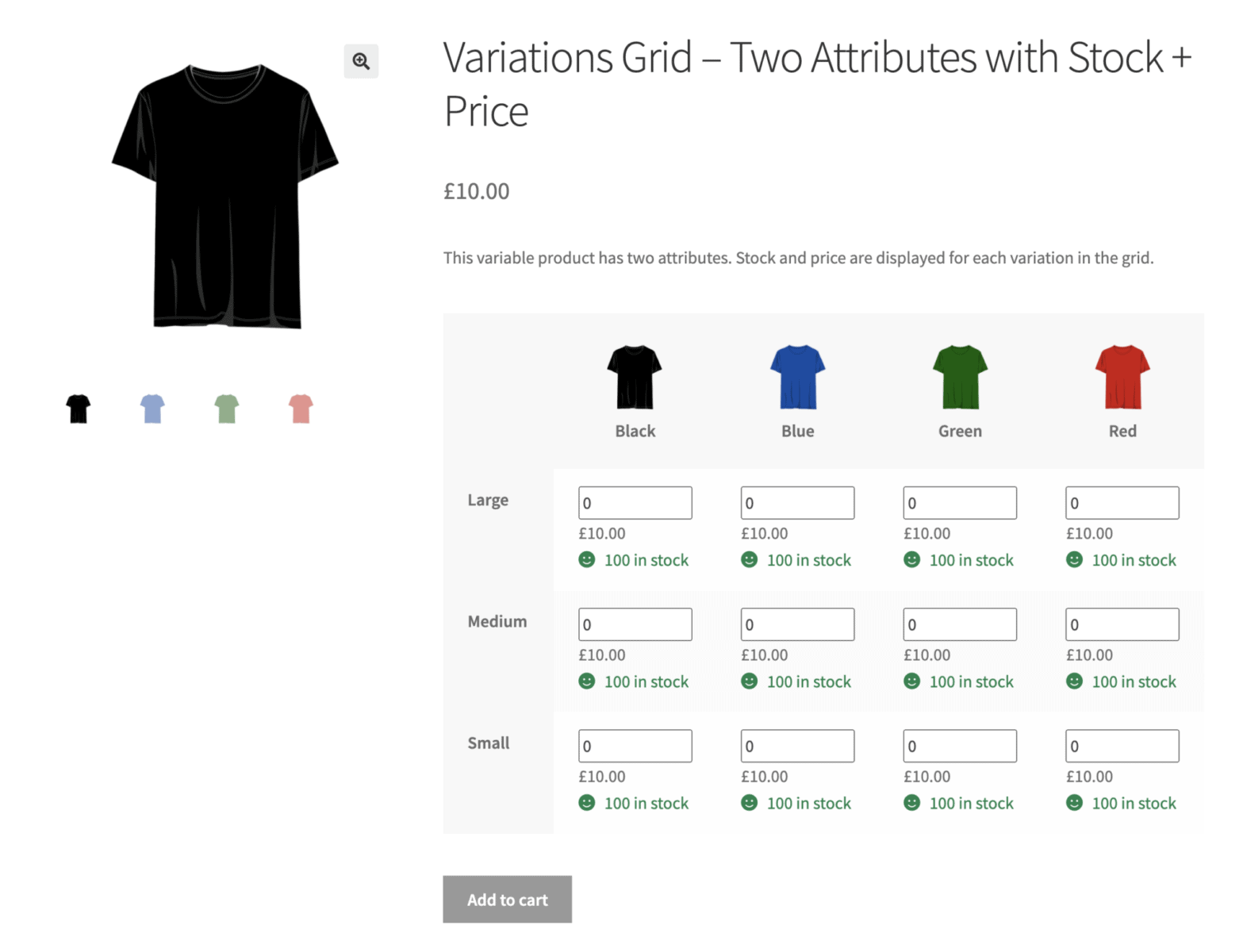
Can the user filter the attributes?
Yes. You can enable dropdown filters for one or both of the attributes in your bulk variations order form. So the user could select just 'Blue' in 'Color' - allowing them to focus on sizes for the blue variation.
Where is the bulk variations grid displayed?
If you have the bulk variations feature enabled, the grid will replace the standard WooCommerce variation dropdown fields.
If you prefer, you can choose to display the grid below the main product image. In this case, the grid will display at the full width of the product page.
Can I decide which attributes display in the columns and rows?
Yes. You can just drag and drop the position of the attributes. The first attribute will display as rows in the order form; the second attribute's terms will form the columns.
Can I display the bulk variations grid at the full page width?
Yes, if you're using the bulk variations feature, there's an option to display the grid below the main product image to allow it to occupy the full page width.
What if the grid is too wide for the page?
If you're using the bulk variations grid and you have too many columns to fit on the page, there are a couple of options:
- You can use the full-width option to move the grid below the product image. This way, it will occupy the full width of the product page
- Users can scroll or drag the table in order to view any hidden columns
Can I include add-on fields after the bulk variations grid?
Yes, with the Product Add-Ons Ultimate plugin you can include all types of add-on field. So users can upload artwork to accompany their selected variations, add custom text, or make other personalized selections.
Can I apply quantity-based discounts to variations?
Yes, with our Dynamic Pricing and Discount Rules plugin, you can create rules to apply discounts based on the number of items that the user selects.
Is it possible for the user to request a quote for bulk variations?
Yes, with our WooCommerce Request a Quote plugin, you can add a 'Request a Quote' button to the product page. When the user selects their variations, they can add them to a quote form that is sent directly to you.
Can I display images in the bulk variations grid headings?
Yes, if you wish you can display images in the row and column headings for the grid. These images are pulled from the attributes or automatically generated from variation images.
Can I display variations on shop and archive pages in the same way as standard products?
Yes, you can enable this feature with a single click so that variations are displayed on shop and archive pages just like simple products - so the user can add them to their cart directly without needing to go through to product pages.
Furthermore, you can also choose to hide the parent variable products from archive pages if you wish and/or hide any variations that are out of stock.
How does the plugin handle out-of-stock variations?
When a product variation is out of stock, the plugin can automatically display a custom message and/or disable the variation from the dropdown field. You can configure these settings to suit your store’s needs.
Can I customize the out-of-stock messages?
Yes, you can customize the out-of-stock messages displayed to customers. This helps maintain a consistent brand voice and provides clear communication about product availability.
Can the plugin display stock status for individual product variations?
Yes, the plugin displays stock status for each product variation. Customers can see whether a specific variation (e.g., size, color) is in stock or out of stock, improving their shopping experience and reducing cart abandonment.
Did this plugin used to be called something else?
Yes. WooCommerce Bulk Variations was originally known as WooCommerce Bulk Variations. We changed the name in September 2026 to better reflect its features and functionality.
Try our plugins risk free with our 14 day money back guarantee.