WooCommerce Live Image Preview - Plugin
Preview uploaded images as part of the main product image
Show customers exactly what they're getting before they add it to cart
From $59.00



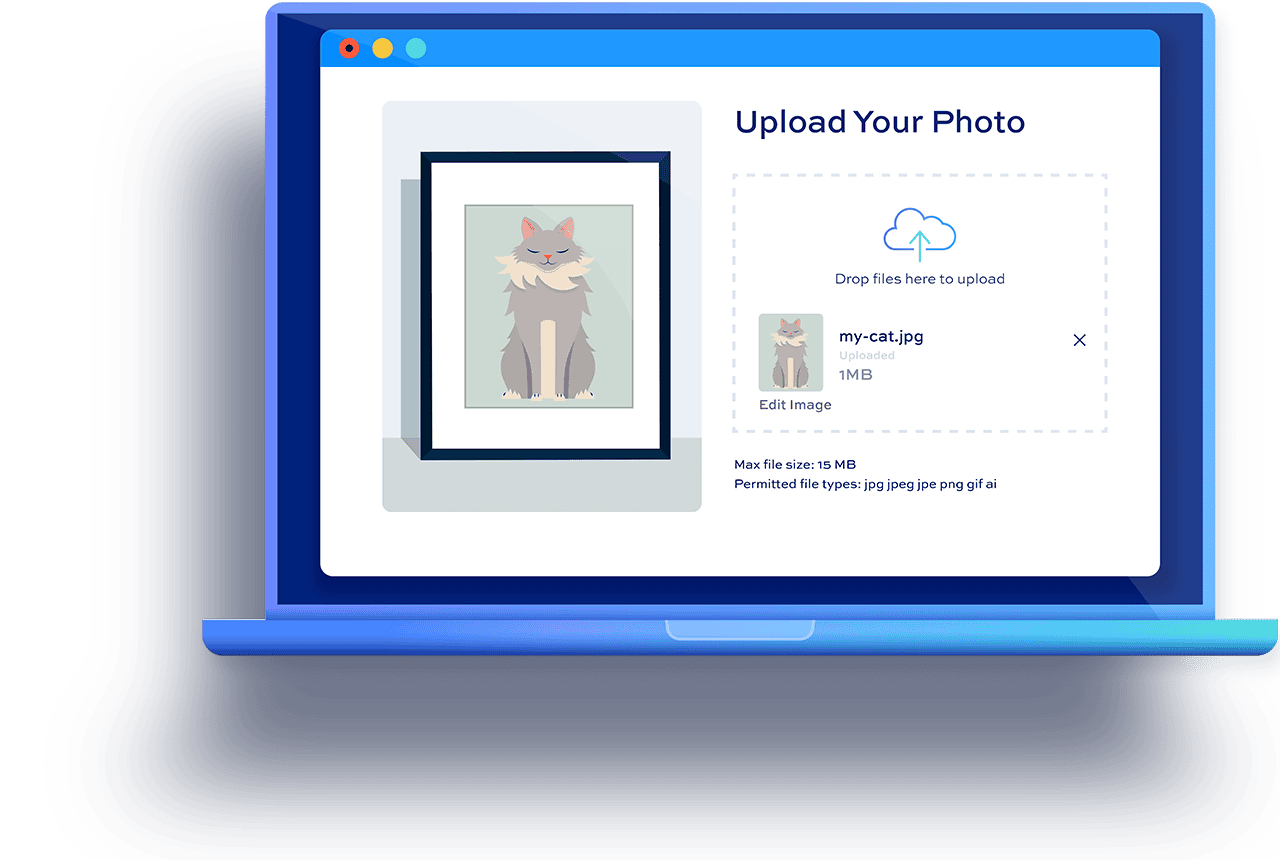

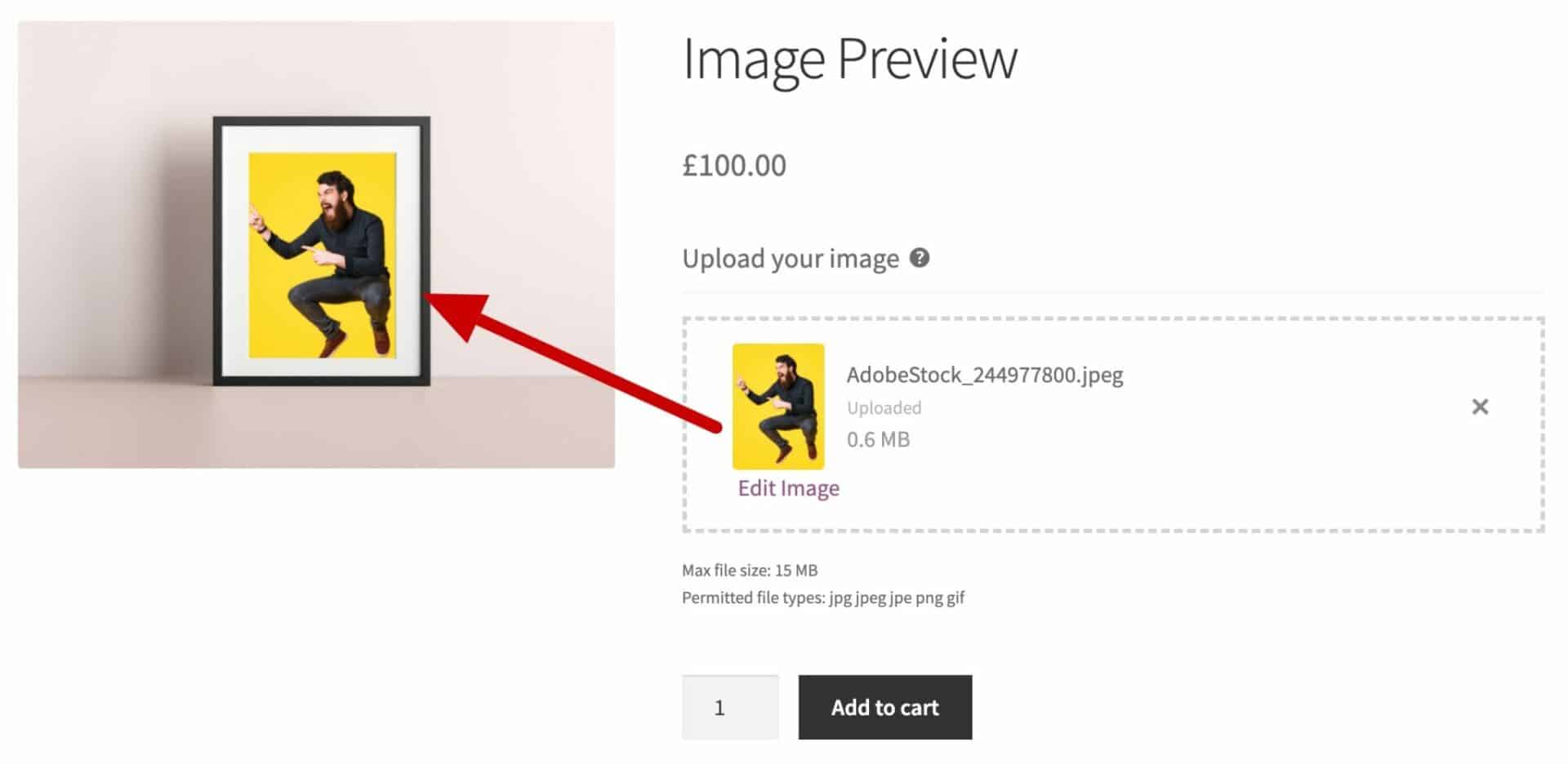
Preview uploaded images - let customers drag, resize, and rotate their uploads on the finished product
Let customers preview their upload before they buy
- Show uploaded images directly on the main product photo, so customers know exactly what they're getting
- Support transparent and non-transparent product images, so uploads can sit behind or in front of the design
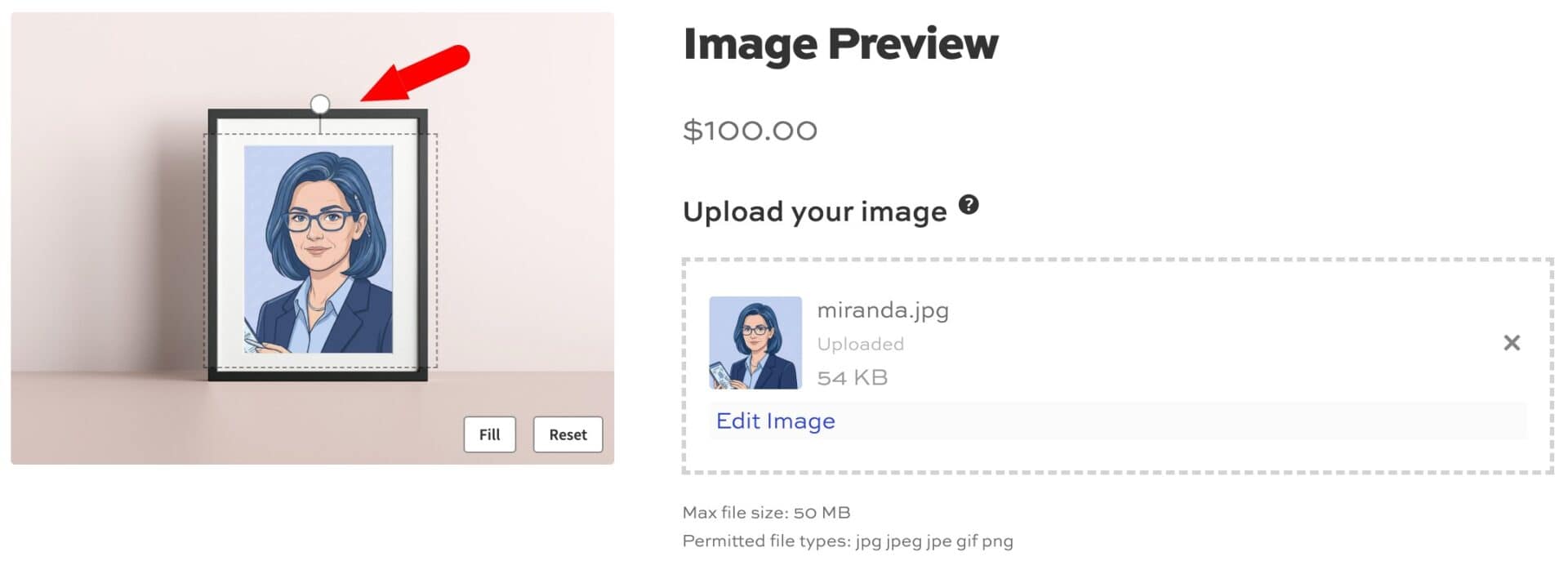
- Let customers drag, resize, and rotate their uploaded image directly on the product page
- Add a Fit/Fill toggle so customers can scale their image to cover the frame or fit neatly inside it
Give customers full control over their preview
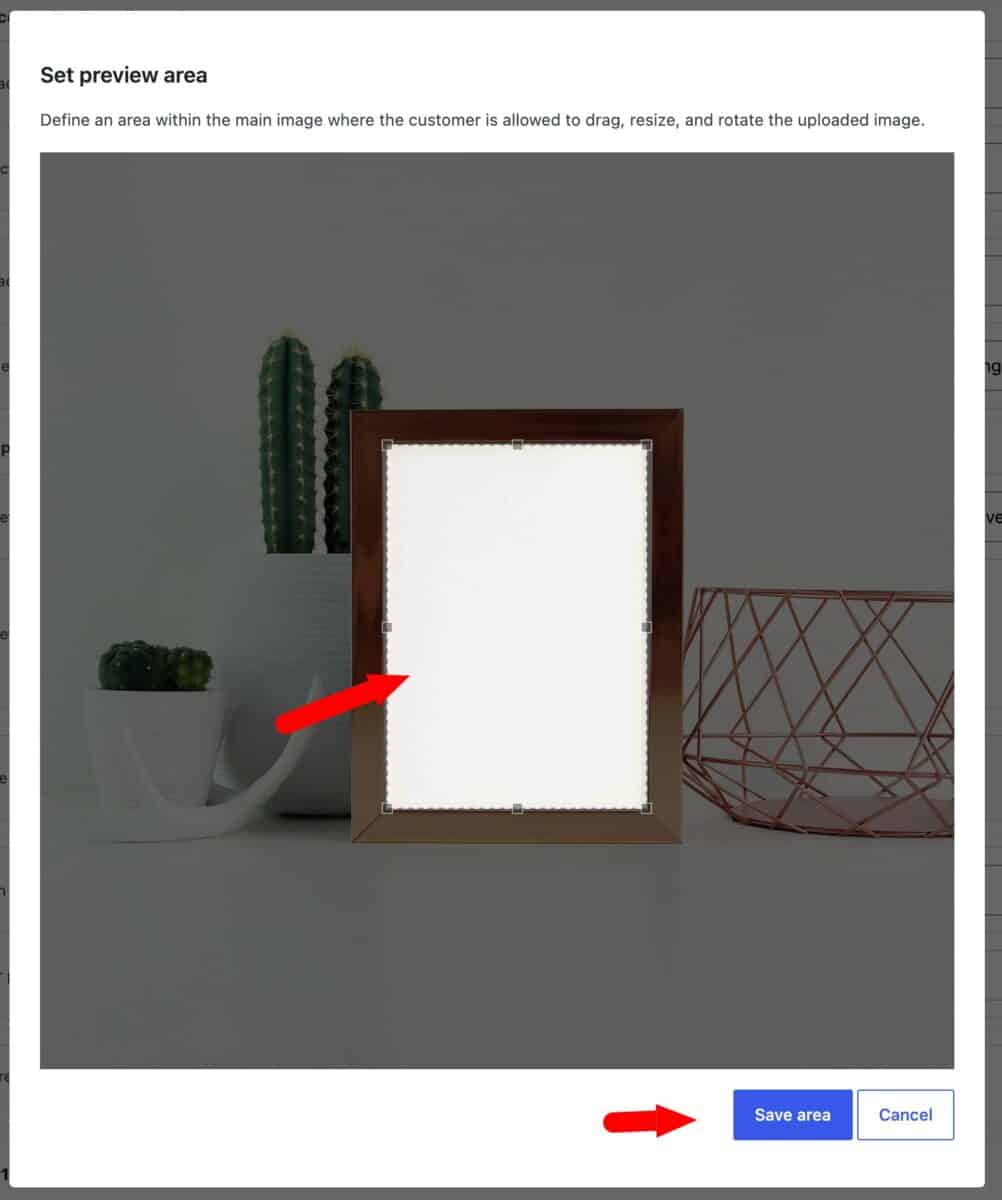
- Restrict where images can be placed by drawing a custom preview area on the product photo
- Define circular or rectangular preview areas with optional rotation and skew
- Generate a single composite image for the cart, checkout, and order emails, showing the upload exactly as the customer positioned it
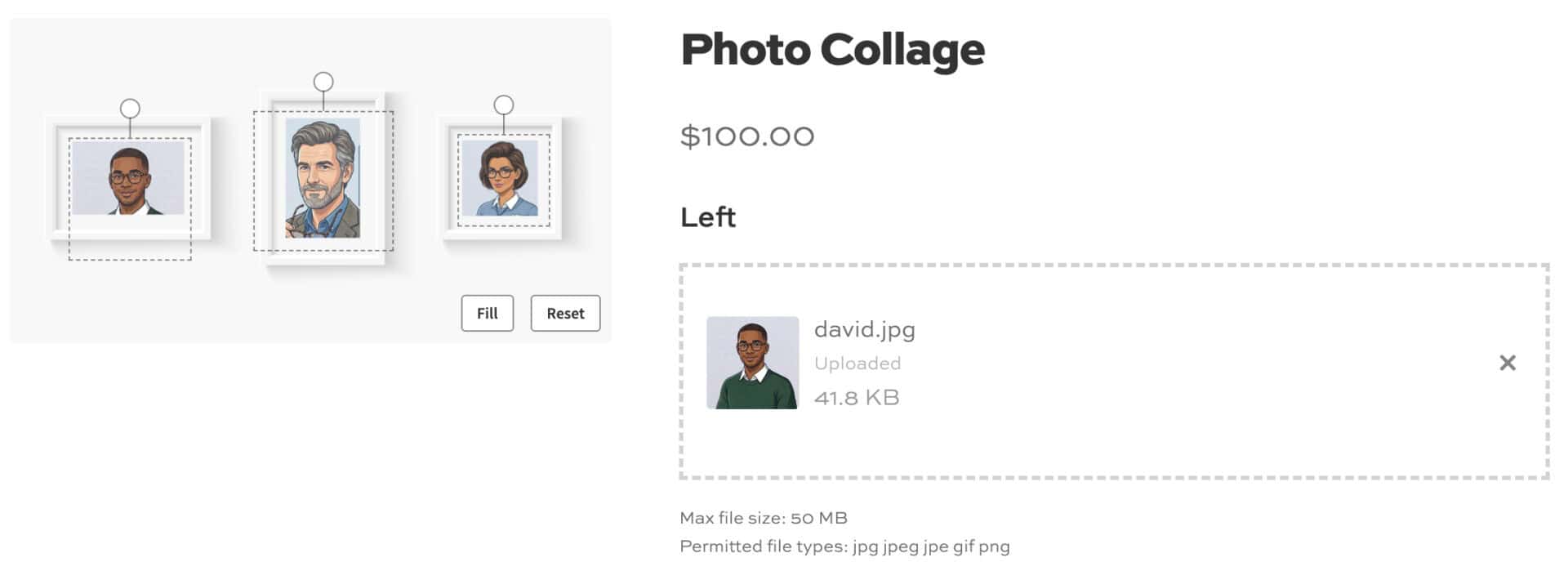
- Support multiple independent upload fields on the same product image, each positioned and controlled separately
WooCommerce Live Image Preview plugin customer reviews
See more reviews View us on Trustpilot
WooCommerce Live Image Preview plugin features
The complete WooCommerce live image preview plugin - let customers upload images and resize, rotate and position them directly on the main product image

Interactive image controls
Give customers full control over how their upload appears on the product before they buy

Precise positioning and layering
Control exactly where and how uploaded images sit relative to your product photo

3D canvas preview
Show customers how their design will look printed and stretched onto canvas

Go further with Image Preview
WooCommerce Live Image Preview works brilliantly with themes, page builders and other plugins
Drag to reposition
Customers can drag their uploaded image anywhere within its frame to get the position just right
Resize on the fly
A resize handle lets customers scale their image bigger or smaller directly on the product photo
Rotate freely
Customers can rotate their image to any angle using the on-image rotate handle
Fit or fill the frame
A Fit/Fill toggle lets customers scale their image to cover the frame edge-to-edge or fit neatly inside it
Reset to the starting point
One click restores the image to the position, size, and rotation you configured as the default
Restrict the preview area
Draw a custom area on the product image to keep uploads within specific bounds
Add to any upload field
Enable image previews on any existing Upload field in Product Add-Ons Ultimate
Easily define preview areas
Simple drag controls on images to define the preview areas on the front end
Choice of preview area shape
Choose rectangular or circular preview areas and rotate or skew if required
Behind or in front
Position uploads behind the product image to show through transparent areas, or above it for opaque designs
Exact placement
Set the center point, width, and rotation of the uploaded image relative to the main product image
Target specific gallery images
Choose which image in the product gallery displays the preview, and switch to it automatically when a customer uploads
Multiple upload fields
Add more than one interactive upload field to the same product image, each positioned independently
Works with transparent or solid images
WooCommerce Live Image Preview adapts automatically to PNGs with transparency and to plain JPGs or PNGs
Composite images for orders
Generate a single flattened image combining the product photo and upload for the cart, checkout, and order emails
Realistic canvas effect
Display the uploaded image with a 3D perspective showing the front face and stretched edges of a canvas
Choose the finish
Customers can pick a Black, White, or Mirror edge finish for the Print and Stretch option
Switch between views
A thumbnail strip lets customers toggle between the flat image and the 3D canvas view
WooCommerce Product Add-Ons Ultimate
Live Preview requires Add-Ons Ultimate - so you can charge for every image upload if you wish
WooCommerce Live Text Preview
Image Preview also works alongside Text Preview - so your customers can preview text as well as images
WooCommerce Advanced Uploads
Image Preview works alongside Advanced Uploads - so you can restrict uploaded image sizes and set aspect ratios
Themes and page builders
Image Preview works with all themes (including block themes) and page builders
Multilingual preview plugin
Image Preview is compatible with multilingual plugins and is translated into Dutch, French, German, Italian, Polish, Portuguese, Portuguese (Brazilian) and Spanish
Part of Product Add-Ons Ultimate Bundle
Image Preview is part of the Product Add-Ons Ultimate Bundle which includes Add-Ons Ultimate and all its extensions
Pricing
All purchases are covered by a 14 day money back guarantee.
All prices are in US Dollars.
This plugin requires Product Add-Ons Ultimate
Yearly licenses renew annually - cancel anytime
Lifetime licenses are a one-time payment
Single
$59 + VAT *
Use on a single siteUse this plugin on one production site
Renews annuallyThis plugin will automatically renew every year. If you cancel it, you can continue to use the plugin but will not receive support or updates
14 day money back guaranteeIf the plugin isn't what you want, just drop us a line within 14 days for a full refund
Requires Product Add-Ons Ultimate
Pro
$99 + VAT *
Use on up to 10 sitesUse this plugin on up to 10 sites
Renews annuallyThis plugin will automatically renew every year. If you cancel it, you can continue to use the plugin but will not receive support or updates
14 day money back guaranteeIf the plugin isn't what you want, just drop us a line within 14 days for a full refund
Free set-upDrop us an email after your purchase with the details of a product you'd like to set up and we'll do it for you - free of charge
Requires Product Add-Ons Ultimate
Agency
$299 + VAT *
Use on up to 50 sitesUse this plugin on up to 50 sites
Renews annuallyThis plugin will automatically renew every year. If you cancel it, you can continue to use the plugin but will not receive support or updates
14 day money back guaranteeIf the plugin isn't what you want, just drop us a line within 14 days for a full refund
Free set-upDrop us an email after your purchase with the details of a product you'd like to set up and we'll do it for you - free of charge
Requires Product Add-Ons Ultimate
Single
$179 + VAT *
Use on a single siteUse this plugin on one production site
One-time paymentThis is a single one-time charge. You'll receive support and updates for the lifetime of the product
14 day money back guaranteeIf the plugin isn't what you want, just drop us a line within 14 days for a full refund
Requires Product Add-Ons Ultimate
Pro
$249 + VAT *
Use on up to 10 sitesUse this plugin on up to 10 sites
One-time paymentThis is a single one-time charge. You'll receive support and updates for the lifetime of the product
14 day money back guaranteeIf the plugin isn't what you want, just drop us a line within 14 days for a full refund
Free set-upDrop us an email after your purchase with the details of a product you'd like to set up and we'll do it for you - free of charge
Requires Product Add-Ons Ultimate
Agency
$699 + VAT *
Use on up to 50 sitesUse this plugin on up to 50 sites
One-time paymentThis is a single one-time charge. You'll receive support and updates for the lifetime of the product
14 day money back guaranteeIf the plugin isn't what you want, just drop us a line within 14 days for a full refund
Free set-upDrop us an email after your purchase with the details of a product you'd like to set up and we'll do it for you - free of charge
Requires Product Add-Ons Ultimate

A full refund if you're not happy
I built this plugin myself and my team and I are available to support you personally. We want you to be 100% satisfied with your purchase so if, for any reason, this plugin doesn't meet your expectations over the next 14 days, let us know and we'll give you a full refund.
FAQs
How many image preview fields can I add?
You can add as many image preview fields to a product as you like. There's no limit, and each one can be positioned independently on the same product image - so you can let your users preview a single image within a frame, for example, or multiple images in a collage.
Can customers drag, resize, and rotate their uploaded image?
Yes. When Preview position is set to either interactive option, customers can drag, resize, and rotate their uploaded image directly on the product page, so they get the look they want before buying.
You can also decide whether to display uploaded images behind transparent areas on your main product image. Or set a defined preview area that clips the uploaded image.
How does layering work with this plugin?
The plugin enables you to position the uploaded image either in front of or behind the main product image - or other uploaded images. This layering feature is great for blending transparent images with the featured product image.
Can I control where on the product image the upload can be placed?
Yes. You can either draw a custom preview area on the product image to restrict where a customer's upload can be dragged, resized, and rotated, or you can position uploads automatically without customer input using non-interactive mode - meaning the upload's position is fixed. It's up to you.
Can I preview uploads on different product images?
Yes. You can link upload fields to specific images in your product gallery - so when a user uploads an image to one field, a specific image in the product gallery will be displayed.
This makes it ideal if you want to allow users to preview their uploads on the front and the back of your product, for example.
Can I create circular preview areas?
Yes. WooCommerce Live Image Preview allows you to define circles or rectangles as the preview area. You can also skew and rotate the preview area.
Does the plugin only work with transparent images?
Image Preview works whether your product image has a transparent area or not. Use a transparent PNG and position the upload behind it, or a plain image and position the upload above it.
Can I show the uploaded image as part of the order in the cart and checkout?
Yes. Uploaded images will always be added to the order as part of the item data.
You can also enable the composite images feature so that Image Preview generates a single flattened image combining the product photo and the customer's upload.
Can customers preview the uploaded image on any device?
Yes. The WooCommerce Live Image Preview plugin is fully responsive, so customers get the same preview experience on desktop and mobile.
Can customers preview a canvas print or wrap effect?
Yes. The 3D Canvas Preview option displays the uploaded image with a realistic stretched canvas effect, with a choice of Black, White, or Mirror edge finishes.
Try our plugins risk free with our 14 day money back guarantee.
Our products are featured on

Screenshots
See how the plugin looks on the back and front ends.