Calendar lists are a unique way in Product Add-Ons Ultimate of allowing the user to select from a limited number of date options. You can see the field on this demo product.
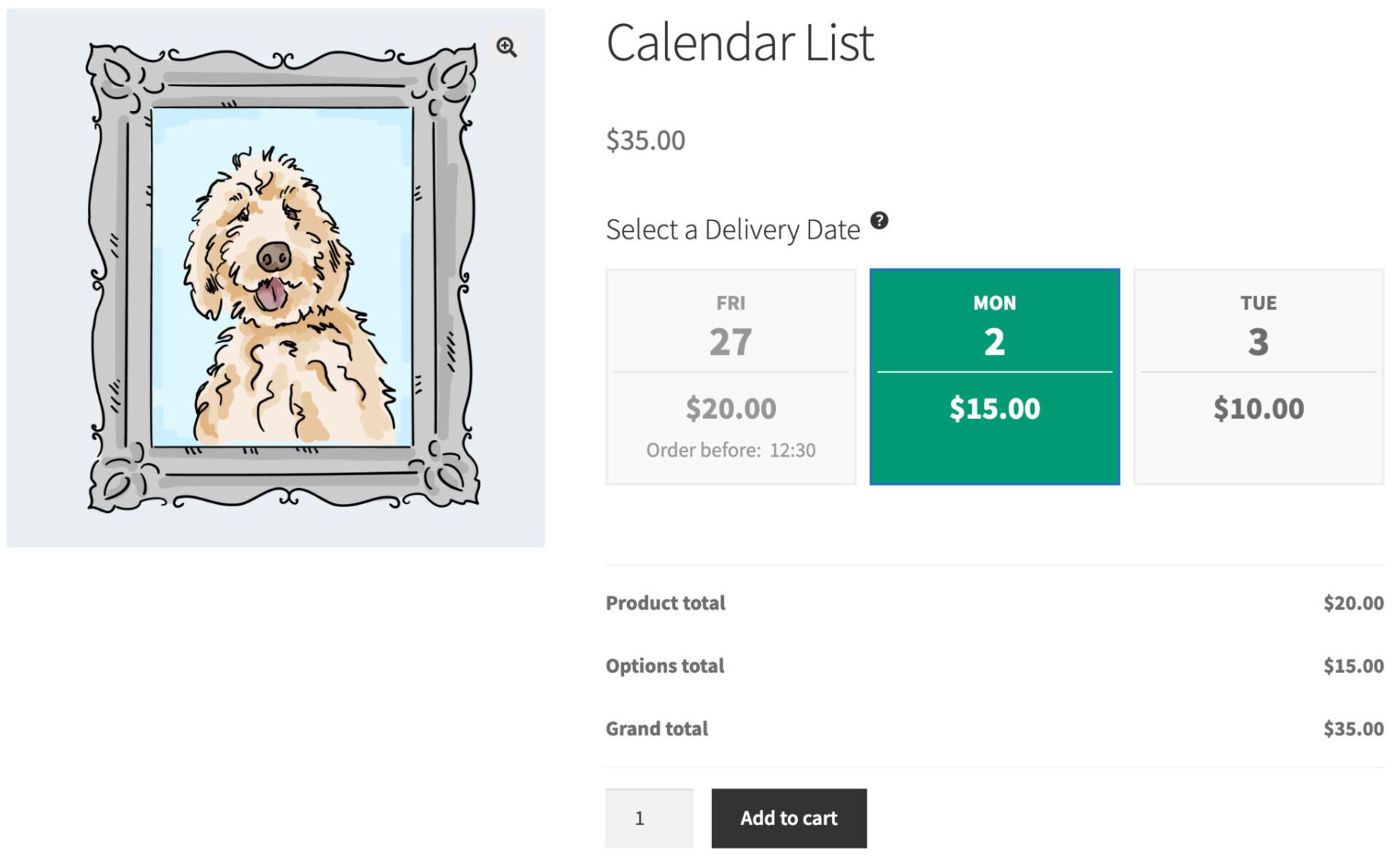
You can specify a limited number of options, e.g. 3, and offset them from the current date. For example, if you would like the user to be able to select today, tomorrow, or the day after, you would create 3 options with offset values of 0, 1 and 2:
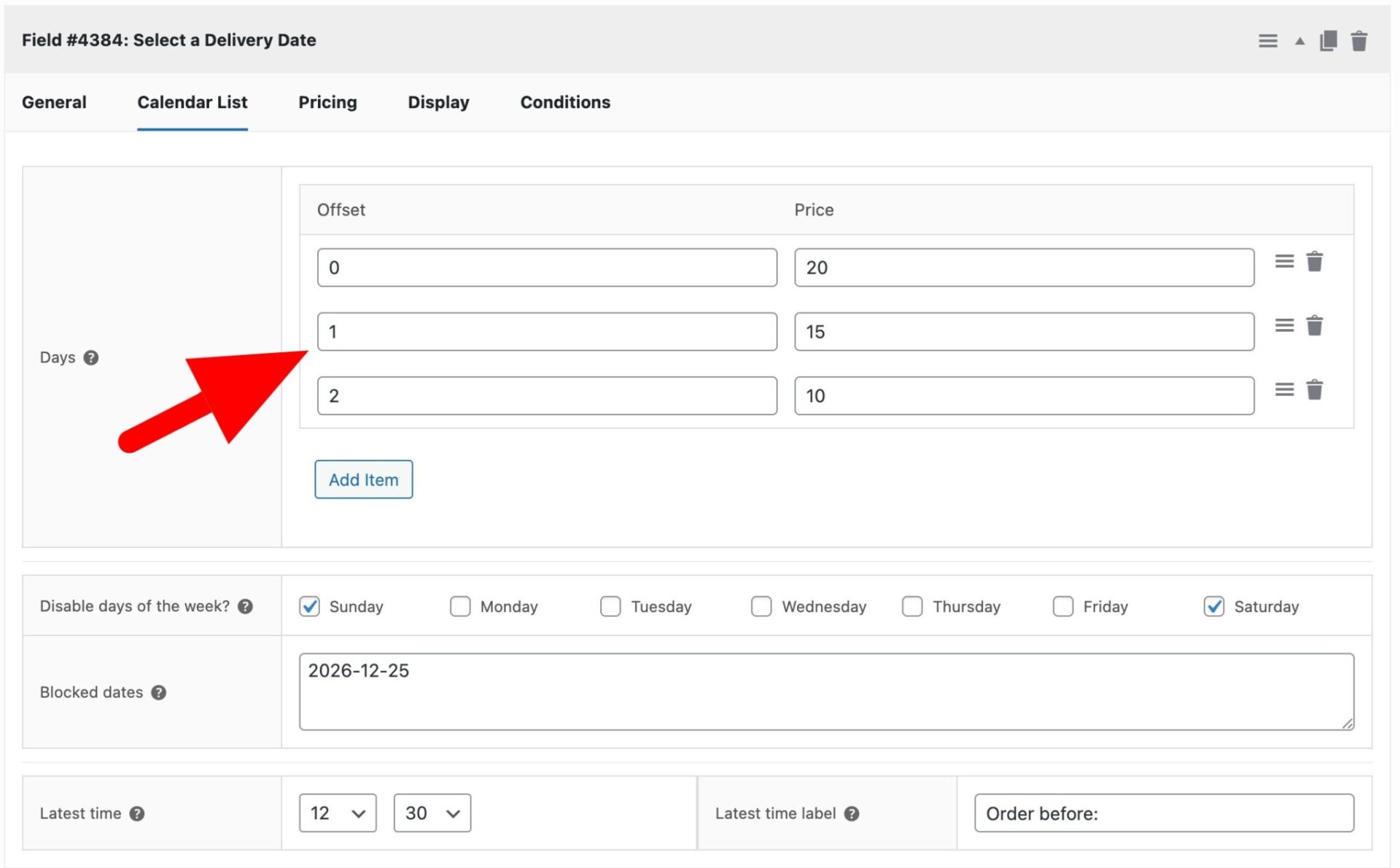
The ‘Offset’ value specifies the number of days after the current date – so an offset of 0 is the current date, an offset of 1 is the day after the current date, etc.
Each offset setting can have its own price – just enter that in the ‘Price’ column.
If you’d like to disable specific days of the week (e.g. Saturdays and Sundays), just select them in the ‘Disable days of the week’ setting.
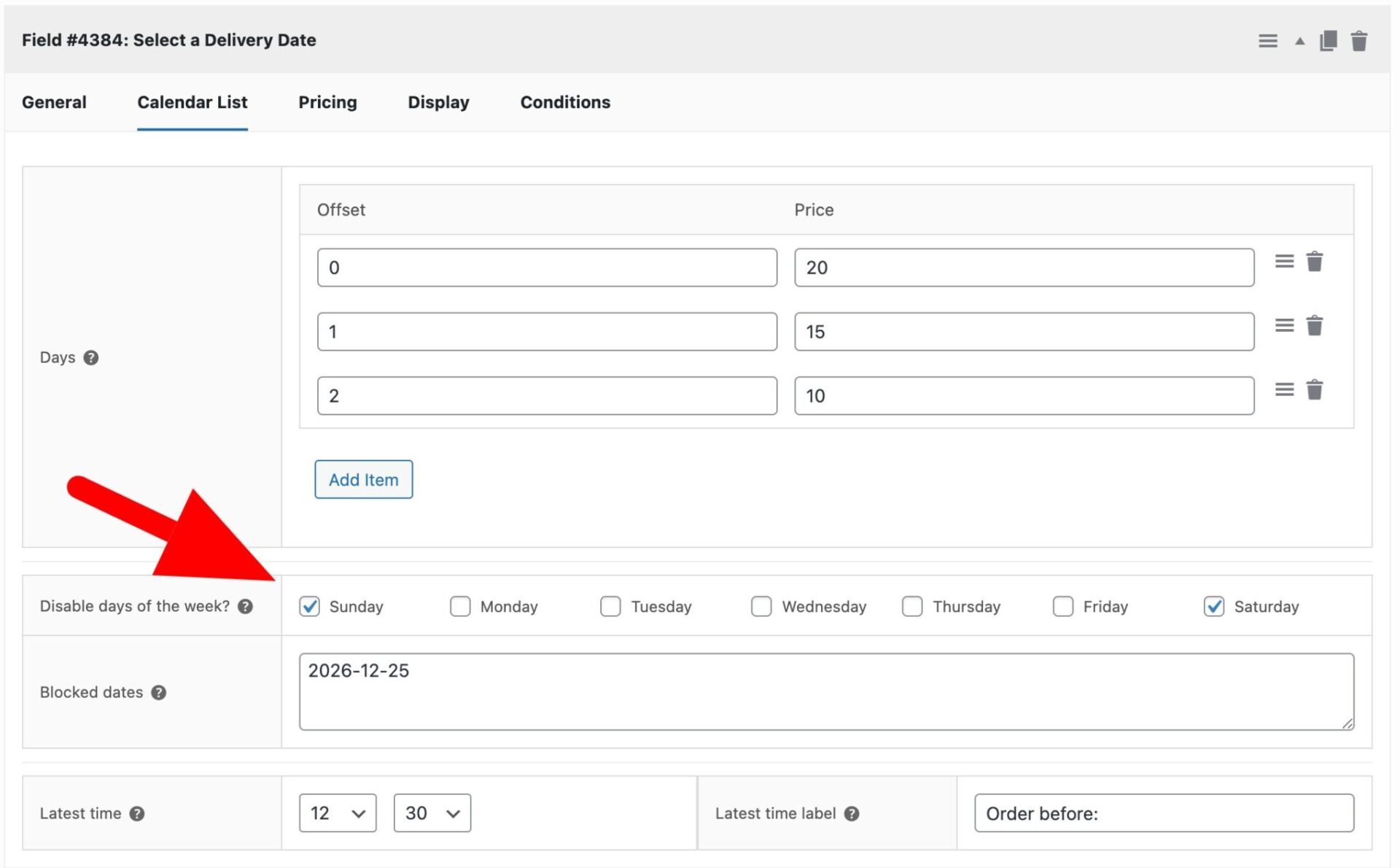
If you’d like to block specific dates, just enter them as a comma-separated list in the ‘Blocked dates’ field. Dates should be entered in the ‘Y-m-d’ format, e.g. 2026-12-25.
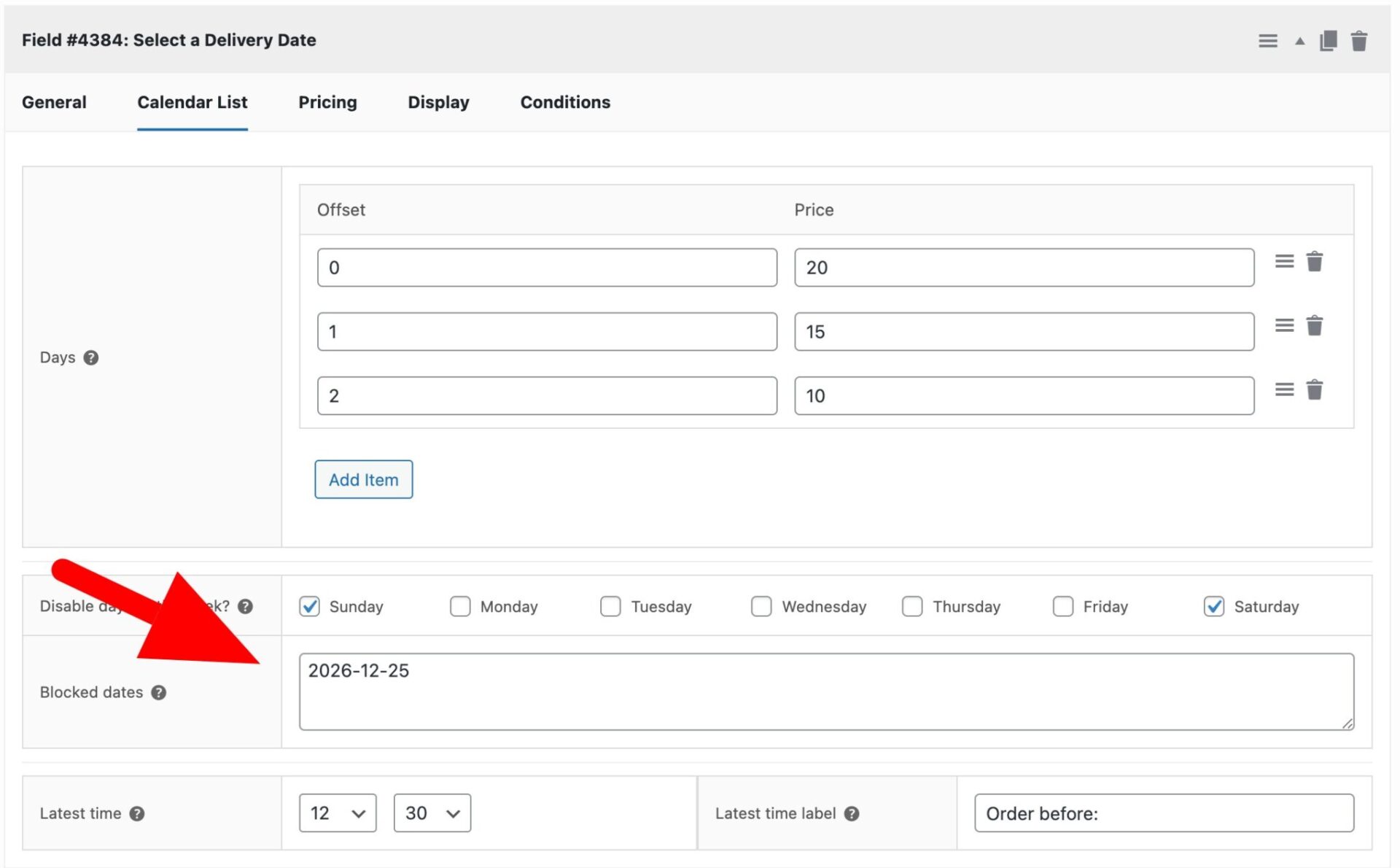
If you would like to ensure that users can’t choose the earliest date after a specific time – e.g. you don’t want users to be select the current date after 12:30, select the time in the ‘Latest time’ setting.
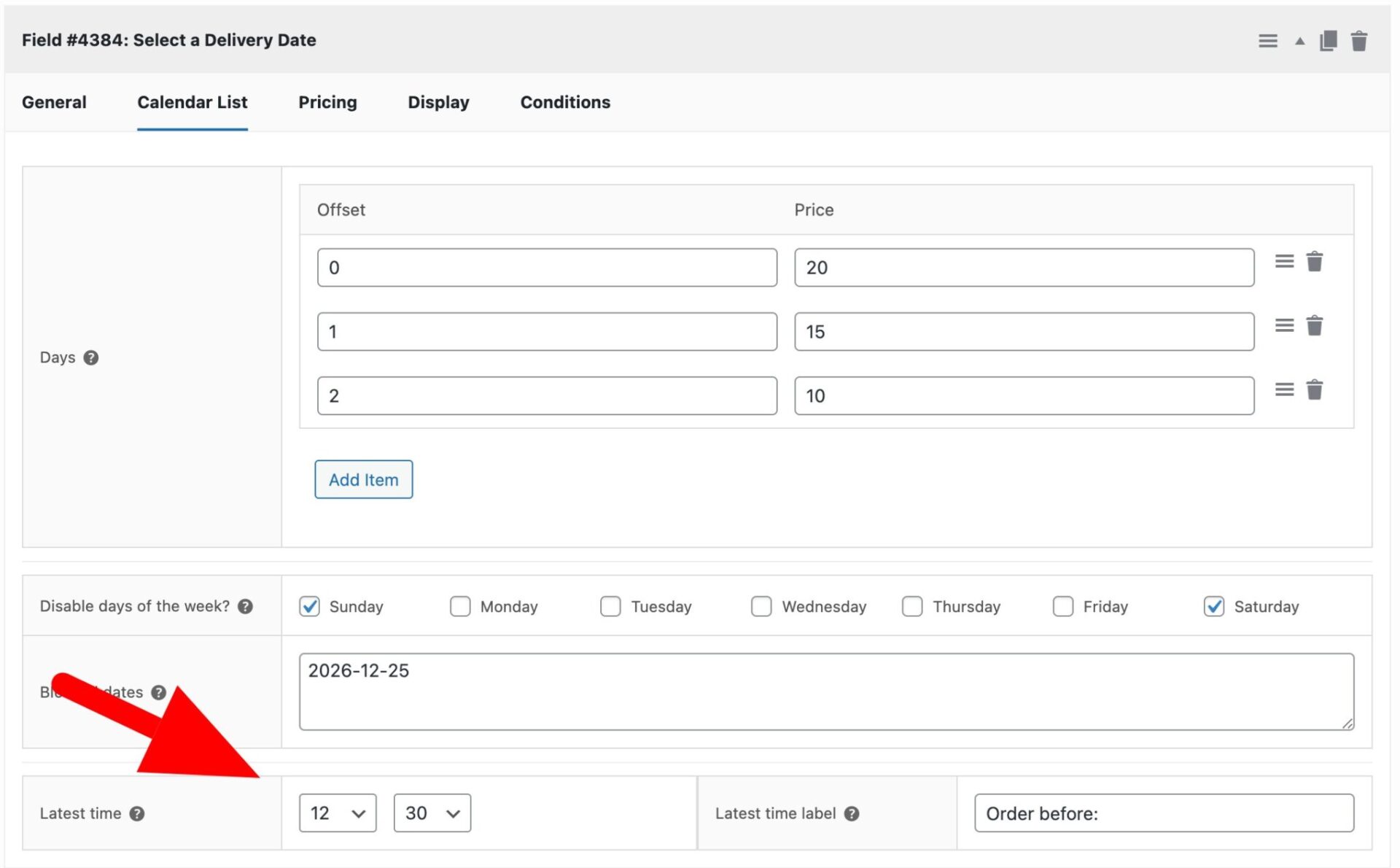
The option for the day will be disabled as soon as the ‘Latest time’ is exceeded. You can also enter some text in the ‘Latest time label’ field.
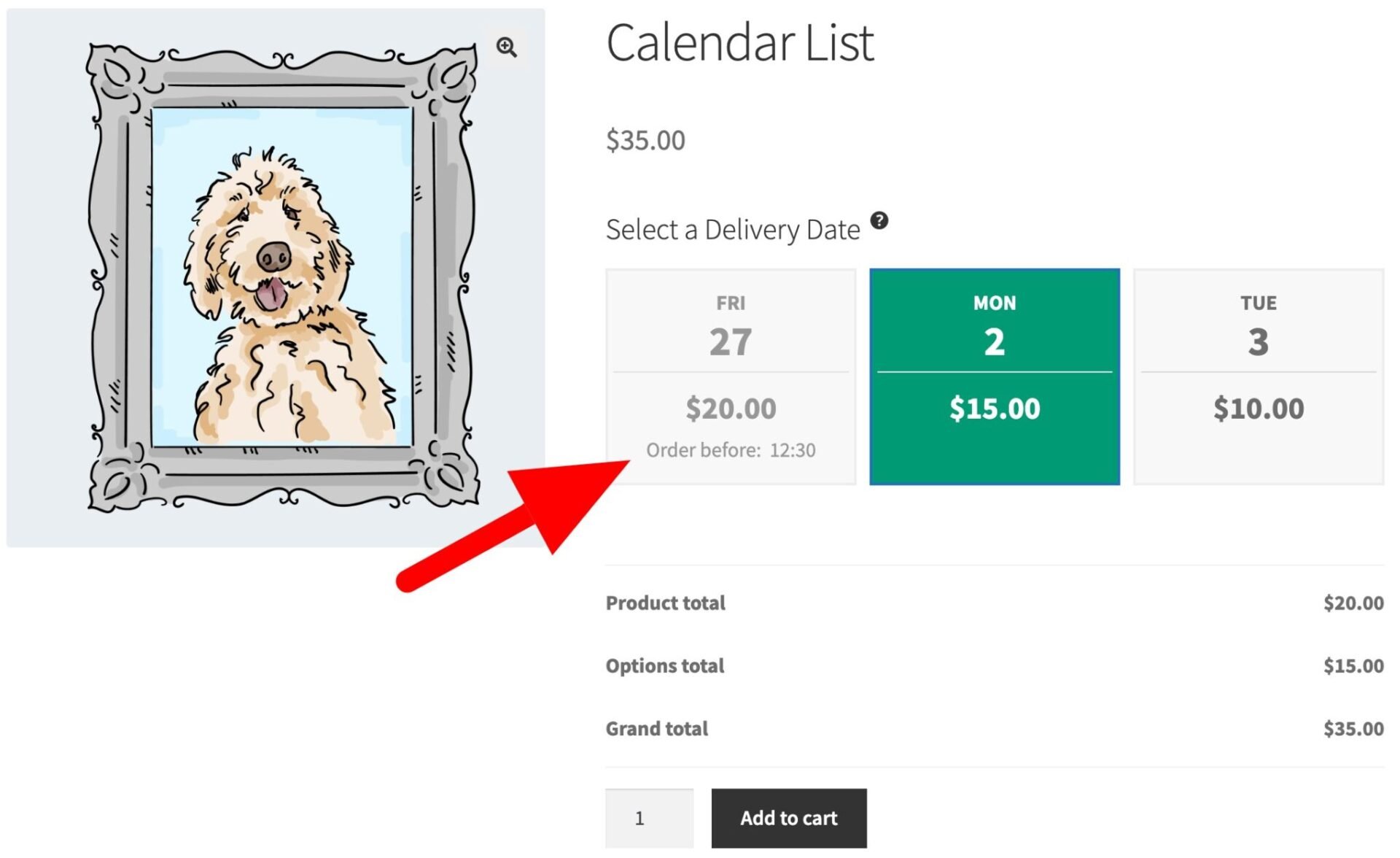
The Calendar List field is a really neat way to present delivery options and other date-based choices to your users.