Top 6+ advanced product fields plugins for WooCommerce (2026)

When customers visit your WooCommerce store, they expect to be able to personalize their purchases. Whether it’s adding a name to a gift, selecting a custom color, uploading a design file, or choosing from a list of add-on services, product customization has become a baseline expectation rather than a luxury. Stores that offer meaningful personalization options consistently see higher average order values, lower cart abandonment, and stronger customer loyalty.
The problem is that WooCommerce’s built-in variation system was never designed for this level of flexibility. Variations work well for simple attributes like size or color, but they quickly become unwieldy when you need text inputs, file uploads, date pickers, or conditional logic. Once you exceed a few dozen variation combinations, performance and usability both suffer.
That’s where advanced product fields plugins come in. These tools extend your product pages with custom input fields, add-on options, and dynamic pricing rules – all without touching a line of code. The right plugin can transform a basic product page into a fully interactive customization experience.
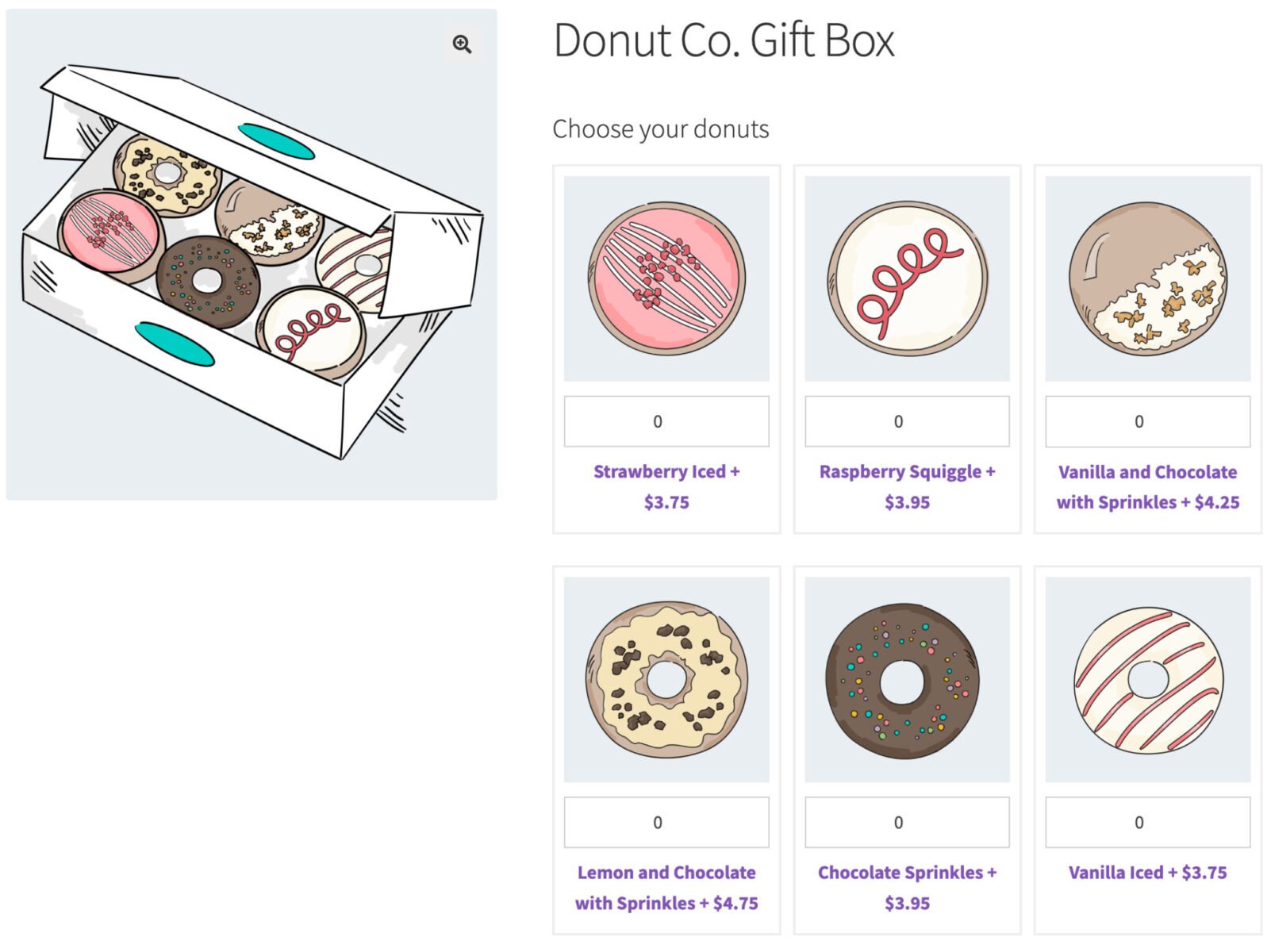
Choosing the right plugin depends on your specific needs: the range of field types on offer, how pricing is handled, whether conditional logic is available, and how well the plugin integrates with your theme and other tools. To help you decide, we’ve reviewed six of the best options available today, covering everything from feature-packed premium tools to free plugins that punch above their weight.
What are the key features of advanced product fields plugins?
Before diving into the individual plugins, it’s worth understanding what separates a good product fields plugin from a great one. Here are the key features to look for when evaluating your options.
Field types. The range of input types on offer is one of the most important factors. Basic plugins cover text fields, dropdowns, checkboxes, and radio buttons. More advanced tools add file uploads, date pickers, color pickers, image swatches, calculation fields, and even Google Maps location selectors. The wider the range, the more product types and use cases you can support.
Conditional logic. Conditional logic lets you show or hide fields based on what a customer has already selected. This keeps product pages clean and focused, preventing customers from being overwhelmed by irrelevant options. For example, a text field for personalization might only appear once the customer has chosen a product variant that supports it.
Pricing options. Product fields aren’t just for collecting information – they’re also a powerful upselling tool. Look for plugins that support flat fees, percentage-based pricing, quantity-based pricing, formula-based pricing, and customer-defined pricing. The ability to charge per character, per uploaded file, or based on a mathematical formula opens up a huge range of product types.
Global vs. per-product fields. Some stores need the same set of fields across dozens or hundreds of products. Global field groups – assignable by product, category, or site-wide – save enormous amounts of time. Per-product fields are useful for one-off customizations. The best plugins support both.
Layout and display options. How fields are presented on the product page has a direct impact on conversion rates. Look for plugins that offer layout options such as accordions, tabs, step-by-step flows, and mdals, as well as column layouts for organizing fields within groups. A well-structured product page reduces friction and improves the customer experience.
Compatibility. Your product fields plugin needs to play nicely with the rest of your stack. Check for compatibility with popular page builders (Elementor, Divi, Beaver Builder), multilingual plugins (WPML, Polylang), and multi-currency plugins. Theme compatibility is equally important – the plugin should inherit your theme’s styles seamlessly.
Order management. It’s not enough for fields to work on the product page. The data customers enter needs to flow cleanly through to the cart, checkout, order confirmation emails, and the admin order screen. This is critical for fulfillment, especially for stores handling personalized or custom-made products.
Developer extensibility. If you’re building a bespoke WooCommerce setup, you’ll want a plugin that supports hooks, filters, and a REST API. Code-friendly tools give developers the ability to extend default behavior, integrate with third-party systems, and automate workflows without hacking core plugin files.
Comparison summary
Check out this comparison table for the top 6+ advanced product fields plugins for WooCommerce.
| Plugin | Free version | Price (from) | Field types | Conditional logic | Formula pricing | Best for |
|---|---|---|---|---|---|---|
| Product Add-Ons Ultimate | No | $79/year | 20+ | Yes | Yes | Complex customization & advanced pricing |
| Advanced Product Fields (Studio Wombat) | Yes | Free / paid | 10 (free), more in premium | Yes | Premium only | Lightweight, developer-friendly stores |
| WowAddons – Product Addons for WooCommerce | Yes | Free / paid | 20+ | Yes | Yes | Formula pricing and conditional logic |
| WooCommerce Custom Product Addons (Acowebs) | Yes | $49/year | 22+ | Yes | Yes | Formula pricing & location fields |
| Custom Fields for WooCommerce (Addify) | No | $79/year | 19 | Yes | No | B2B, checkout & registration fields |
| Advanced Custom Fields (ACF) | Yes | Free / paid | 30+ | No (WooCommerce-native) | No | Developers needing WordPress-wide fields |
| Product Addons & Custom Fields Manager (FmeAddons) | No | $49/year | 19 | Yes | No | Budget-friendly, WooCommerce-vetted option |
Plugin #1: WooCommerce Product Add-Ons Ultimate (Plugin Republic)

WooCommerce Product Add-Ons Ultimate by Plugin Republic is widely regarded as the most feature-complete product fields plugin available for WooCommerce. It has been actively developed since 2017, holds a 4.8/5 rating on Trustpilot, and won the 2025 WP Awards for Best WooCommerce Add-On. For stores that need serious customization power, it’s the benchmark against which other plugins are measured.
Key features
- 20+ field types, including text, textarea, file upload, date picker, color picker, calculation fields, swatches, and product fields
- Conditional logic to show or hide fields based on the value of other fields, user roles, or product attributes
- Flexible pricing options: flat fee, percentage, quantity-based, formula-based, and customer-defined (Name Your Price)
- Global add-on groups assignable by product, category, or site-wide, plus per-product field groups
- Group layout options including list, accordion, tabs, steps, and modal window
- Calculation fields that set prices or values using math formulas and lookup tables
- Image and text preview extensions, allowing customers to preview their customizations on the product image
- REST API support and WPML multilingual certification
Pricing
- Single site: $79/year or $199 lifetime
- Pro (up to 5 sites): $99/year or $279 lifetime
- Agency (up to 25 sites): $349/year or $899 lifetime
- 14-day money-back guarantee on all plans
Best for: Stores that need highly complex, deeply customizable product options with advanced pricing logic.
Trustpilot rating: 4.8/5
Plugin #2: Advanced Product Fields (Product Addons) for WooCommerce (Studio Wombat)
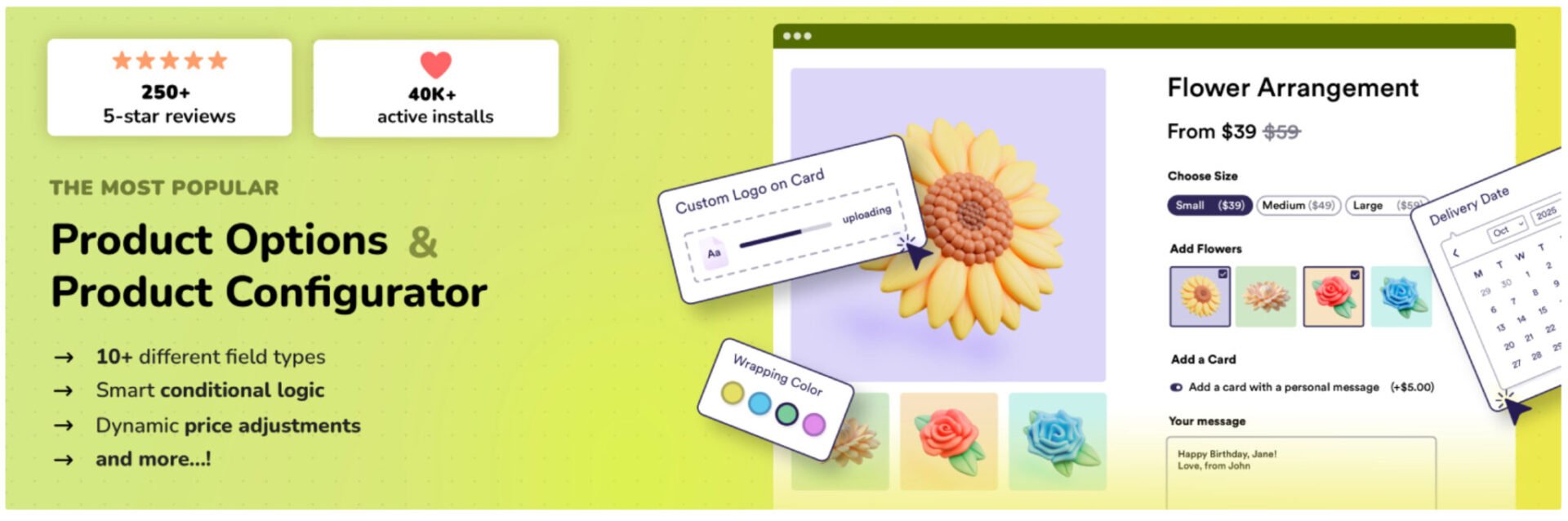
Advanced Product Fields for WooCommerce by Studio Wombat takes a different approach to the competition: quality over quantity. The backend interface is modeled closely on Advanced Custom Fields (ACF), making it immediately familiar to developers and more experienced WordPress users. With over 50,000 active installations and a 4.8/5 rating on WordPress.org, it has built a strong following among stores that prioritize performance and clean code.
The free version is genuinely useful for small stores, offering 10 field types, conditional logic, and flat fee pricing. The premium version significantly expands the field types on offer and adds more sophisticated pricing options.
Key features (free)
- 10 field types: text, textarea, email, URL, number, select, checkboxes, radio buttons, true/false, and paragraph
- Conditional logic
- Flat fee pricing per field
- Works with simple and variable products
- Translated into 7+ languages
Key features (premium)
- Additional field types: file upload, image swatches, color swatches, date picker, calculation fields, child products, and cards
- Formula, percentage, quantity-based, and character-length pricing
- Repeatable fields and quantity-based fields
- WPML and Polylang support
- Compatibility with Elementor, Divi, Oxygen, and Beaver Builder
Pricing
- Free version available on WordPress.org
- Premium pricing available at studiowombat.com
Best for: Developers and stores wanting a fast, modern, lightweight plugin with a clean ACF-like interface.
WordPress.org rating: 4.8/5 (275+ reviews)
Plugin #3: WowAddons – Product Addons for WooCommerce
WowAddons – Product Addons for WooCommerce is an advanced product addons plugin with 25+ addon field types, including file uploads, image and color swatches, text inputs, sliders, and product selection fields.

It features a visual drag-and-drop builder, making it easy to create and arrange custom product options. The plugin has received a 5/5 rating from 62 reviews on WordPress.org, with users frequently praising its flexibility and responsive customer support.
One standout feature is its Advanced Formula Field, which calculates custom prices using mathematical expressions, product quantities, and customer inputs. This makes WowAddons useful for stores selling made-to-measure or dimension-based products.
It also supports conditional logic, real-time price adjustments, and complementary product recommendations. Unlike many traditional addon plugins, WowAddons includes a built-in analytics dashboard to track addon clicks, add-to-cart activity, orders, and sales.
Key features
- 25+ addon fields, including uploads, swatches, sliders, and popups
- Visual drag-and-drop builder with live customization previews
- Advanced formula pricing using customer inputs and mathematical functions
- Conditional logic for showing or hiding fields dynamically
- Real-time price adjustments based on selected customization options
- Product-as-addon functionality for upselling and complementary product offers
- Repeatable sections for collecting multiple sets of customer inputs
- Global styling controls for typography, colors, spacing, and borders
- Product assignment rules for individual products and categories
- Built-in analytics tracking addon clicks, orders, and sales
Pricing
- Free version: $0
- Single site: Starting at $48/year or $164 lifetime
- Unlimited sites: Starting at $89/year
- 25 sites lifetime: $247 one-time
- 14-day money-back guarantee
Best for: WooCommerce stores needing advanced product customization, formula-based pricing, conditional fields, product upsells, live preview, and analytics.
WordPress.org rating: 5/5 (60+ reviews)
Plugin #4: WooCommerce Custom Product Addons (Acowebs)
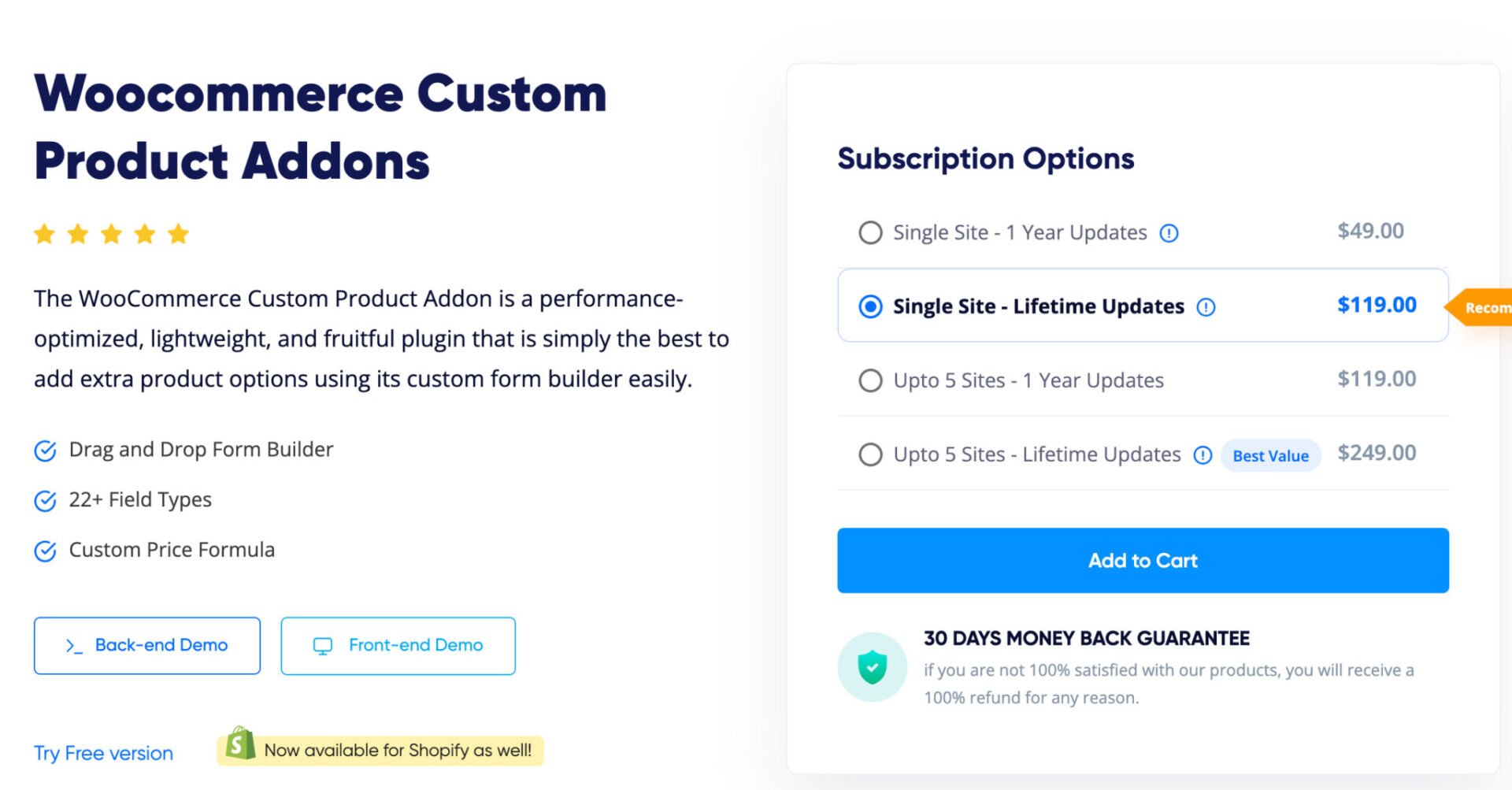
WooCommerce Custom Product Addons by Acowebs is a performance-optimized plugin that has quietly become one of the most capable options in this space. With over 30,000 active installations, a 4.9/5 Trustpilot rating, and more than 400 WordPress.org reviews, it has an impressive track record. Version 5 introduced a React-based frontend renderer, making the plugin significantly faster on stores with complex field configurations.
One standout feature is its custom price formula functionality, which allows store owners to calculate product pricing using mathematical expressions based on user inputs, product quantity, and base price. This makes it particularly well suited to stores selling made-to-measure, dimension-based, or configurable products. The plugin also includes a Google Maps location selector – a unique feature not found in most competitors.
Key features
- 22+ field types including drag-and-drop file upload, image selector, color group, Google Maps location selector, and product-as-field
- Drag-and-drop form builder
- Custom price formula support (math-based pricing using user inputs, quantity, and base price)
- 18 types of conditional logic rules
- Lookup table pricing for predefined price mappings
- Accordion and multi-step layout options
- Repeating fields and fields with quantity
- Multiple sections for organizing related fields
- WPML and Polylang compatible, React-based frontend rendering (v5+)
- S3 multipart file upload support
Pricing
- Single site: $49/year or $119 lifetime
- Up to 5 sites: $119/year or $249 lifetime
- 30-day money-back guarantee
Best for: Stores needing advanced formula-based pricing, dimension-based products, or a Google Maps location input field.
Trustpilot rating: 4.9/5
Plugin #5: Custom fields for WooCommerce (Addify)

Custom Fields for WooCommerce by Addify takes a distinct angle compared to the other plugins in this roundup. While most product fields plugins focus on the product page, Addify’s offering extends custom fields to the Registration, Checkout, and My Account pages as well. It is listed and verified on the WooCommerce Marketplace, has accumulated over 3,000 downloads, and holds a 4.84/5 rating from customers.
This makes it particularly well suited to B2B stores, wholesale operations, or any business that needs to collect additional customer information beyond what WooCommerce provides by default. The plugin includes a dedicated VAT field with validation, manual user registration approval workflows, and role-based field visibility – features that are hard to find elsewhere in a single plugin.
Key features
- 19 field types including dropdown, checkbox, multi-select, file upload, and a dedicated VAT field
- 15 checkout field positions (before/after billing, shipping, order notes, terms, and submit button)
- Custom fields on Registration, Checkout, and My Account pages
- Field dependency (conditional logic based on other field values)
- User role-based field visibility
- Product-specific and category-specific fields at checkout
- Fixed or percentage field pricing
- Manual user registration validation with customizable approval and rejection messages
- B2B registration support with user role dropdown on the registration form
Pricing
- Single site: $79/year
- Two-year plan: $126 (saving 20%)
- 30-day money-back guarantee
Best for: B2B stores or businesses that need custom fields beyond the product page – particularly on registration and checkout.
Customer rating: 4.84/5
Plugin #6: Advanced Custom Fields (ACF) by WP Engine

Advanced Custom Fields (ACF) is in a different category from every other plugin in this list. It is not a WooCommerce-specific tool – it is the most widely used custom fields plugin for WordPress as a whole, powering over 2 million websites and holding a 5-star rating on WordPress.org. Rather than adding fields to product pages specifically, ACF allows developers to add custom fields to virtually any part of a WordPress site: posts, pages, users, taxonomy terms, media, comments, and custom options pages.
For WooCommerce stores, ACF’s real value lies in its developer-friendly API and its ability to store and retrieve complex field data in a structured way. It is most powerful when paired with a WooCommerce-specific plugin – for example, WooCommerce Product Add-Ons Ultimate includes an Advanced Calculations extension that can pull in ACF field values directly into pricing formulas.
If you are a developer building a highly custom WooCommerce setup, ACF provides the foundation. If you are a store owner looking for a plug-and-play product fields solution, one of the other plugins in this list will be a more direct fit.
Key features
- 30+ field types including text, image, repeater, gallery, flexible content, relationship, and more
- Fields can be added anywhere in WordPress: posts, pages, users, taxonomies, media, comments, and custom options pages
- Custom post type and taxonomy registration directly from the ACF UI
- Developer-friendly API with functions like get_field() and the_field()
- Extensive documentation, hooks, and filters
- Not WooCommerce-native – best paired with a WooCommerce-specific plugin for product field functionality
Pricing
- Free version available on WordPress.org
- ACF PRO pricing available at advancedcustomfields.com
Best for: Developers building complex, custom WordPress/WooCommerce setups who need maximum flexibility and a code-friendly API.
WordPress.org rating: 5/5
Plugin #7: Product Addons and Custom Fields Manager (FmeAddons)

Product Addons and Custom Fields Manager by FmeAddons is the newest entry in this roundup, listed and verified on the official WooCommerce Marketplace. It has been tested with WooCommerce 10.x and passes the Marketplace’s quality checks for security and compatibility with standard WooCommerce flows. While it doesn’t have the feature depth of some of the more established plugins, it covers all the core functionality most stores need at a competitive price point.
For store owners who want a straightforward, affordable plugin that has been vetted by the WooCommerce team and works reliably out of the box, this is a strong choice.
Key features
- 19 field types: text, textarea, number, telephone, email, password, select, multiselect, checkbox, radio button, radio image, radio color, date picker, time picker, color picker, file upload, heading, paragraph, and Google Map
- Conditional logic with AND/OR operators to create dependent fields
- Pricing per field (fixed or percentage)
- Global rules assignable to specific products or categories
- Mandatory and optional field settings
- Duplicate rules to streamline setup for similar products
- Drag-and-drop field sorting
Pricing
- Single site: $49/year
- Two-year plan: $78.40 (saving 20%)
- 30-day money-back guarantee
Best for: Store owners who want a simple, affordable, WooCommerce-vetted plugin with solid core functionality.
Which custom fields products field plugin is right for me?
With over six strong options to choose from, the right plugin depends on your store’s specific requirements. Here’s a quick guide to help narrow it down.
- Maximum features and complex pricing: WooCommerce Product Add-Ons Ultimate is the most fully featured option available, with 20+ field types, advanced conditional logic, formula-based pricing, and a wide range of layout options.
- Lightweight speed and developer UX: Advanced Product Fields by Studio Wombat is optimized for performance and built with developers in mind. Its ACF-inspired interface makes setup intuitive, and its small frontend footprint keeps page speeds high.
- Formula pricing and location fields: WooCommerce Custom Product Addons by Acowebs is the best choice for stores that need custom pricing formulas, dimension-based calculations, or a Google Maps location input.
- B2B, checkout, and registration fields: Custom Fields for WooCommerce by Addify is the only plugin here that extends custom fields to the registration and My Account pages, making it ideal for B2B and wholesale operations.
- Developer control and WordPress-wide fields: Advanced Custom Fields (ACF) is the go-to tool for developers who need structured custom field data across the entire WordPress installation, not just on product pages.
- Budget-friendly and WooCommerce-vetted: Product Addons and Custom Fields Manager by FmeAddons offers solid core functionality at the lowest price point in this roundup, with the added assurance of WooCommerce Marketplace verification.
How to add advanced product fields with WooCommerce Product Add-Ons Ultimate
WooCommerce Product Add-Ons Ultimate makes it straightforward to add custom fields to any product in your store. Here’s a step-by-step walkthrough to get you up and running.
Step #1: Install and activate the plugin
- Purchase the plugin and download the zip file from your account
- In your WordPress admin, go to Plugins > Add New > Upload Plugin, and upload the zip file
- Activate the plugin, then navigate to Product Add-Ons > License to enter and activate your license key
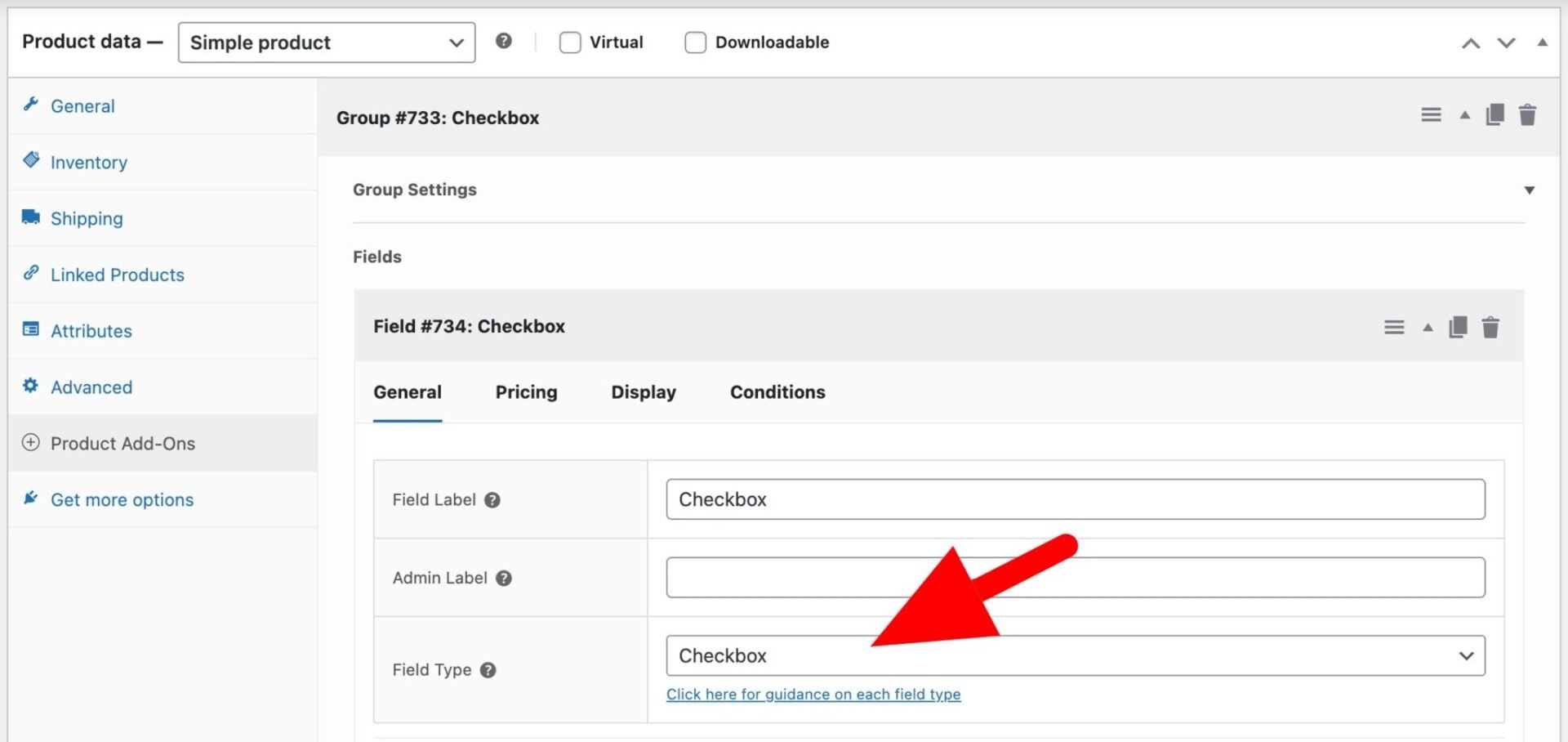
Step #2: Create a new field group
- To create fields that apply across multiple products, navigate to Product Add-Ons > Global Add-Ons
- To add fields to a single product, open the product in the editor and scroll down to the Product Add-Ons panel
- Click “Add Group” and give it a descriptive name (e.g., “Personalization options” or “Delivery preferences”)
Step #3: Add fields to your group
- Click “Add Field” within the group to insert a new field
- Choose from 20+ field types – text, select, file upload, date picker, swatches, calculation fields, and more
- Configure the field label, description, placeholder text, and any default values
- Mark fields as required if customers must complete them before adding to cart
Step #4: Set pricing options
- Assign a flat fee, percentage, quantity-based, or formula-based price to each field or individual option
- Enable flat rate pricing if a fee should be charged once regardless of how many items the customer purchases
- Use calculation fields for math-based pricing – for example, width × height × price per square unit
- Choose whether to display field prices to customers on the product page, cart, and order screens

Step #5: Configure conditional logic (optional)
- Enable conditions on any field to show or hide it based on the value of another field
- Set conditions based on user role, product attribute, or product quantity
- Chain multiple conditions using AND/OR logic for more complex display rules

Step #6: Assign the group to products or categories
- For global groups, define rules to apply the group to all products, specific categories, or individual products
- For per-product groups, fields are automatically scoped to that product only and do not require additional assignment rules
Step #7: Preview and test
- Visit the product page on the frontend to confirm all fields display correctly and in the right order
- Test conditional logic, pricing updates, and required field validation before going live
- Add the product to the cart and proceed through checkout to verify that field data carries through correctly to the cart, order confirmation, and admin order screen
FAQs
Advanced product fields for WooCommerce are extra input fields and options added to product pages, allowing customers to personalize or configure a product before adding it to their cart. They go beyond WooCommerce’s built-in variation system to support a wide range of input types – text fields, dropdowns, file uploads, date pickers, color swatches, and more. Store owners can use them to collect custom information (such as engraving text or a delivery date), offer chargeable add-ons (such as gift wrapping or extended warranties), or build fully configurable products with dynamic pricing.
The best plugin depends on your store’s requirements, but WooCommerce Product Add-Ons Ultimate by Plugin Republic is the most fully featured option available. It offers 20+ field types, advanced conditional logic, a wide range of pricing options including formula-based pricing, and flexible layout options such as tabs, steps, and accordions. It holds a 4.8/5 rating on Trustpilot and has been actively developed since 2017. For stores that need a lightweight free option, Advanced Product Fields by Studio Wombat is a strong alternative, while Acowebs is worth considering for formula-based or dimension-based pricing.
The easiest way to add custom product fields in WooCommerce is with a dedicated plugin such as WooCommerce Product Add-Ons Ultimate. Once installed, you can create field groups either globally (applying them across multiple products or categories) or on individual products. Within each group, you add fields of your chosen type – text, dropdown, file upload, date picker, and so on – and configure labels, pricing, and any conditional logic rules. Fields then appear automatically on the product page, with customer selections carried through to the cart, checkout, and order screens.
Some WooCommerce custom product fields plugins offer a free version, while others are premium only. Advanced Product Fields by Studio Wombat and Advanced Custom Fields (ACF) both have solid free versions, and Acowebs offers a free version on WordPress.org. However, free versions typically limit the number of field types available and exclude advanced features such as conditional logic, formula-based pricing, and file uploads. Most store owners with more complex requirements will need a paid plan. Prices generally start from around $49–$79 per year for a single-site license.
Advanced product fields for WooCommerce – recap
Product customization is no longer a nice-to-have for WooCommerce stores – it’s a key driver of conversion, average order value, and customer satisfaction. Whether you’re selling personalized gifts, made-to-measure products, configurable services, or anything in between, the right product fields plugin gives you the tools to deliver the experience your customers expect.
Each of the six plugins reviewed here has genuine strengths. WooCommerce Product Add-Ons Ultimate leads the pack on features and pricing flexibility. Advanced Product Fields by Studio Wombat is the smart choice for performance-conscious developers. Acowebs excels at formula-based pricing. Addify fills a unique gap with its registration and checkout fields. ACF remains the gold standard for WordPress-wide custom field management. And FmeAddons offers a reliable, cost-effective entry point for stores that want WooCommerce Marketplace assurance without a premium price tag.
Where a free version is available, it’s always worth installing and testing before committing to a paid plan. Most of the premium options also offer money-back guarantees, so there’s little risk in trying them out on your store.
Which plugin are you using, or planning to try? Let us know in the comments below. And if you’re ready to get started with the most powerful option in the list, you can try WooCommerce Product Add-Ons Ultimate. It’s compatible with all major WordPress themes and page builders, backed by a world-class support team, and has a 14-day money-back guarantee so you can try risk-free.