WooCommerce Variation Swatches - Plugin
Replace variation dropdowns with swatches in WooCommerce
Create a variety of swatches and transform your dropdown menus with the WooCommerce Variation Swatches plugin
From $69.00





Create a more streamlined shopping experience with our WooCommerce Variation Swatches plugin
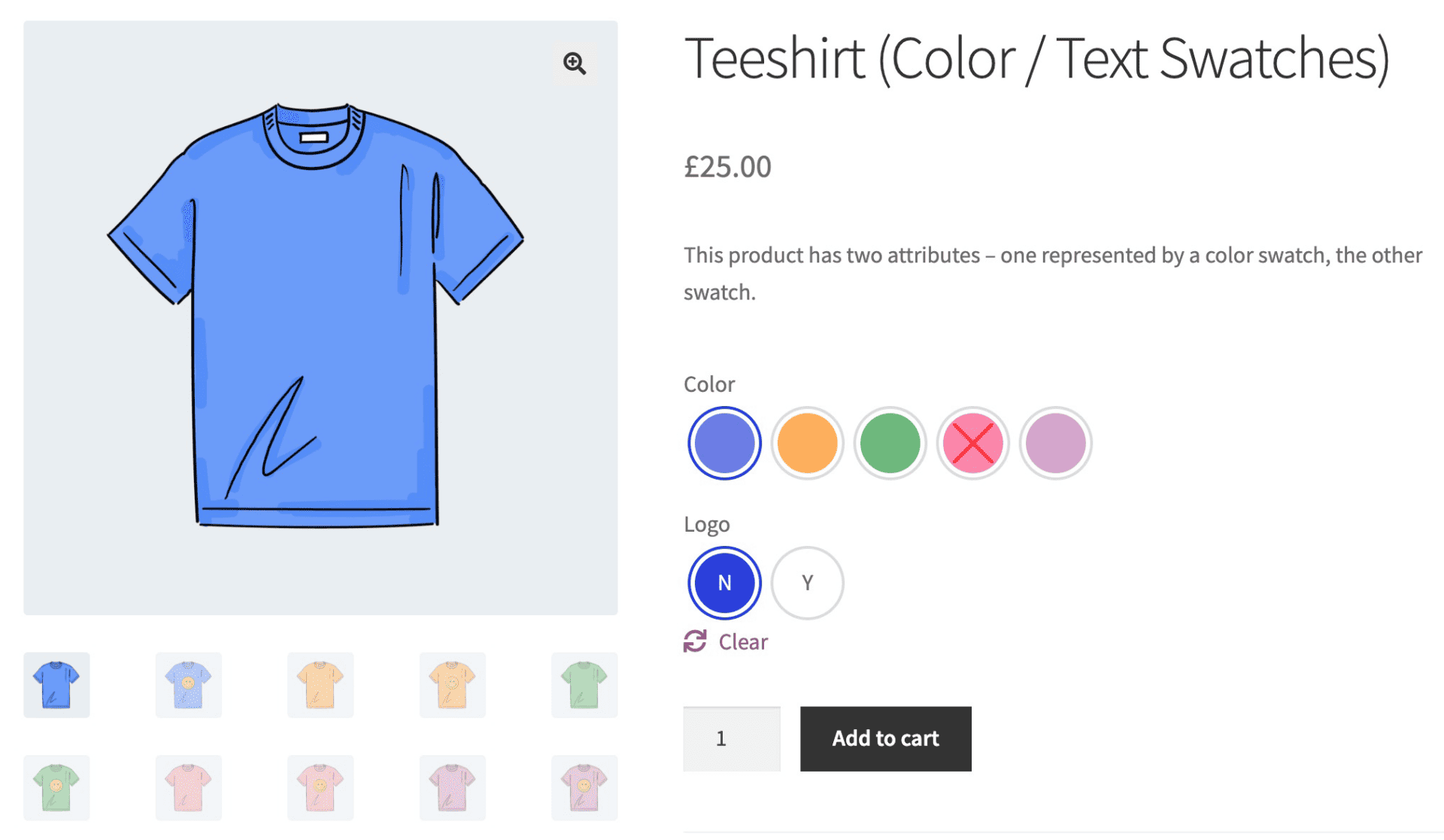
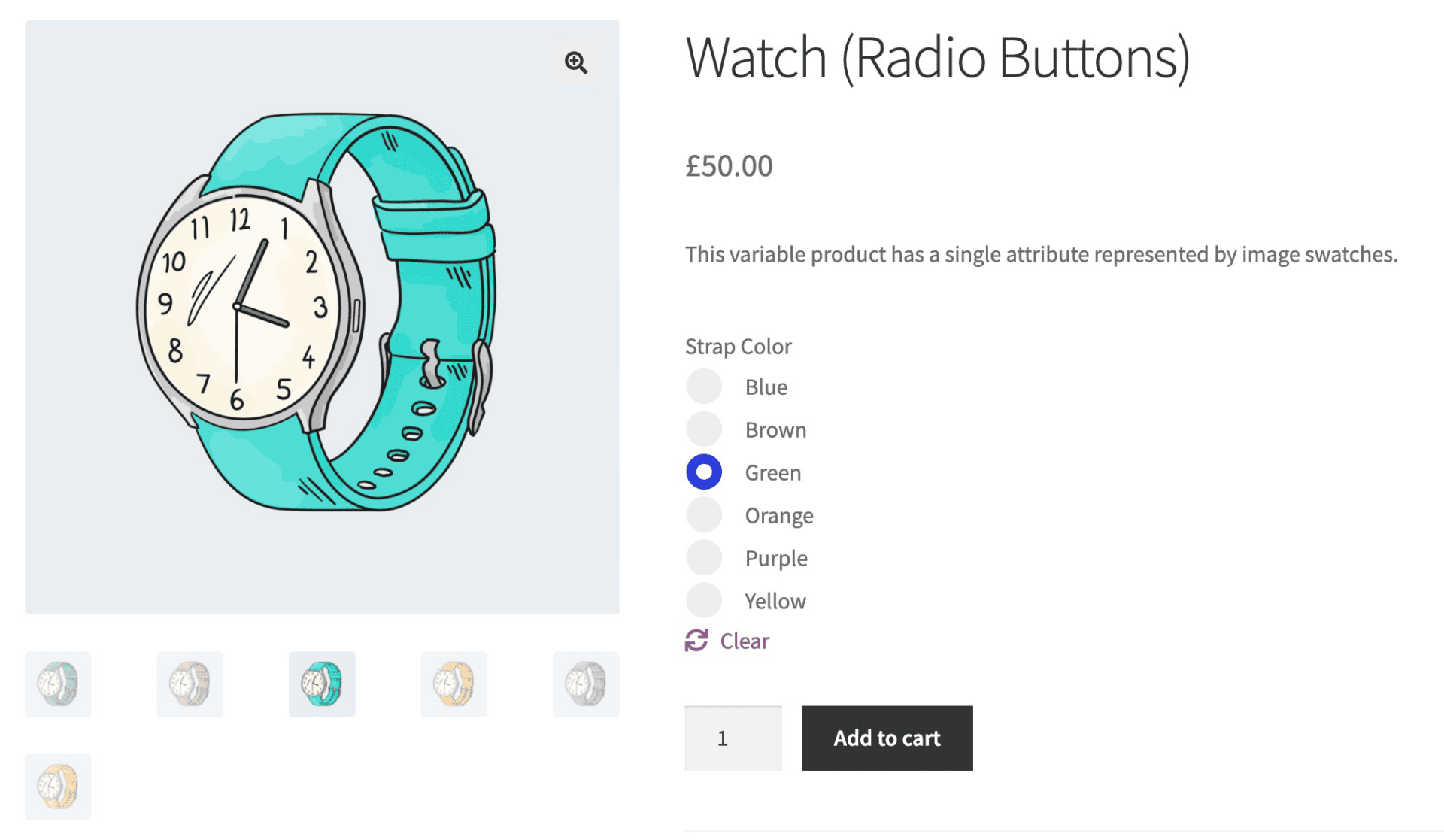
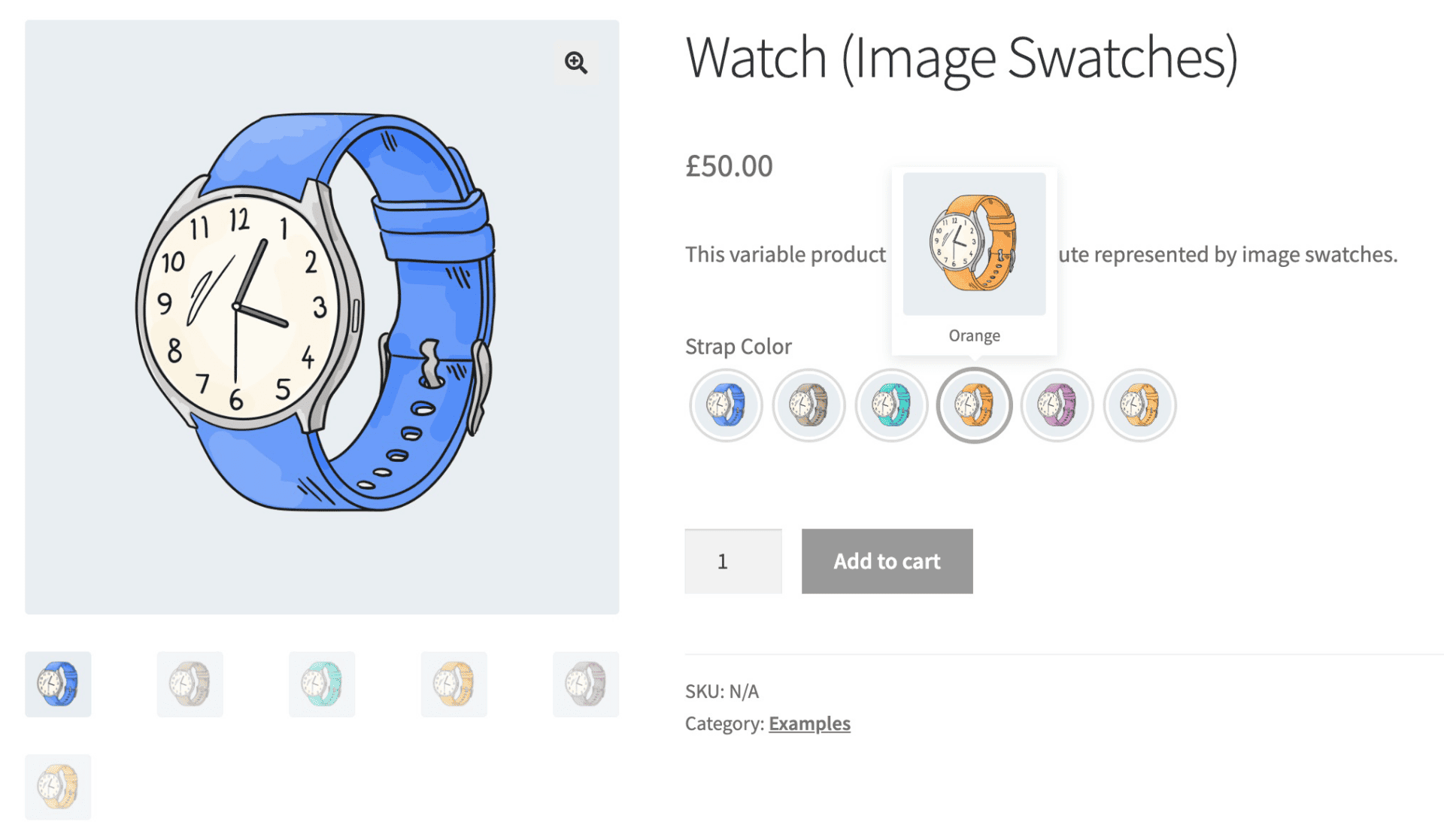
Display variation dropdowns as swatches including:
- Color swatches
- Image swatches
- Radio buttons
- Text/label swatches (buttons)
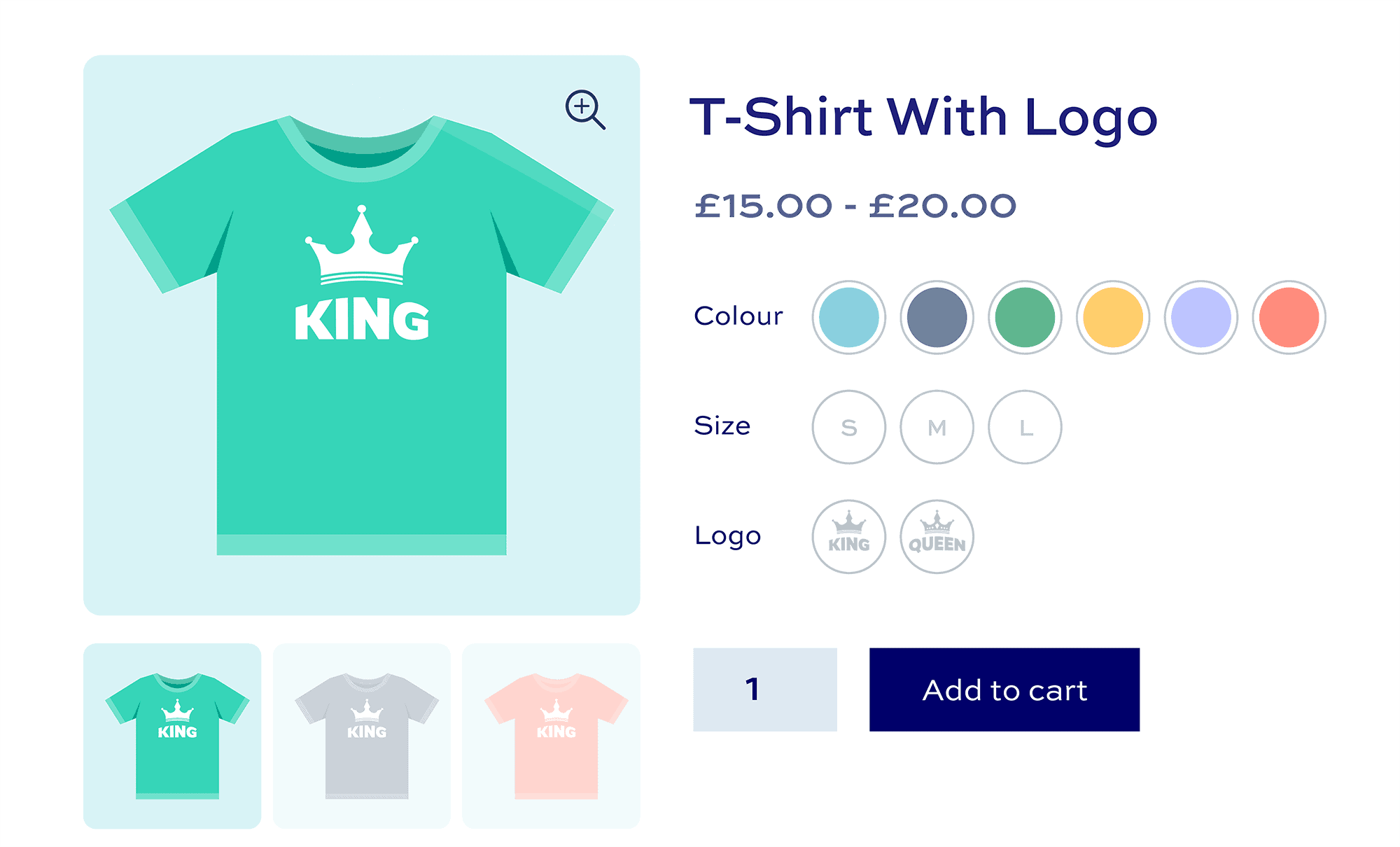
- Combine multiple attributes into single swatches
Help customers make better decisions
- Choose from multiple customizable preset styles
- Automatically convert dropdowns into swatches globally, per attribute or per product
- Optionally display swatches on archive and shop pages
- Tooltips on hover

Unbeatable support and resources
- Personal support from our team
- Comprehensive documentation fully available
- Highly customizable and extendable
- Perfect for coders and non-coders alike

WooCommerce Variation Swatches plugin customer reviews
See more reviews View us on Trustpilot
WooCommerce Variation Swatches plugin features
The best plugin for giving your customers clear variation options

Replace variation dropdowns with swatches
Display swatches as color swatches, image swatches, radio buttons, or text labels

Multiple variation swatch types
Pick a global swatch type or choose per attribute or product


Easily style your swatches
Set colors, text, borders and background on your WooCommerce variation swatches
Five variation swatch types
Pick from color swatches, image swatches, radio buttons, text swatches or dropdowns
Three variation swatch shapes
Pick from square / rectangular swatches, rounded swatches, or circular swatches
Five disabled swatch behaviours
Hide, blur, fade, disable or cross out variations that are out of stock or unavailable
Global / attribute / product settings
Set variation swatches at product, attribute or global level
One-click conversion
Automatically convert all variation dropdowns to swatches
Customize swatch styles
Set colors, borders, background, text, and more on your swatches
Display swatches on archive pages
Choose whether to display variation swatches on shop and category pages
Variation swatch tooltips
Opt to display larger swatches when the user hovers over an option
Consolidate variations
Create a unique swatch for each variation even when you have multiple attributes
Color swatches for variations
Replace variation dropdowns with color swatches
Image swatches for variations
Replace variation dropdowns with images swatches
Radio buttons for variations
Replace variation dropdowns with radio button selectors
Text swatches (buttons/labels)
Replace variation dropdowns with text labels or buttons
Attribute swatch type
Set swatch type at attribute level to override global setting
Product swatch type
Set swatch type at product level to override attribute and global setting
Disabled variation swatches
Disable swatches for variations that are out of stock or unavailable
Blurred variation swatches
Blur swatches for variations that are out of stock or unavailable
Crossed out variation swatches
Display a cross over variations that are out of stock or unavailable
Fade variation swatches
Reduce the opacity of variations that are out of stock or unavailable
Hidden variation swatches
Simply hide any variations that are out of stock or unavailable
Attribute swatch disabled behaviour
Set disabled behaviour at attribute level to override global setting
Product swatch disabled behaviour
Set disabled behaviour at product level to override attribute and global setting
Set swatch text colors
Define the color for text in your swatches
Set swatch swatch sizes
Define the height and width of image and color swatches
Define swatch borders
Set border color and width for default and highlighted states
Set swatch backgrounds
Set background colors for default and highlighted states
Radio button styles
Use standard or enhanced radio button styles
Images for attribute swatches
Upload images per attribute term for image swatches
Colors for attribute swatches
Define colors per attribute term for colors swatches
Use variation images for swatches
Choose to automatically use existing variation images for attribute swatches

Display swatches on shop and category pages
Choose whether to display variation swatches on archive pages


Go further with variation swatches
WooCommerce Variation Swatches works brilliantly with other plugins and extensions
Increase sales
Allow users to purchase variations direct from shop page
Stylish variation swatches
Choose how many swatches per attribute to display
Performant swatches plugin
Avoid clutter by allowing users to click 'View more' option
Automatically convert all variation dropdowns
Convert all your variations from dropdowns to buttons or swatches with a single click
Flexible settings and styling options
Set variation swatches at product, attribute or global level
Variation swatch tooltips
Enable tooltips on your swatches with one click to display larger versions on hover
Update main product image
Update the main product image with the selected swatch image
Show variation name with swatch
Optionally display the variation's name as a label with the swatch
Compatible with all themes
WooCommerce Variation Swatches works with all WordPress / WooCommerce themes
Compatible with all page builders
WooCommerce Variation Swatches works with all page builders
Compatible with multilingual
WooCommerce Variation Swatches is compatible with multilingual plugins
Pricing
All purchases are covered by a 14 day money back guarantee.
All prices are in US Dollars.
Yearly licenses renew annually - cancel anytime
Lifetime licenses are a one-time payment
Single
$69 + VAT *
Use on a single siteUse this plugin on one production site
Renews annuallyThis plugin will automatically renew every year. If you cancel it, you can continue to use the plugin but will not receive support or updates
14 day money back guaranteeIf the plugin isn't what you want, just drop us a line within 14 days for a full refund
Pro
$99 + VAT *
Use on up to 5 sitesUse this plugin on up to 5 sites
Renews annuallyThis plugin will automatically renew every year. If you cancel it, you can continue to use the plugin but will not receive support or updates
14 day money back guaranteeIf the plugin isn't what you want, just drop us a line within 14 days for a full refund
Free set-upDrop us an email after your purchase with the details of a product you'd like to set up and we'll do it for you - free of charge
Agency
$349 + VAT *
Use on up to 25 sitesUse this plugin on up to 25 sites
Renews annuallyThis plugin will automatically renew every year. If you cancel it, you can continue to use the plugin but will not receive support or updates
14 day money back guaranteeIf the plugin isn't what you want, just drop us a line within 14 days for a full refund
Free set-upDrop us an email after your purchase with the details of a product you'd like to set up and we'll do it for you - free of charge
Single
$189 + VAT *
Use on a single siteUse this plugin on one production site
One-time paymentThis is a single one-time charge. You'll receive support and updates for the lifetime of the product
14 day money back guaranteeIf the plugin isn't what you want, just drop us a line within 14 days for a full refund
Pro
$279 + VAT *
Use on up to 5 sitesUse this plugin on up to 5 sites
One-time paymentThis is a single one-time charge. You'll receive support and updates for the lifetime of the product
14 day money back guaranteeIf the plugin isn't what you want, just drop us a line within 14 days for a full refund
Free set-upDrop us an email after your purchase with the details of a product you'd like to set up and we'll do it for you - free of charge
Agency
$899 + VAT *
Use on up to 25 sitesUse this plugin on up to 25 sites
One-time paymentThis is a single one-time charge. You'll receive support and updates for the lifetime of the product
14 day money back guaranteeIf the plugin isn't what you want, just drop us a line within 14 days for a full refund
Free set-upDrop us an email after your purchase with the details of a product you'd like to set up and we'll do it for you - free of charge

A full refund if you're not happy
I built this plugin myself and my team and I are available to support you personally. We want you to be 100% satisfied with your purchase so if, for any reason, this plugin doesn't meet your expectations over the next 14 days, let us know and we'll give you a full refund.
Why buy the WooCommerce Variation Swatches plugin?
When shopping online, customers can be frustrated by text-based variation options that make it hard to visualize different colors, sizes, or styles, leading to hesitation and abandoned carts. This lack of clarity can significantly hinder the shopping experience and reduce sales. Our Variation Swatches plugin resolves this issue by providing visually appealing swatches that display product variations clearly, enhancing customer satisfaction and driving more confident purchasing decisions. Enhance your store today!
FAQs
Can I use this plugin to display attributes as swatches?
Yes, WooCommerce Variation Swatches allows you to replace text labels for your product attributes with color and image swatches.
Can I display variations as color swatches?
Yes, using a color picker, you can assign a color value to attribute terms - so you can pick a specific blue to represent the ‘Blue’ attribute term. The plugin will then display the variations as color swatches instead of dropdown fields.
Can I display variations as image swatches?
Yes, you can upload images to specific attribute terms - so you can display a blue version of a shirt instead of just displaying the word ‘Blue’. The plugin will display variations as image swatches instead of dropdown fields.
Can I display variations as buttons or text swatches?
Yes, you style your variations as buttons or text swatches. You have full control over the style of buttons, including the shape, background and border colors, and text color. Displaying variations as buttons makes it easier for users to select the option they want.
Can I display variations as radio buttons?
Yes, you can display some or all your variations as radio buttons instead of select fields (dropdowns). This means your users can see all the available options without having to expand a dropdown field.
Can I display swatches on the archive or shop pages?
Yes, you can display variation swatches on archive pages so that users can select variations and add products to the cart without needing to go to the product page
Can I enable swatches globally?
Yes, if you wish you can set all your variation dropdowns to swatches with one click. You can also set swatches at attribute level and at individual product level.
How are out of stock variations displayed?
There are several options for representing variations that are out of stock. You can choose to hide, blur, cross out or fade swatches for out-of-stock variations. You can set this globally, by attribute, or by product - so different attributes can have different rules set.
Can I display swatches as round or square?
Yes, you can set a swatch shape globally - so all swatches will be displayed as circles, for example. Then you can override this setting at attribute and product label - so some attributes’ swatches could be circular, some could be square, some could have rounded corners. It’s totally flexible and up to you.
Can I use WooCommerce Variation Swatches to create attribute color swatches?
Yes, you can edit each term in your ‘Color’ attributes and use the color picker to assign a color value. These attributes will then be displayed as color swatches rather than variation dropdowns.
Can I combine variations with multiple attributes into single swatches?
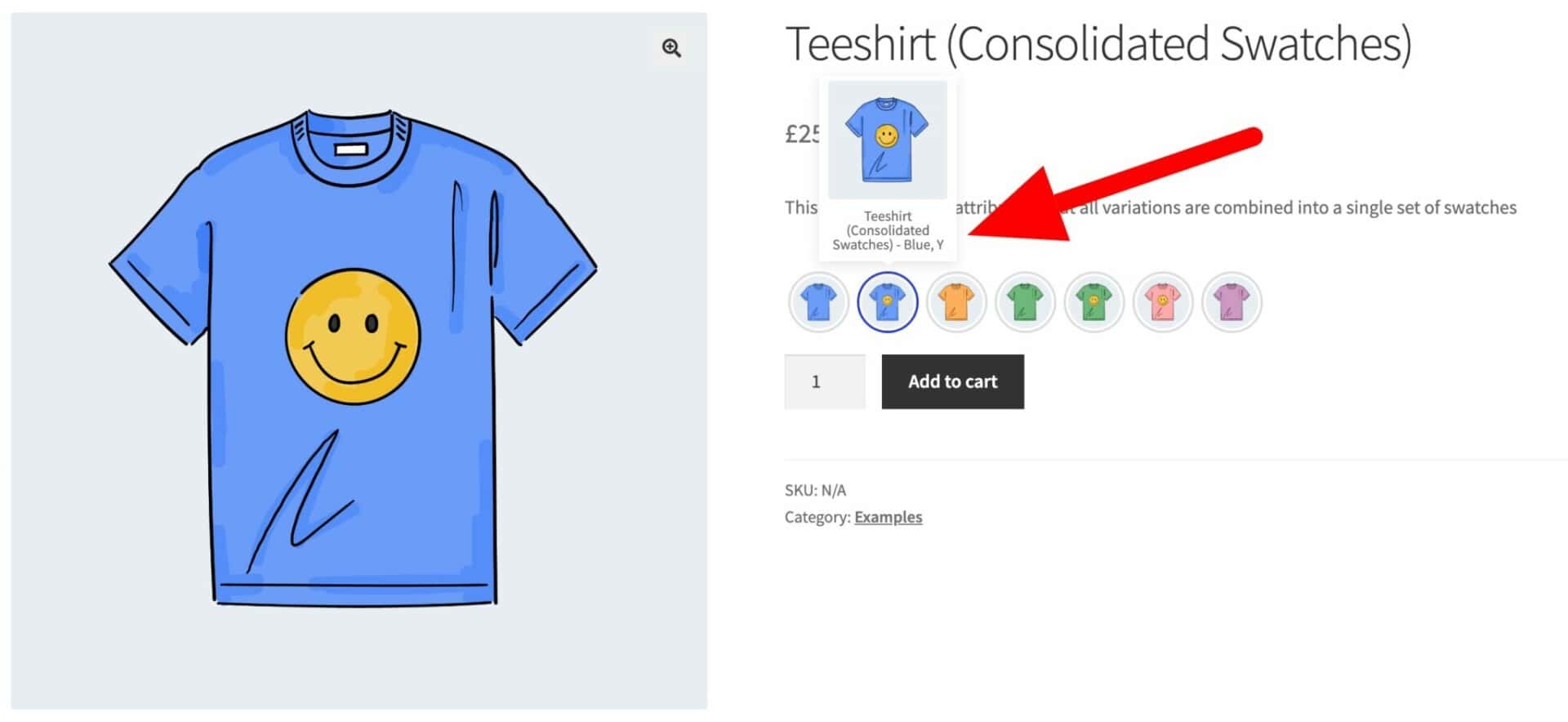
Yes, with the 'Consolidate Swatches' option you can convert all your variations with multiple attributes into single swatches. For example, if your product has two attributes - 'Color' and 'Logo' - you can display a single set of swatches rather than each attribute separately. So you'd display swatches for Blue / With Logo, Blue / No Logo, Green / With Logo, etc. It's much quicker for the user to see the options and to make their selection.
Can I automatically use variation images as swatches?
Yes, you can use the 'Consolidated variations' option which will convert all your variations to swatches.
Can I display tooltips?
Yes, the plugin displays the name of each variation when the user hovers over the swatch. You can also display an image as part of the tooltip.
Try our plugins risk free with our 14 day money back guarantee.
Our products are featured on

Screenshots
See how the plugin looks on the back and front ends.