In Add-Ons Ultimate, you can apply custom classes to groups, fields and even to some options.
Custom group classes
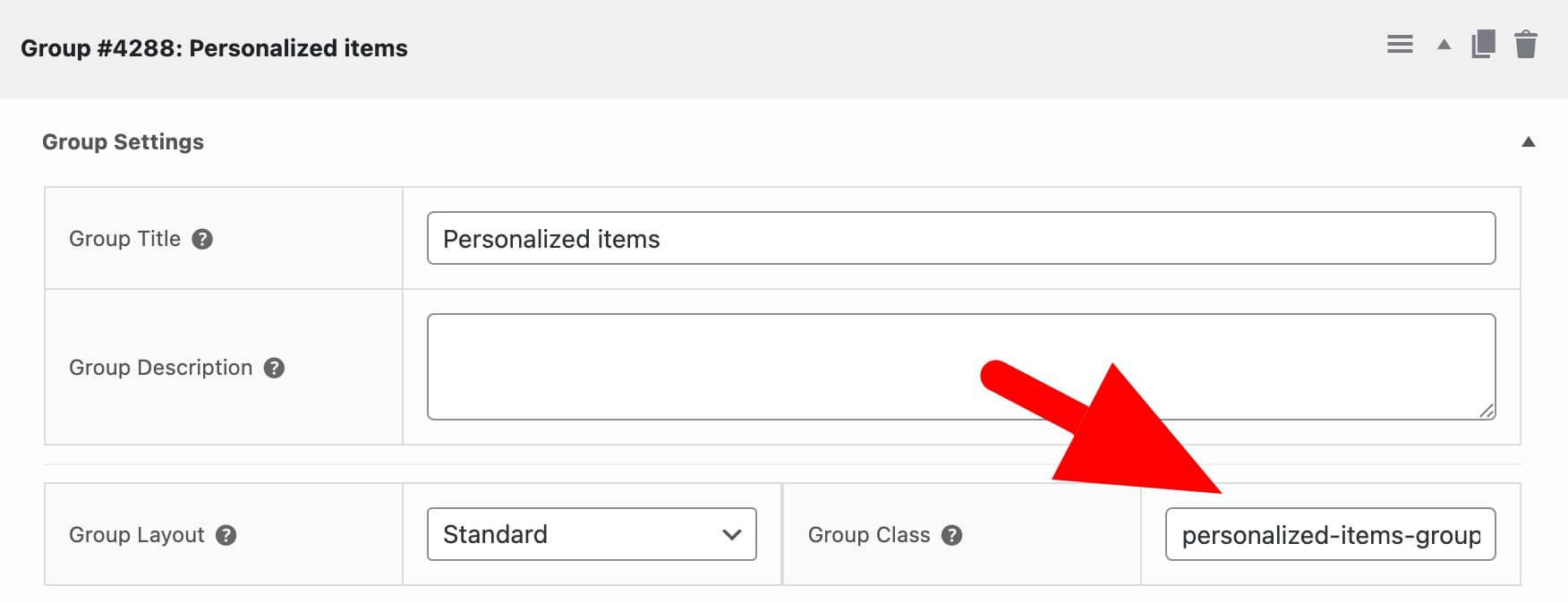
If you’d like to apply a custom class to the group wrapper element, just enter the class name in the ‘Group Class’ setting:
Filter field classes
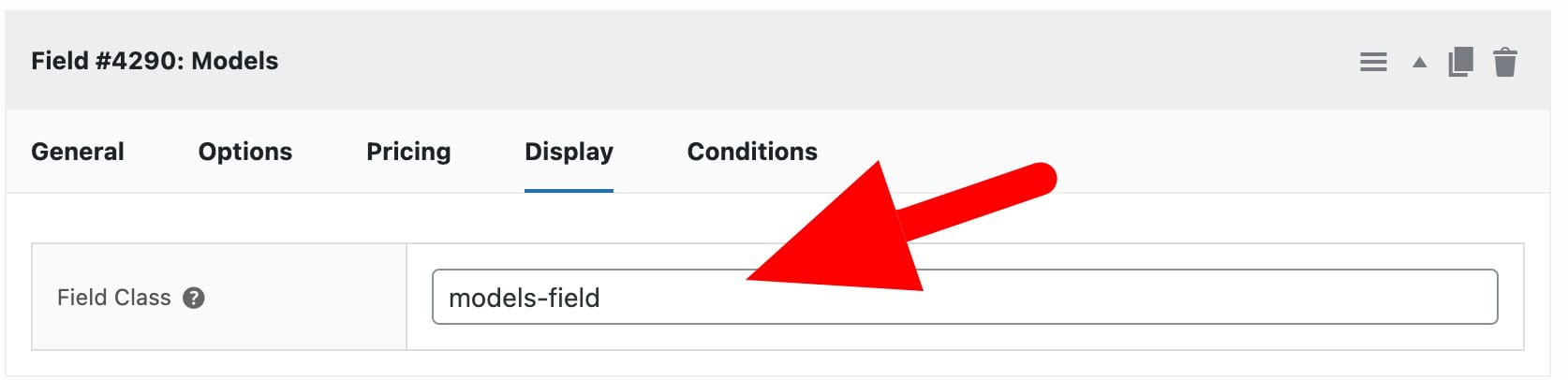
You can also add a custom class to fields. Just enter the class name in the ‘Field Class’ option.
Programmatically adding custom field classes
You can filter the class applied to each product add-on field with the pewc_filter_single_product_classes filter:
This file contains hidden or bidirectional Unicode text that may be interpreted or compiled differently than what appears below. To review, open the file in an editor that reveals hidden Unicode characters.
Learn more about bidirectional Unicode characters
| <?php | |
| /** | |
| * Filter field classes | |
| */ | |
| function prefix_filter_single_product_classes( $classes, $item ) { | |
| $classes[] = 'my-class-name'; | |
| // You can also use $item to check the field ID and add classes conditionally | |
| return $classes; | |
| } | |
| add_filter( 'pewc_filter_single_product_classes', 'prefix_filter_single_product_classes', 10, 2 ); |
The filter also passes the $item object so you can do conditional stuff based on the add-on field.
Custom classes for swatch options
The following code snippet will enable an additional parameter in your ‘Swatch’ options.
This file contains hidden or bidirectional Unicode text that may be interpreted or compiled differently than what appears below. To review, open the file in an editor that reveals hidden Unicode characters.
Learn more about bidirectional Unicode characters
| <?php | |
| /** | |
| * Add custom class parameter to swatch options | |
| */ | |
| function demo_custom_class_param( $option_count, $group_id, $item_key, $item, $key ) { | |
| $name = '_product_extra_groups_' . esc_attr( $group_id ) . '_' . esc_attr( $item_key ) . '[field_options][' . esc_attr( $option_count ) . ']'; | |
| $class = isset( $item['field_options'][esc_attr( $key )]['class'] ) ? $item['field_options'][esc_attr( $key )]['class'] : ''; | |
| ?> | |
| <td class="pewc-option-extra"> | |
| <input type="text" class="pewc-field-option-class" name="<?php echo $name; ?>[class]" value="<?php echo esc_attr( $class ); ?>"> | |
| </td> | |
| <?php } | |
| add_action( 'pewc_after_option_params', 'demo_custom_class_param', 20, 5 ); | |
| function demo_add_custom_class_title( $group_id, $item_key, $item ) { | |
| printf( | |
| '<th class="pewc-option-extra-title"><div class="pewc-label">%s</div></th>', | |
| __( 'Class', 'pewc' ) | |
| ); | |
| } | |
| add_action( 'pewc_after_option_params_titles', 'demo_add_custom_class_title', 20, 3 ); | |
| function demo_swatch_wrapper_custom_class( $wrapper_classes, $item, $key, $option_value, $option_index ) { | |
| if( ! empty( $option_value['class'] ) ) { | |
| $wrapper_classes[] = esc_attr( $option_value['class'] ); | |
| } | |
| return $wrapper_classes; | |
| } | |
| add_filter( 'pewc_swatch_wrapper_classes', 'demo_swatch_wrapper_custom_class', 10, 5 ); |
Enter a class name in the extra field and this will be applied to that specific option.
Here’s how to add a snippet.